


Headphone jacks in vlogging cameras are incredibly important for ensuring high-quality audio. They allow creators to monitor sound in real time, quickly identifying issues like background noise or distortion. This immediate awareness enhances the overall production quality, keeping viewers engaged. Using low-impedance headphones can improve sound clarity, providing a comfy fit for extended use. With these jacks, vloggers can plug in external microphones for richer audio. You’ll be truly impressed by how much good audio can elevate your content. Find out more about monitoring techniques and tips!
Key Takeaways
- Headphone jacks enable real-time audio monitoring, allowing vloggers to detect and address audio issues during recording.
- They improve production quality by facilitating the use of high-quality external microphones for clear sound capture.
- Monitoring audio through headphone jacks helps isolate unwanted background noise, enhancing overall audio clarity.
- External headphones offer smoother connections and better sound quality compared to built-in speakers, ensuring accurate audio playback.
- Incorporating headphone jacks can significantly impact viewer engagement by ensuring optimal audio quality in vlogs.
The Role of Headphone Jacks in Real-Time Audio Monitoring
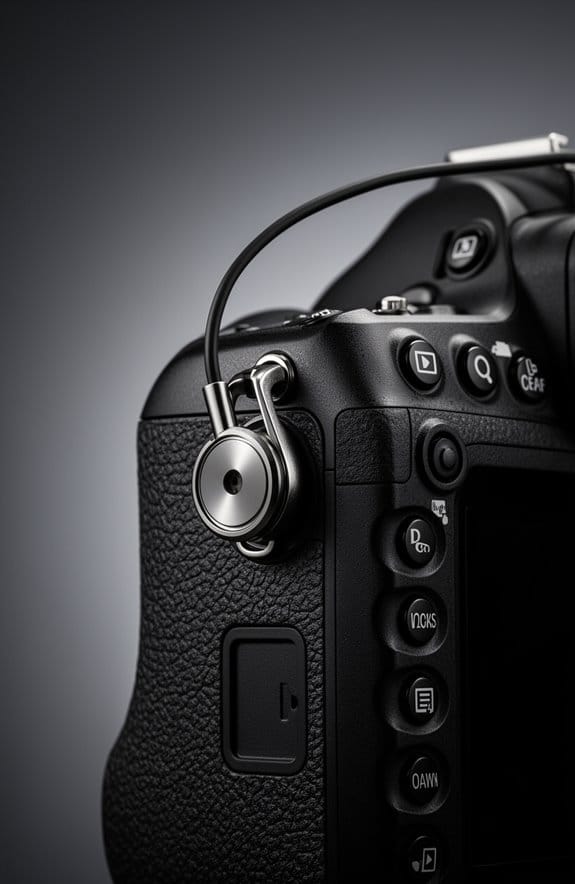
When you’re vlogging, real-time audio monitoring is super crucial, and that’s where headphone jacks come into play. These jacks allow you to plug in your headphones to your camera and hear exactly what’s being recorded. Imagine you’re filming a scene outdoors—since sound can be unpredictable, being able to listen in directly helps you spot any digital clipping or unwanted background noise right away.
For example, if you notice a wind gust picking up while you’re filming, you can adjust your mic or even pause until it calms down. Many professional cameras have either 1/4″ or 1/8″ headphone jacks, so you can easily use your favorite high-quality headphones. This not only lets you catch issues immediately but also helps you create a more polished final video, saving you time on editing later.
Using microphones with features like noise cancellation can further enhance the clarity of the monitored audio, ensuring you capture the best sound possible during your recording sessions.
Why Headphone Jacks Matter in Vlogging Cameras

You know, when it comes to vlogging cameras, headphone jacks really make a difference. They let you listen to the audio while you’re recording, so you can catch any issues right away. Imagine you’re filming outside, and there’s a sudden gust of wind or a distant siren—having that headphone jack means you can hear it before you wrap up your shoot.
For example, if you’re using a solid pair of professional headphones, you can spot unwanted background noise that regular earbuds might miss. This means you can tweak your microphone settings on the fly, ensuring your audio sounds clear and polished. Plus, many cameras with headphone jacks support XLR inputs, which lets you plug in high-quality microphones. This elevates your sound game significantly.
Additionally, just like solar cameras benefit from two-way audio for real-time communication, headphone jacks in vlogging cameras allow precise monitoring that enhances audio quality during recording.
Recommended Products

26.1 megapixel X-Trans CMOS 4 sensor and X-Processor 5

Sony USA Authorized. Bundle Includes: Sony a6600 Mirrorless Camera, 64GB Ultra SDXC Memory Card, Soft Case, Flexible Tripod, Hand Strap, Memory Card Wallet, Cleaning Kit, Lens Cap Keeper, Memory Card Reader
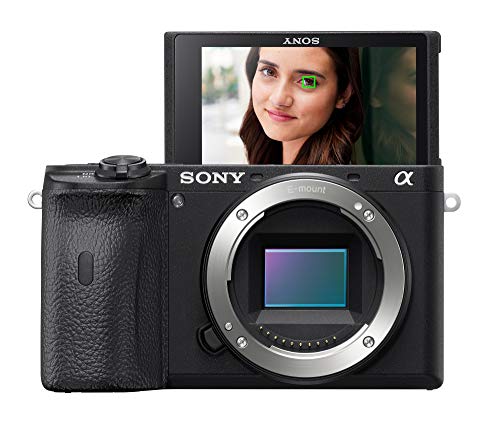
World’s fastest AF at 0 02 sec W/ real-time AF & Object tracking
How to Use Headphone Jacks for Quality Control

Hey there! So, let’s chat about how to use headphone jacks for quality control in your vlogging. It’s actually pretty simple! When you plug in a good pair of over-ear headphones, you’re not just listening to the sound; you’re isolating it beautifully. This helps you pick up on any audio issues right away—like if your voice is too quiet or there’s background noise that you didn’t notice before.
Now, if you go with headphones that have a lower impedance, like around 16 to 32 ohms, you’ll find they connect more smoothly, and you can hear everything crystal clear. For instance, while recording, if you notice some distortion in your voice, you can adjust the mic placement on the fly rather than waiting until editing.
Also, keep a close eye on those audio levels as you record. This prevents something called digital clipping, which sounds as bad as it sounds. It’s frustrating to realize that your audio peaks and distorts when you could have caught it live! By actively monitoring the sound through the headphone jack, you’re setting yourself up for much better production quality. Many 4K cameras come equipped with 3.5mm jacks which allow seamless connection of external microphones or headphones, crucial for superior audio control.
Recommended Products

Our new more advanced model replaces the LCD-4

Fully integrated audio production studio for podcasters, streamers, musicians and content creators

REFERENCE-MONITORING 4-HOST RIG — NTH-100 STUDIO HEADPHONES AT EVERY CHAIR: A multi-host podcast needs more than four broadcast mics — every host needs studio-grade monitoring to self-correct levels in real time, not entry cueing cans. This bundle pairs the RodeCaster Pro II with 4 PodMic mics, 4 PSA1+ arms, 4 NTH-100 reference headphones, 4 color NTH cables, 4 color XLR cables, and 4 WS14 pop filters. Podcast producers and broadcast teams — assign one color per host, start recording today.
Identifying Common Audio Problems Using Headphone Jacks
Hey! So, let’s chat about something super important for vloggers: identifying common audio problems using headphone jacks. If you’re keen on making your videos sound great, listening to the audio directly while you film is a must. When you monitor your audio levels, you can catch issues like distortion or annoying background noise right off the bat.
Now, most vlogging cameras only have one headphone jack, which means you can’t keep an ear on multiple sound sources at the same time. Imagine you’re filming outside and the wind starts howling—if you’re not monitoring that audio, it could ruin your whole take! Plus, if you’re using a lower-quality headphone jack, the sound might come through all muffled, making it hard for your audience to hear you clearly.
A cool tip is to invest in a good pair of high-fidelity headphones. They can help you pick up those subtle audio problems, such as a hum from equipment or static in the background. Regularly checking the headphone jack’s functionality is essential, too. A quick test can make a world of difference. It’s all about ensuring your audio is crisp and clear, which really enhances the overall experience for your viewers.
This little routine of testing your audio can save you from major headaches later on, trust me! Also, using devices with low latency in audio monitoring can help you catch issues instantly in real time. If you’re ready, we can move on to some practical tips for enhancing your audio setup even further.
Advantages of Headphone Jacks vs. Built-In Mics
Hey! So, let’s talk about headphone jacks and why they’re seriously awesome for vloggers, especially when it comes to audio quality. You know how built-in microphones can often pick up all sorts of background noise? Well, with a headphone jack, you can plug in an external microphone that focuses on your voice instead, which really helps in cutting out that distracting noise. Plus, it lets you monitor your sound in real time, meaning you can actually hear how things are sounding while you’re recording.
For example, if you’re out and about filming, you can use a cool shotgun mic through the headphone jack. This way, you can capture clear audio of yourself while ignoring that bus rumbling by. And when it comes to editing later, having good headphones plugged in means you can catch any audio issues right away and fix them before posting.
Many top-notch vlogging cameras have these headphone jacks for a reason—they really boost your audio quality way beyond what built-in mics can do. So, next time you’re thinking about your setup, remember that the right audio gear can elevate your content significantly! Using an external mic with a cardioid polar pattern through the headphone jack can greatly reduce background noise and improve the clarity of your voice.
Recommended Products

Large 24.2MP APS-C Exmor CMOS Sensor and fast BIONZ X processor

【THE PERFECT STUDY PARTNER】 Designed for online education and homework, the efficient Intel N150 processor runs school suites, PDF readers, and coding apps smoothly.

Elevate your streaming content with BRIDGE CAST X, a compact, all-in-one desktop solution filled with hands-on controls and Roland’s acclaimed pro AV features
Understanding Headphone Jack Compatibility
Hey there! If you’re getting into vlogging, understanding headphone jack compatibility is super important for your audio setup. Most vlogging cameras come equipped with a 3.5mm TRS headphone jack, which is pretty much the universal size for headphones. This means you can plug in a lot of consumer headphones and audio monitoring devices easily, allowing you to hear what you’re recording in real-time. Imagine being able to immediately check the sound quality as you speak—that’s crucial for great audio!
Now, some of the more advanced cameras might have a 1/4 inch (or 6.35mm) jack instead. This is where things can get a bit tricky—you’ll probably need an adapter to make your regular headphones fit. It’s a good idea to test the headphone jack before your big shoot, as not all cameras produce the same audio quality through it. Plus, many vlogging cameras nowadays can also connect to wireless audio monitoring systems. This gives you the freedom to move around while keeping track of your audio levels from a distance, which is super handy when you’re on the go.
Using high-density materials in audio accessories can also help improve sound clarity and reduce unwanted noise.
With that in mind, be sure to consider the options that fit your vlogging style—it can make a big difference in your content quality! And speaking of content, let’s talk about what else you should keep in mind when setting up your gear.
The Impact of Audio Quality on Viewer Engagement
Hey there! Have you ever noticed how audio quality can really make or break a video? It’s actually more important than the visuals sometimes! Research shows that poor sound can lead to viewers dropping off much faster than if the video quality is subpar. For instance, a recent survey found that over half of viewers say audio clarity is their top priority when watching vlogs. This really highlights how crucial good sound is for keeping people engaged.
Using external microphones can really elevate your audio game. Many vloggers have found that adding a quality mic boosts how professional their videos feel—by as much as 80%! Plus, when creators use headphone jacks to monitor their sound, they often see an uptick in comments and shares on social media. It’s like a simple tweak that can lead to better interactions with your audience, making them more invested in your content. Choosing mics with multiple polar patterns can further improve the sound quality by tailoring audio capture to different environments, enhancing overall viewer experience.
Choosing the Right Headphones for Monitoring
Hey there! If you’re getting into vlogging, let’s talk about the headphones you should be using for monitoring audio. A lot of folks don’t realize just how crucial it is to pick the right headphones, especially when you want to capture those crisp sound bites without distractions. For example, going with closed-back headphones like the Sennheiser HD 280 Pro can really help you block out background noise, making what you hear while recording much clearer.
Comfort is another big deal. Imagine being in the middle of a long recording session and suddenly, those headphones pinch your ears. Not fun, right? So, look for a pair that feels good on your head over extended periods. Also, consider getting headphones with a coiled cable. This little feature can save you from annoying tangles and gives you a bit more freedom to move around while filming.
Finally, make sure your headphones have a standard 3.5mm plug. This way, they’ll easily connect to your camera, and you won’t have to worry about compatibility issues down the line. When pairing your headphones with microphones, choosing those with a high signal-to-noise ratio ensures clearer sound monitoring. Once you try out these headphones and experience that improved audio clarity, you’ll really understand how essential they are to your vlogging setup. Ready to explore more about other gear that can boost your video recording?
Recommended Products

Wired, Over-Ear, Open Cup Style, Detachable Flat Cable, Superior Reference Audiophile Headphones with 53mm Transducers. Accurate, Natural Sound. Black with Silver

Denon's "Free Edge" drivers are tuned for powerful, well-rounded sound

Hear the difference with massive 70 mm HD drivers, enjoy full range sound up to 120Khz frequency response, hear music at its best with Hi-Res Audio compatibility. Connectivity Technology: Wired
Other Audio Monitoring Options Besides Headphone Jacks
Hey there! So, you know how we often rely on headphone jacks for audio monitoring while vlogging? Well, there are actually several other cool options out there that can really boost your sound quality and make things easier for you.
First off, built-in speakers on cameras are pretty handy for quick audio playback. Just keep in mind that they might not deliver the best clarity like headphones do. If you’re into wireless gear, Bluetooth audio monitoring is definitely worth a look. You can connect wireless headphones and get real-time feedback on your audio levels—super useful when you’re recording and want to keep an ear on things.
If you’re aiming for a more professional setup, consider investing in an external audio interface. They often come packed with features like multiple headphone outputs and mixing capabilities, which can elevate your recordings. Plus, wireless microphone systems with built-in monitoring can give you that hands-free freedom without compromising sound quality.
Many action cameras also support external microphones, which can enhance audio clarity dramatically when paired with the right monitoring tools for a better vlogging experience.
These alternatives can really complement the traditional headphone jack and take your audio monitoring to the next level. Next, let’s explore how to choose the right gear for your vlogging setup!
Recommended Products

Bundle Includes: 1 x JVC GY-HM250 UHD 4K Streaming Camcorder | 1 x Rode NTG-1 Condenser Shotgun Microphone | 1 x 7 Inch On-Camera LCD Monitor | 1 x Sony MDR-7506 Professional Stereo Headphones | 1 x Dual-Channel VHF Wireless Handheld Microphone System | 2 x 64 GB SD Memory Card C10 | 1 x Large Padded Carrying Case | 1 x Professional LED 160 Video Light | 1 x Professional Full Size Tripod | 1 x 62mm 4-Piece +1 +2 +4 +10 Close-Up Macro Filter Set with Case |...and more

Bundle Accessories: Along with Sony ZV-E10 II, the product bundle includes in the box accessories, Hurricane Blower, Cleaning Kit, making it a perfect camera bundle package for a digital professional camera. In the box manufacturer's accessories does not include a Charger.

Bundle Accessories: Along with Sony ZV-E10 II, the product bundle includes in the box accessories, Hurricane Blower, Cleaning Kit,making it a perfect camera bundle package for a digital professional camera. In the box manufacturer's accessories does not include a Charger.
How to Maximize Audio Quality in Your Vlogs
To really boost the audio quality in your vlogs, it’s super important to focus on a few key things that can make your sound crystal clear. First off, check if your vlogging camera has a headphone jack. This little feature allows you to listen to the audio as you record, so you can catch any annoying background noises or distortions right away. Imagine wearing a pair of comfy headphones like the Sennheiser HD 280 Pro – they really help you hear exactly what your audience is picking up.
You know, regularly monitoring your audio through those headphones can save you a ton of headaches later during editing. It’s all about being proactive! Plus, with a good headphone jack, you can easily keep track of different audio sources, which is essential if you’re working with multiple microphones. Additionally, using a mixer with built-in EQ settings can help tailor your audio for the clearest, most professional sound in your vlogs.
Frequently Asked Questions
Why Do Vloggers Wear Headphones?
Vloggers wear headphones primarily for sound monitoring, ensuring ideal audio quality by detecting background noise. This practice enhances interview clarity and allows for immediate adjustments, benefiting from equipment compatibility to achieve professional-grade recordings.
What Is the Purpose of the Headphone Jack?
Like a ship’s captain adjusting sails, the headphone jack guarantees peak audio monitoring, enhancing sound quality and production efficiency. With equipment compatibility, it elevates the user experience, allowing creators to navigate their content with precision.
Why Do Videographers Wear Headphones?
Videographers wear headphones for audio monitoring, ensuring sound quality by isolating background noise. This equipment compatibility enhances on-set communication, allowing them to detect issues quickly and adjust settings for ideal audio capture during filming.
Why Do People Wear Headphones When Recording Videos?
People wear headphones when recording videos for audio monitoring, ensuring sound quality is ideal. This enhances editing efficiency, reduces distractions, and promotes equipment compatibility, allowing creators to capture clear, professional audio throughout their recordings.


