


4K capture cards differ from 1080P models mainly in resolution and image quality. Specifically, 4K cards provide a sharp 3840×2160 image, while 1080P delivers a lower 1920×1080 resolution. This difference results in a much clearer picture, especially on larger screens. However, 4K models require more bandwidth and storage, with data rates soaring to 600 Mbps at 60 fps. Exploring features like latency and compatibility can help buyers choose the right option. There’s much more to contemplate!
Key Takeaways
- 4K capture cards provide a resolution of 3840×2160, while 1080P models offer 1920×1080, resulting in sharper images and greater detail.
- 4K cards support higher frame rates, typically up to 60 fps, enhancing video production quality compared to the lower capabilities of 1080P models.
- 4K capture requires significantly more bandwidth, demanding around 600 Mbps at 60 fps, while 1080P needs only about 5 Mbps.
- 4K models often include HDR support, providing better color vibrancy and contrast compared to standard 1080P capture cards.
- Investing in a 4K capture card offers future-proofing advantages, accommodating the growing trend towards ultra-high definition content in streaming.
What Are 4K and 1080P Capture Cards?

Hey there! So, let’s talk about capture cards, specifically 4K and 1080P models. These devices are super handy for gamers, streamers, and content creators who want to capture or stream their gameplay. A 4K capture card offers a mind-blowing resolution of 3840×2160, which gives you around 8.3 million pixels for an incredibly sharp image. In contrast, a 1080P capture card has about 2.1 million pixels, which is still great quality but not quite as crisp.
Now, if you’re really into streaming or recording games with vibrant visuals, a 4K card can be pretty appealing. It usually comes with features like HDR support and low-latency passthrough, which is perfect if you want to play and stream simultaneously without a hiccup. Just keep in mind that 4K capture cards need more processing power and larger storage spaces because the files they create are bigger. For example, if you’re playing a visually stunning game like “Cyberpunk 2077” at 4K, you’ll need that extra storage to handle all those amazing details without worry!
Ultimately, deciding between a 4K and a 1080P capture card depends on what you want to do. If you’re planning to stream in high resolution or capture breathtaking gameplay, a 4K card might be worth the investment. But if you’re more casual and just want solid quality without the extra fuss, a 1080P capture card would probably suit your needs just fine. It all boils down to what fits your style! Additionally, ensuring device compatibility with your gaming consoles and PCs will help you select the best capture card for your setup.
Recommended Products

NVIDIA Ada Lovelace, with 2235MHz core clock and 2565MHz boost clock speeds to help meet the needs of demanding games.

[Powerful Performance]: Thdeukoty MV10 mini gaming pc is equipped with core i9-14900F processor, 24 cores/32 threads, 36MB smart cache and frequency up to 5.8 GHz, as same time powered by NVIDIA RTX5060Ti 16GB graphics, so MV10 delivers exceptional multitasking and computing power for demanding tasks from 4K content creation to AAA gaming.

NVIDIA Ampere architecture, with 1395MHz core clock and 1695MHz boost clock speeds to help meet the needs of demanding games.
Key Differences in Resolution and Image Quality

When you’re comparing 4K and 1080p models, it quickly becomes clear just how different the resolution and image quality can be. A 4K capture card records at 3840 x 2160 pixels, which gives you about 8.3 million pixels in total. On the other hand, a 1080p capture card only captures at 1920 x 1080 pixels—around 2.1 million pixels. That’s a whopping 300% boost in pixel density!
What does this mean for you? Well, with 4K, you’ll definitely see much sharper images and a level of detail that really stands out, especially when you’re looking at larger screens. For instance, if you’re watching a nature documentary on a big TV, you’ll notice the individual leaves on trees or textures in animal fur much more vividly than you would with 1080p!
Now, if you’re just into casual gaming or streaming, 1080p might do the trick for you. But if you’re an enthusiast who wants that crisp, vibrant quality—especially when sitting farther from the screen—a 4K capture card is the way to go. It not only enhances the overall experience but also sets you up for future-proofing as more content becomes available in ultra-high definition. So, if clarity and detail matter to you, investing in a 4K setup is definitely worth considering. Many 4K capture cards also feature HDR support, which enhances color vibrancy and contrast for a richer visual experience.
Bandwidth and Data Rate Requirements for Capture Cards

Hey! So, if you’re thinking about getting a 4K capture card, let me fill you in on what that really means for your setup. With 4K, you’re looking at a significant jump in bandwidth and data rate. For instance, capturing 4K video at 30 frames per second needs around 25 Mbps, which is quite a bit more than the 5 Mbps required for standard 1080p. And if you’re stepping it up to 4K at 60 fps? Be prepared for data rates that can soar to 600 Mbps!
To handle all that data smoothly, you really need a strong USB 3.0 or PCIe connection. Trust me, it’s essential! Plus, don’t forget that the larger file sizes of 4K content will take up much more storage space—about four times more than 1080p files. So, if you’re planning on capturing a lot of video, make sure you invest in some extra storage!
Oh, and another thing: your CPU and GPU need to be up to the task too. When you’re encoding high-bitrate video, those components really work hard. So, if you want a seamless capturing experience, ensure you’re equipped with the right hardware. For example, many top-tier devices offer ultra-low latency to enhance streaming quality.
Ready to explore more on how to optimize your streaming setup? Let’s keep going!
Recommended Products

Sony USA Authorized. Sony Alpha a7R III (Body Only) + FE 24–70mm f/2.8 GM Lens, 64GB Extreme PRO card, NP-FZ100 battery, Corel software, cleaning set, large padded case, memory card reader, NP-FZ100 charger, 12 inch flexible tripod, memory card wallet.
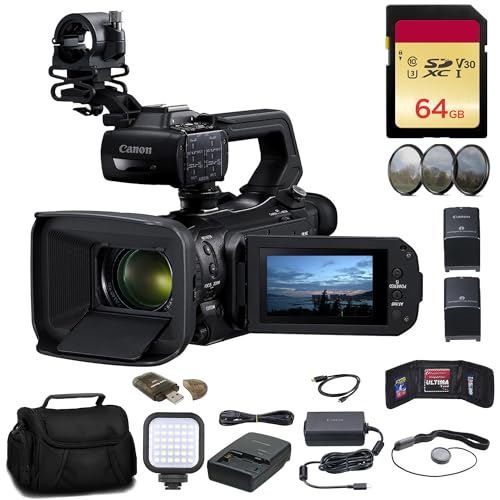
Items Included: 1 x Canon XA75 UHD 4K30 Camcorder with Dual-Pixel Autofocus, 1 x SecureDigital 64GB Extreme PRO Memory Card, 1 x BP828 Replacemnt Battery, 1 x BP820 Replacement Charger, 1 x 58mm 3 Piece Filter Kit, 1 x Soft Bag, 1 x LED Light, 1 x Memory Card Reader, 1 x High Speed Mini HDMI to HDMI Cable, 1 x Memory Card Wallet, 1 x Lens Cap Keeper, 1 x Cleaning Kit

Items Included: 1 x Canon XA75 UHD 4K30 Camcorder with Dual-Pixel Autofocus, 1 x SecureDigital 64GB Extreme PRO Memory Card, 1 x BP828 Replacemnt Battery, 1 x BP820 Replacement Charger, 1 x 58mm 3 Piece Filter Kit, 1 x Soft Bag, 1 x LED Light, 1 x 58mm Wide Angle Lens, 1 x 58mm Telephoto Lens, 1 x Memory Card Reader, 1 x High Speed Mini HDMI to HDMI Cable, 1 x Memory Card Wallet, 1 x Lens Cap Keeper, 1 x Cleaning Kit
Pros and Cons of 4K Capture Cards Compared to 1080P Models
When you start comparing 4K capture cards to the classic 1080p models, you quickly see a mix of perks and pitfalls. 4K capture cards can deliver stunning resolutions up to 3840×2160 pixels, which is like viewing a crisp, clear image with three times the pixel count of 1080p. This means your stream or recording could have way sharper details, making it look significantly more professional. Just think about a game scene where every character texture pops; that’s what 4K can do for you!
But here’s the catch: 4K models often come with a hefty price tag—like the AVerMedia Live Gamer Ultra 2.1, which runs around $209.99. Plus, they require more storage space and beefier hardware to process all that data, which can add up. So, if you’re planning on creating high-quality content, get ready for a bit of a financial and technical commitment.
In the end, it all boils down to what you really want out of your streaming experience. If stunning visuals are your priority and you’re willing to invest, a 4K capture card may be worth it. On the other hand, if you’re just starting out or don’t need that level of detail, sticking with a 1080p model could be a smart move. Next, let’s explore what features you should look for in a capture card that fits your needs!
It’s also important to consider the plug-and-play designs of capture cards for ease of installation and immediate use.
Recommended Products

2 Port HDMI 2.0 Capture Card

Four Independent HDMI Inputs – Capture four simultaneous HDMI channels with embedded audio, ideal for multi-camera setups, switchers or monitoring rigs.

How to Choose the Best Capture Card for Streaming
So, you’re on the hunt for the best capture card for streaming, huh? That’s an exciting step! To kick things off, think about the resolution and framerate you want to work with. If you’re aiming for that crisp 4K quality, you’ll need a capture card that handles 3840×2160 at 60 frames per second. On the other hand, if you’re more comfortable with 1080p, many cards will give you 1920×1080 at the same smooth framerate.
Next up, let’s chat about connectivity options. Some 4K capture cards might require you to have a desktop setup, while others can easily hook up via USB, making them perfect for laptops or consoles. For example, if you game on a console or a laptop, look for a capture card that’s USB-friendly. Also, don’t forget to consider features like HDR support and low-latency passthrough; these can make a noticeable difference in your streaming experience.
Oh, and make sure to check if the capture card is compatible with your current streaming software and hardware. Sometimes, it’s not just about the capture card itself but also how well it meshes with your system’s power. Ultimately, it’s all about balancing fantastic image quality with what fits your budget and meets your streaming needs. Ready to explore more features to look for in a capture card? Keep an eye out for cards that offer plug-and-play setups to simplify installation and get you streaming faster.
Recommended Products

Bundle Includes: Canon XA75 Professional UHD 4K Camcorder with 1" CMOS Sensor, 15x Optical Zoom, Dual XLR Audio, USB-C Livestreaming + Canon PD-E1 USB Power Adapter + CANON 200ES EOS Shoulder Bag + 64GB Memory Card

HDMI Encoder & DP Decoder - Effortlessly manage multiple video sources.

Sony USA Authorized. Bundle Includes: Sony Alpha ZV-E1 Full-Frame Vlog Mirrorless Camera (Black), Small Case, 64GB Extreme PRO Card, Memory Card Reader, 12 inch Flexible Tripod, Memory Card Wallet, Cleaning Kit
Is Investing in a 4K Capture Card Worth It?
Thinking about whether investing in a 4K capture card is worth it? For a lot of content creators and gamers, the answer is a resounding yes! Take the Elgato Game Capture 4K Pro, for example. It delivers stunning footage at 3840×2160 resolution and 60 frames per second, making your videos look way better than the typical 1080p setup. This clarity can seriously enhance your video production quality, whether you’re streaming gameplay or creating tutorials.
But, before you jump in, it’s good to keep a couple of things in mind. First off, 4K files are pretty hefty—expect them to take up about four times the storage space of 1080p footage. This means you might need to invest in larger hard drives or cloud storage solutions, which can add to the overall cost. Plus, while more platforms are starting to support 4K streaming, it’s not yet everywhere you want to be.
In a nutshell, if you’re serious about taking your content to the next level and want to stay ahead of the curve, a 4K capture card could be a smart investment. It could really help future-proof your content creation setup as demand continues to grow. Now, let’s think about how this investment fits into the bigger picture of your streaming or production needs. Also, choosing a capture card with ultra-low latency ensures your streams will be smooth and synchronized for the best viewer experience.
Recommended Products

World’s first 1.0-inch type stacked Exmor RS imaging sensor, Flexible 4K and Full HD recordings (XAVC Long GOP at 100Mbps), HFR 120 fps Super Slow Motion (continuous), Clear Image Zoom (24x for HD, 18x for 4K)

[All in one] - Elevate your video conferencing with KanDao Meeting Ultra, the all-in-one conference room solution featuring dual 4K HDR 360° cameras, a 15.6" FHD touchscreen, built-in microphones, and 10W Hi-Fi speakers
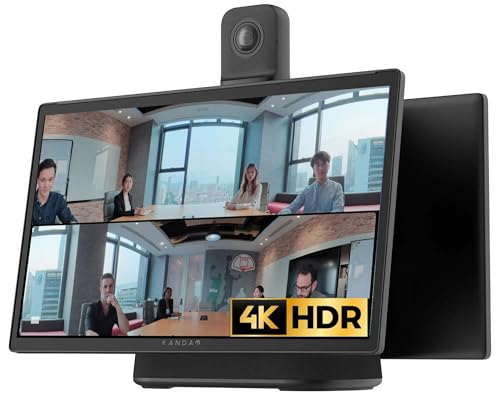
[All in one] - Elevate your video conferencing with KanDao Meeting Ultra, the all-in-one conference room solution featuring dual 4K HDR 360° cameras, a 15.6" FHD touchscreen, built-in microphones, and Hi-Fi speakers
Frequently Asked Questions
Is There a Big Difference Between 4K and 1080P?
A significant difference between 4K and 1080p exists, with 4K advantages including enhanced resolution impact, better gaming performance, improved color depth, and monitor compatibility, though it necessitates greater hardware requirements and can pose streaming limitations.
Why Can’t I Tell the Difference Between 1080P and 4K?
Resolution perception may be hindered by screen size, viewing distance, and hardware limitations. Additionally, compression effects, content quality, color depth, and the eye’s sensitivity can impact the ability to discern differences between 1080p and 4K.
What Are the Disadvantages of 4K?
In the shimmering domain of 4K, disadvantages loom—high pricing disparity, intimidating storage requirements, demanding processing power, compatibility hurdles, essential cables, and streaming challenges plague enthusiastic gamers and content creators maneuvering this visually stunning landscape.
Will I Notice a Difference Between Full HD and 4K?
The difference between Full HD and 4K is noticeable, especially at closer viewing distances and larger screen sizes, with enhanced pixel density and image quality despite higher hardware requirements, streaming limitations, and production costs potentially affecting content availability.


