


Understanding bandwidth requirements for capture cards is essential for ideal streaming quality. For example, 1080p streaming requires at least 6 Mbps, while 4K needs about 25 Mbps. A reliable upload speed of 5 Mbps guarantees smooth performance at lower resolutions. Furthermore, simultaneous streams can greatly increase bandwidth needs. Five viewers could demand anywhere from 30 Mbps to 125 Mbps. Meeting these requirements is critical for a comfy streaming experience, and there’s much more to explore on this fascinating topic.
Key Takeaways
- Capture cards for 1080p60 streaming require an upload speed of at least 5 Mbps, while 4K60 streaming needs around 25 Mbps for optimal performance.
- Bandwidth requirements increase with simultaneous streams, necessitating up to 125 Mbps for multiple viewers streaming at 4K quality.
- Maintaining 1.5 times the expected total bitrate provides a buffer against bandwidth fluctuations, ensuring a smooth streaming experience.
- Future capture cards may adopt AV1 compression technology, reducing data rates by 30-50% while preserving video quality during high-performance events.
- USB 3.2 Gen2 supports bandwidth necessary for smooth 4K recording and minimizes latency, crucial for effective streaming and gameplay.
What Is Video Bandwidth and Why Does It Matter for Capture Cards?

Hey! So, let’s chat about video bandwidth and its importance when dealing with capture cards. Video bandwidth is basically how much data flows every second, and it’s crucial for keeping your video streams smooth and clear. For example, if you’re streaming in 1080p, you typically need around 6 Mbps. But if you want to step it up to 4K, you’ll be looking at at least 25 Mbps.
Now, here’s where it gets interesting: the bit rate directly affects video quality. The higher the resolution, and if you’re planning to stream at 60 frames per second (like a super smooth gaming session), your bandwidth needs go up significantly. If you’re trying to stream two separate 1080p60 feeds, you’d need about 12 Mbps, which is a hefty jump. So, always check your upload speed to avoid any hiccups during your streams!
And don’t forget about codecs! They can really help by optimizing how data is packed for streaming, allowing you to maintain good video quality without overloading your internet connection. By keeping all this in mind, you’ll be well on your way to choosing the perfect capture card that fits your setup!
Many of the best capture cards, such as the Elgato Game Capture Neo, support 4K60 HDR passthrough to ensure both high-quality capture and smooth display during your streaming sessions.
How Capture Card Bandwidth Affects Streaming Quality at Different Resolutions

So, let’s talk about how capture card bandwidth really affects your streaming quality at different resolutions. If you’re streaming at 1080p60, you usually need around 6 Mbps for a smooth video experience. On the other hand, if you want to step it up to 4K60, you’re looking at needing at least 25 Mbps. That’s quite a jump, right? Higher bandwidth means better visuals, especially when you’re broadcasting in those higher resolutions.
For example, if you’re using a capture card that has USB 3.2 Gen2 connectivity, it can handle up to 10 Gbps, which is fantastic for keeping everything running smoothly. Plus, a capture card with passthrough functionality is super helpful for gamers. It lets you play with zero lag so you can stay sharp during intense moments in competitive games. Many top capture cards also offer HDR passthrough to enhance color accuracy and overall streaming quality.
Recommended Products

True DCI 4K60 HDMI Capture – Supports HDMI 2.0 input and capture up to 4096×2160 at 60fps for crystal-clear UHD recording, streaming, conferencing, or monitoring.
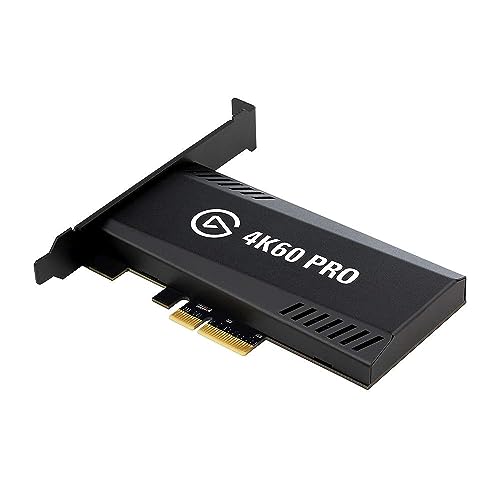

Works on Windows, Mac, Linux - No driver needed.
Minimum Bandwidth Needs for HD, FHD, and UHD Streaming

Hey! So, let’s talk about bandwidth needs for streaming in different resolutions—this stuff can really boost your viewing experience if you get it right. For HD (that’s High Definition), you’ll want at least 3 Mbps. It’s kind of like needing a solid internet connection to keep your favorite shows running smoothly. Then, when you move up to FHD (Full HD), the requirement bumps up to 6 Mbps. That extra clarity you get with FHD definitely makes it worth it.
Now, if you’re all about those breathtaking visuals, UHD (Ultra High Definition) is where it’s at. But be ready for a significant jump—at least 25 Mbps is what you need to avoid any buffering. Just imagine watching a movie in UHD; it’s like having all the details come to life! And don’t forget about data usage. For instance, streaming HD will typically use about 1.35 GB per hour, while FHD uses around 2.25 GB. But UHD? That can skyrocket to 11.25 GB in just one hour! Choosing a capture card with 4K60 resolution ensures that you can stream UHD content at optimal visual quality without lag.
Recommended Products
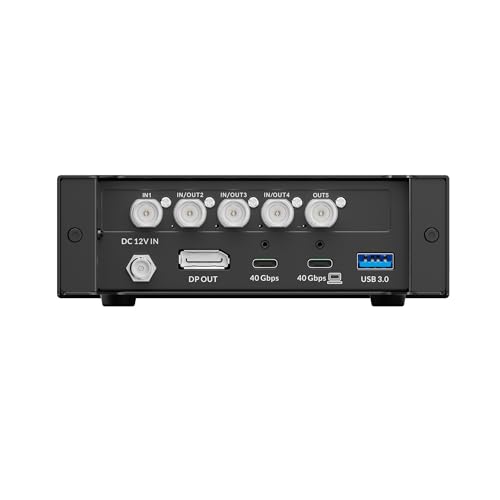
Ultra-Speed Data Transfer Dual ultra-speed ports, up to 40Gbps bandwidth Supports daisy-chaining for flexible expansion
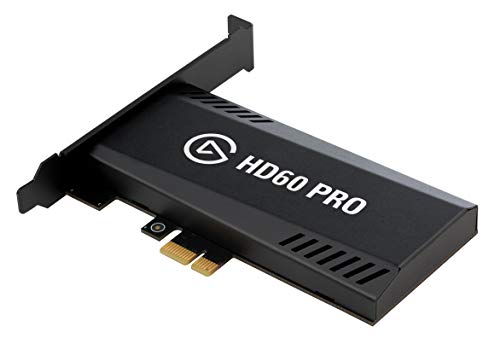
Elgato Game Capture Hd60 Pro - Functions: Video Game Streaming, Video Game Recording, Video Game Capturing - Pci Express X1 - H.264 - Pc - Plug-in Card

Seamless Broadcasting and Versatile Streaming: Connect effortlessly to any app such as OBS, Streamlabs, Twitch Studio, Restream, Zoom, Teams, and stream flawlessly on various platforms like YouTube, Twitch, Discord, Facebook Gaming, etc., providing you with unparalleled flexibility and reach.
Tips for Ensuring Reliable Bandwidth for Live Streaming With Capture Cards
You know, enjoying live streaming really hinges on having reliable bandwidth. If you’re aiming for 1080p quality, you want at least 5 Mbps upload speed; that’s how you keep things smooth. But if you’re going for the stunning details of 4K, you’ll need to step that up to around 25 Mbps. So, it’s smart to connect your streaming setup with a wired Ethernet cable instead of relying on Wi-Fi. This helps cut down on latency and pesky interference—nobody likes buffering in the middle of a stream, right?
Also, don’t forget about your capture card. You’ll want to start your bitrate settings at around 6000 Kbps for 1080p60 streaming. This gives you a good balance between video quality and stability. And if you’ve got multiple devices connected to your network, it might be worth it to unplug some of them while streaming. Too many devices can slow everything down and clutter your bandwidth flow.
Lastly, regularly testing your internet speed can help you see if you’re meeting your needs. Use tools like Speedtest.net before you go live, so you know what to expect. Making these adjustments ensures that your live streaming adventures happen without a hitch, letting you engage fully with your audience! Speaking of engaging, let’s talk about how to enhance your streaming setup next! For an optimal setup, ensure your capture card supports ultra-low latency to maintain perfect synchronization of audio and video during live streams.
Recommended Products

Intel Core Ultra 7 155U, 12C (2P + 8E + 2LPE) / 14T, Max Turbo up to 4.8GHz, 12MB. This new Intel Core Ultra processor delivers the next generation of hybrid architecture for supercharged computing. Thanks to a three tier multi-processing unit, business users can manage complex workloads by sending the right task to the right engine at the right time. A CPU manages lightweight low-latency AI tasks, a GPU manages media and visual AI rendering, and an NPU, manages sustained AI and AI offload.
Intel Core Ultra 7 155U, 12C (2P + 8E + 2LPE) / 14T, Max Turbo up to 4.8GHz, 12MB. This new Intel Core Ultra processor delivers the next generation of hybrid architecture for supercharged computing. Thanks to a three tier multi-processing unit, business users can manage complex workloads by sending the right task to the right engine at the right time. A CPU manages lightweight low-latency AI tasks, a GPU manages media and visual AI rendering, and an NPU, manages sustained AI and AI offload.
Intel Core Ultra 7 155U, 12C (2P + 8E + 2LPE) / 14T, Max Turbo up to 4.8GHz, 12MB. This new Intel Core Ultra processor delivers the next generation of hybrid architecture for supercharged computing. Thanks to a three tier multi-processing unit, business users can manage complex workloads by sending the right task to the right engine at the right time. A CPU manages lightweight low-latency AI tasks, a GPU manages media and visual AI rendering, and an NPU, manages sustained AI and AI offload.
How Bandwidth, Bitrate, and Frame Rate Affect Streaming Performance
Hey there! You know, when it comes to streaming video, we often think that video quality is the be-all and end-all. But let me tell you, bandwidth, bitrate, and frame rate are just as important for having a great experience. Think of bandwidth as how much data your internet can handle at once. If it’s too low, you might run into annoying buffering, especially if your bitrate is high. For example, if you’re aiming for 1080p at 60 frames per second, you really want a bitrate of at least 6000 Kbps. That means you need enough bandwidth to keep up with that demand.
Now, let’s break down frame rate a bit. If you’re streaming in 4K at 60 fps, you’ll need around 30 Mbps of upload bandwidth. That’s quite a jump in requirements! And if you’re using a dual-PC setup for streaming, that’s where capture cards come in handy; they help with encoding video. However, you’ll still want a solid bandwidth foundation—ideally 15-25 Mbps per computer. This ensures that your streams are smooth and free from interruptions.
Using a capture card with ultra-low latency features is crucial to maintain seamless audio and video sync during your live streams.
Recommended Products

MAIN FEATURE: Converts 4K Ultra HD HDMI (video and audio) to USB 3.0 without compression. HDMI loop output. With VISCA Control for PTZ cameras

What can it do? - 4K@60fps standalone recorder for professional capture. Records from HDMI IN or USB Type-C (DP Alt Mode) to USB storage or microSD/TF in MP4 (H.265/H.264) up to 50Mbps, while 4K@60 passthrough keeps your display at full quality. Supports pause/resume, snapshots, and audio capture/mix.
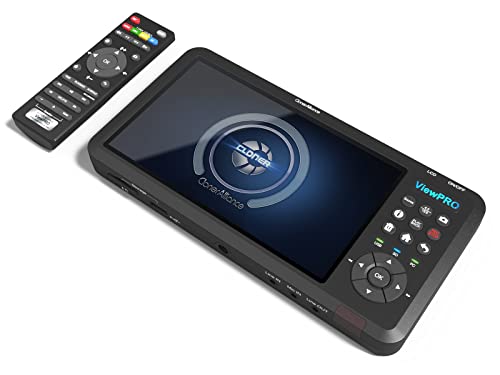
1080p@60fps Standalone Video Capture -- Record HD videos from game consoles, video players, DSLR, drones, etc and save as H.264/MP4 files onto the USB storage device or SD card. 4K@30fps input is supported.
What Is the Impact of Simultaneous Streams on Bandwidth?
So, let’s chat about bandwidth and what happens when multiple streams are going at the same time. Imagine you and your friends gather for movie night, and everyone wants to stream their favorite shows at the same time. As more people join in, the total bandwidth requirement skyrockets! For example, if one person is streaming a high-definition video, that’s about 6 Mbps, but if someone opts for ultra-high-definition (4K), it jumps to about 25 Mbps per viewer.
Now, picture this: if you have five friends all streaming their content, you could easily need anywhere from 30 Mbps to 125 Mbps or more! If your internet connection can’t handle that, you might run into lag or buffering issues, which is definitely not fun during a climactic scene. To keep everything running smoothly, a good rule of thumb is to have 1.5 times the expected total bitrate as a buffer. This way, you can comfortably manage any spikes in demand and keep the streaming experience enjoyable.
Thinking about how your network handles multiple viewers is key to preventing those annoying interruptions. Next time you plan a group watch, make sure to check your internet speed—your movie night might depend on it! Also, using a capture card with ultra-low latency can help maintain smooth and real-time streaming even when bandwidth fluctuates.
Recommended Products

Eight Independent Bidirectional 3G-SDI Connections (Mini-BNC): Simultaneously capture and playback up to four video streams at resolutions up to 1080p60.

Four Independent HDMI Inputs – Capture four simultaneous HDMI channels with embedded audio, ideal for multi-camera setups, switchers or monitoring rigs.

Four Independent SDI Inputs – PCIe capture card with 4× SDI inputs for simultaneous multi-camera or multi-source capture in broadcast, AV, and enterprise environments.
Future Trends in Capture Cards and Bandwidth Optimization Techniques
Hey there! So, if you’ve been keeping an eye on streaming technology, you’ll be excited to learn about the future of capture cards. These devices are set to become even more impressive, supporting super high resolutions like 4K at 144 frames per second and even 8K at 60 frames per second. That’s all thanks to HDMI 2.1 compatibility, which is a big step forward for anyone who loves to capture high-quality gameplay or content.
Now, when it comes to live streaming, one of the biggest challenges has always been bandwidth. But here’s where things get really cool: future capture cards will use AV1 compression. This means you could see a reduction in data rates by about 30-50%, all while keeping the streaming quality intact. Imagine streaming your favorite game without worrying as much about lag. Plus, with new USB 3.2 Gen2 connections, you’ll have the bandwidth needed for smooth 4K recording and streaming without any hiccups.
Oh, and here’s a nifty feature: some future capture cards might even use AI to adjust the bitrate on the fly. This adaptive technology could bring latency down to less than 10 milliseconds, which is crucial for competitive gaming. So, whether you’re streaming for fun or going for that esports championship, these advancements promise a smoother experience for both streamers and their audiences. It’s really exciting to think about how these innovations will change the game!
Many of today’s top models, like the Elgato 4K X Capture Card, already utilize HDMI 2.1 and USB 3.2 Gen 2 for ultra-low latency and crisp visuals, setting the stage for these future advancements.
Frequently Asked Questions
How to Determine Bandwidth Requirements?
To determine bandwidth requirements, assess capture resolution, data transfer needs, and encoding formats. Consider network latency, streaming protocols, USB interface limits, hardware limitations, and transmission distance for effective bandwidth management and ideal performance.
How Much Bandwidth Do I Need for 1080P Streaming?
For 1080p streaming, a stable upload speed of 8-10 Mbps is recommended to guarantee ideal video bitrate, minimize latency issues, and enhance overall streaming quality across various platforms, meeting the hardware requirements and improving viewer experience.
How Much Bandwidth Does a PCIE Capture Card Have?
A PCIe capture card typically utilizes multiple PCIe lanes, with bandwidth varying by type. Higher resolutions like 4K demand greater throughput, while data compression can enhance streaming quality, contingent upon hardware compatibility for peak performance and signal integrity.
How Much Bandwidth Is Required for 1000 Users?
For 1000 user connections, approximately 5 Gbps is required for 1080p streaming. Effective bandwidth allocation guarantees ideal network performance and streaming quality, supporting application needs and minimizing latency issues for a superior user experience.


