


NDI technology stands out from traditional capture cards by utilizing existing network infrastructures for video streaming. This means setups are less tangled and more flexible. NDI supports high-definition resolutions, like 4K at 120 FPS, using low bandwidth requirements—just 125 Mbps for 1080p at 60 FPS. While capture cards provide steady quality, NDI may drop frames during network congestion. If you’re curious about its real-world applications and benefits in video production, there’s more to explore.
Key Takeaways
- NDI streams video over existing Ethernet networks, reducing cable clutter, while capture cards require direct connections to computers for stable video quality.
- NDI supports low latency around 1 frame or less, whereas capture cards may introduce noticeable delays during processing.
- Unlike capture cards that connect to a single device, NDI allows multiple devices to receive a single source, enhancing distribution flexibility.
- NDI’s lower bandwidth requirements facilitate real-time synchronization of audio and video, while capture cards maintain quality under fixed connections.
- Implementing NDI can be more cost-effective, with free software options available, compared to the expenses associated with capture card hardware.
Understanding NDI Technology and Its Benefits

Hey there! Have you heard about NDI technology? It stands for Network Device Interface, and it’s making waves in the video streaming world for a good reason! Basically, NDI lets you stream video over your existing network without relying on those bulky capture cards. Imagine being able to send high-definition video, or even 4K at 120 frames per second, all using your current setup—that’s pretty awesome, right?
What’s even cooler is how many video streams you can transmit at once. For instance, if you’re hosting a live event, you could simultaneously send multiple camera angles to a production switcher without needing a bunch of cables cluttering your space—it really simplifies things! Plus, NDI works with a variety of software and hardware, so you can easily integrate it into your workflow. This technology offers low latency performance, which is essential for real-time video streaming and recording.
Recommended Products

【 FoMaKo BK203 4K 60FPS NDI PTZ Camera bundle, Support NDI HX3 4K 60fps Video output 】.20x Optical zoom. 3-Channels 4K video output, HDMI/NDI support 4K at 60fps,USB Support 4KP30, and 3G-SDI support 1080P at 60fps. Uncompressed Ultra High Definition Video, PoE supported. Made for Church Worship Live Services Live studio, Events.

Connect Any Camera,Stream Anywhere (HDMI+ SDI+NDI) : Equipped with 4x HDMI 2.0 and 4x 3G-SDI inputs, mini-MX SDI connects to all your pro gear—from DSLRs to SDI camcorders. It outputs to 2x HDMI displays and includes USB 3.0 UVC for plug-and-play livestreaming to Zoom, OBS, and Teams. Functions as an All-in-One Pro Live Streaming Multi-Camera Video Mixer Switcher Recorder with NDI|HX2 and RTMP(S) built-in streaming(Note:pls UPDATE to the latest firmware before use via LAN or USB drive. See user manual.)
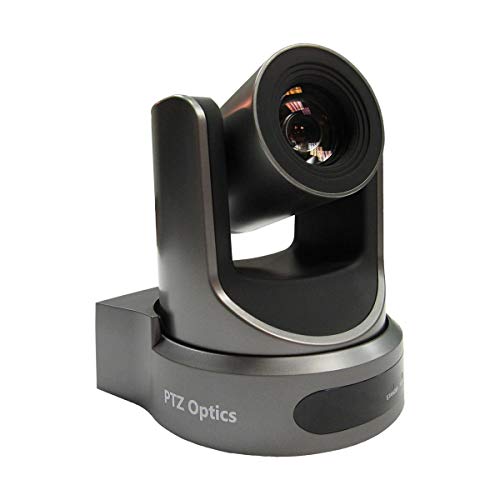
30X OPTICAL ZOOM IP SDI HDMI
How NDI Optimizes Video Streaming Over Networks

Have you heard about NDI technology? It’s pretty cool how it shakes up video streaming by using regular Ethernet networks to send video. This means you can send multiple high-quality video streams at once—no more dealing with all those messy cables that traditional capture cards require. Just imagine capturing a live event or streaming a gaming session without the hassle of connecting a bunch of wires!
With NDI, you can easily support gorgeous 4K video at 120 frames per second, and even if you’re streaming in 1080p at 60fps, it only needs about 125 Mbps. So, it really helps keep the bandwidth requirements low. Plus, the latency is ridiculously low, which means you get a smooth viewing experience without the annoying delays. And you know what’s great? You’ll get real-time audio synced up with your video. For instance, if you’re gaming live, the sound of your teammates’ voices will come through just as they speak!
Another neat thing about NDI is how versatile it is. You can use it with a ton of different devices and operating systems, making it super flexible for whatever setup you’re using. Whether you’re collaborating on a project or streaming your favorite hobby, NDI fits right in. So, if you’re looking to step up your video streaming game, NDI might just be what you need! Want to know how to set it up?
Many content creators prefer using streaming servers like the ZowieBox 4K HDMI Video Encoder/Decoder to achieve zero lag and seamless integration with NDI technology.
NDI Vs. Capture Cards: Performance Review

If you’re trying to pick between NDI technology and capture cards for your video production setup, you’ll find some surprising differences when you compare their performance side by side. Basically, NDI, which stands for Network Device Interface, lets you send video over your IP network, allowing one source to distribute the feed to multiple devices at once. This is fantastic for live productions, but keep in mind that it can really tax your network, needing around 125 Mbps for smooth 1080p at 60 frames per second.
On the flip side, capture cards are reliable workhorses. They connect directly to your computer and ensure that the video quality remains steady, no matter what your network looks like. For instance, if you’re streaming a gaming session, a capture card will give you consistent quality, whereas NDI could drop frames if your network is busy. Both options rock high resolutions, with NDI even pushing up to 4K at 120 FPS, but capture cards require their own hardware setup.
For those on a budget, NDI can be a great choice since there are free software options available, meaning you might not need to invest in extra hardware. However, capture cards come with those hardware costs, so it’s something to consider. Ultimately, it’s all about weighing the flexibility of NDI against the reliability of capture cards, depending on what works best for your needs. Next, let’s talk about the setup process and determine which might be easier to get rolling!
Additionally, capture cards often feature plug-and-play designs that simplify integration, making setup quick and user-friendly.
Recommended Products

INCREDIBLE IMAGE QUALITY: Features Full-Frame 6K image sensor with native resolution of 6048 x 4032 and Leica L lens mount; 13 stops of dynamic range to capture even the slightest details; Dual gain ISO up to 25,600 to minimize grain and noise in all lighting conditions; Built-in OLPF for better detail handling.

INCREDIBLE IMAGE QUALITY: Features Super 35 image sensor with native resolution of 6144 x 3456 and an active EF/EF-S lens mount; 13 stops of dynamic range to capture even the slightest details; Dual gain ISO up to 25,600 to minimize grain and noise in all lighting conditions; Built-in 2, 4, and 6 stop ND filters.
1/3"-Type 2.2 MP 3MOS Image Sensor w/ Integrated 22x (28-616mm Equiv) Lens
Cost Considerations: Are NDI Solutions More Affordable?
When it comes to video production setups, many people immediately think about traditional capture cards, but honestly, NDI solutions offer some fantastic cost advantages. For starters, you can snag NDI tools for free, which means you won’t have to shell out big bucks for hardware like you would with capture cards. Plus, NDI works over your existing network, so you don’t need to run a bunch of expensive cables, saving you even more money.
Now, here’s where it gets really interesting: while capture cards usually handle just one video stream per device, NDI can manage multiple streams all at once without requiring extra hardware. Imagine a scenario where you’re live-streaming from various cameras in different locations; with NDI, you could do that seamlessly without breaking the bank. So, if you’re looking for a way to keep quality high while keeping costs low, NDI could be the right choice for you.
Additionally, many capture cards focus on ultra-low latency to ensure synchronized audio and video, a benchmark NDI workflows strive to match for professional streaming quality.
Speaking of optimizing your setup, let’s explore how NDI can enhance your workflow even further in the next section.
Recommended Products

STUNNING VIDEO QUALITY – The Canon CR-N500 Remote PTZ camera delivers advanced performance and outstanding 4K 30p and Full HD 60p video output thanks to a 1" CMOS sensor, DIGIC DV 6 image processor, and Dual Pixel CMOS AF for fast, reliable, and precise auto focus

Full HD video recorder, streamer, switcher, splitter, and scaler with up to 3 video inputs.

STUNNING VIDEO QUALITY – The Canon CR-N300 PTZ camera delivers advanced performance and outstanding 4K 30p and Full HD 60p video output thanks to a 1/2.3" CMOS sensor, DIGIC DV 6 image processor, and Hybrid AF for fast, reliable, and precise auto focus.Operating Environment - Temperature : 0°C – +40°C (+32°F – +104°F), Humidity : 10% – 90% (without condensation).
How Does Latency Differ: NDI Vs. Capture Cards?
Latency can really make or break your video streaming experience, especially when you’re trying to produce or watch live content. Basically, latency refers to the delay between sending and receiving video signals, and it plays a huge role in how smooth everything runs. When we talk about NDI technology, it typically keeps latency super low—around just 1 frame or even less. That’s pretty impressive compared to traditional capture cards, which often lag due to the processing and encoding steps they require.
For example, if you’re streaming a live gaming session with NDI, you could see your movements and actions on screen nearly instantly. On the other hand, with a traditional capture card, you might notice a noticeable delay, which can be really frustrating, especially in fast-paced scenarios. Plus, NDI benefits from leveraging both CPU and GPU power to minimize latency further, making it fantastic for setups with multiple devices.
And here’s a cool point: even when streaming high-resolution content like 4K at 120 FPS, NDI keeps everything flowing smoothly. In contrast, capture cards sometimes struggle to keep up under those same conditions. All of this shows why many are opting for NDI for smoother video capture and a better overall experience. So, as we move on, let’s explore how these different technologies stack up in other areas, like setup complexity and flexibility.
Additionally, many traditional capture cards provide ultra-low latency features that aim to reduce delay, though often they cannot match the near-instant transmission latency of NDI.
Recommended Products

Simultaneous 1080p via HDMI, SDI, NDI/IP

Video Connections: HDMI, 3G-SDI & IP Streaming

Streaming Flexibility: YoloBox Ultra offers two modes—Live Streaming Mode for up to three horizontal destinations and Vertical Streaming Mode for two vertical destinations. However, simultaneous streaming in both modes is not supported
Can NDI Be Easily Integrated With Current Systems?
Sure! So, can NDI really integrate effortlessly with existing systems? Absolutely! NDI technology makes it super easy to connect video sources across different devices. To start, all you need is to install the free NDI Tools—easy peasy! It works on multiple operating systems too, so you can easily connect a Windows PC to a Mac without a hitch.
For example, if you’re using software like OBS, it quickly detects NDI sources, letting you stream live in no time. Plus, because NDI runs over your existing IP networks, you won’t need to worry about running new cables like you would with traditional setups, which can be a real hassle.
And if you’re into video conferencing, NDI plays nicely with popular apps like Zoom and Microsoft Teams. It enhances your current setup without requiring major changes. It’s a nice way to elevate your production quality while keeping things simple. So, if you’re looking to innovate without a ton of technical fuss, NDI could be your go-to solution! What do you say we explore how it can improve your live streaming experience next?
Additionally, unlike many traditional capture cards that rely on hardware connections, NDI offers ultra-low latency streaming for real-time video capture.
Recommended Products

[2TX & 1RX Solution] - Cosmo C2 enables transmission between two transmitters and one receiver. This setup reduces the number of devices and cables needed, lessens wireless interference, and guarantees better synchronization of video feeds, all of which add to a more productive workflow.

AIDA PTZ-NDI-X18 Full HD NDI|HX Indoor/Outdoor Broadcast and Conference 18x PTZ Camera (White) - Remote Controller - Camera Mounting Bracket - Power Adapter & Cable - Original Box

【Crystal-Clear Imaging & 40X Hybrid Zoom】: The wireless live streaming camera features 40X Hybrid Zoom (10x optical zoom, 4x digital zoom), delivering exceptionally clear images even from 100ft away. Equipped with 1/2.8" CMOS Sensor, it ensures clarity and detail in low-light conditions. The stream camera streams in Full-HD 1080P and records in QHD 1440P, ideal for vloggers, streamers, and content creators seeking high-quality image.
Real-World Applications of NDI in Video Production
You know, NDI technology really stands out in the world of video production. It’s fascinating how it can streamline multi-camera setups by sending 4K video at 120 frames per second over regular Ethernet cables. Because of this, you can ditch those bulky cables that usually come with traditional capture cards, making your setup a lot faster and simpler.
For example, if you’re working on a live event, you can easily hook up multiple cameras using NDI without getting tangled in wires. Plus, it plays nicely with software like OBS, which means you can jump right into live streaming without struggling with complicated setups. There’s even a low-bandwidth version called NDI | HX that lets you transmit HD video over wireless connections. This is super handy for remote shoots or when you’re working on the go—imagine filming a wedding or a community event without being weighed down by equipment! Additionally, many scan converters offer real-time scaling and frame rate conversion to ensure smooth playback when integrating different video sources.
Frequently Asked Questions
Is NDI Better Than Capture Card?
Is NDI truly superior to capture cards? While NDI advantages include streaming flexibility and cost-effectiveness, capture card limitations involve network latency and hardware requirements, potentially impacting video quality and setup complexity in certain workflows.
Is NDI Suitable for Professional Use?
NDI is suitable for professional use, though challenges exist, including NDI integration and setup complexity. Users must consider NDI latency, network requirements, bandwidth, software compatibility, and troubleshoot to guarantee superior quality and user experience.
Is NDI Good for Streaming?
NDI is excellent for streaming, offering high-performance with low latency and flexible compatibility across various devices. Its reliability, efficient bandwidth use, and ability to support high resolutions make it a cost-effective solution for robust streaming setups.
What Are the Benefits of NDI?
“Every cloud has a silver lining.” NDI benefits include reduced latency, high-quality video, and simplified setup, enhancing workflow efficiency and cost-effectiveness. Its scalability options and network flexibility support multi-device integration for seamless remote collaboration in video production.


