


Internal and external capture cards serve important yet different roles for video production. Internal cards fit into PCIe slots, providing lower latency and better performance for high-resolution captures, like 4K footage. They do require technical skills to install. Meanwhile, external cards connect via USB, offering portability and ease of use, but can face issues like latency and signal quality drops due to interference. Each type has unique benefits and challenges, so understanding these can greatly influence your choice. Keep reading to explore more.
Key Takeaways
- Internal capture cards connect via PCIe, offering lower latency and better performance compared to external options using USB or Thunderbolt connections.
- External capture cards are portable and user-friendly, making them easier to set up across multiple devices but may introduce latency.
- Internal cards maintain signal quality with minimal interference, while external cards are susceptible to electromagnetic interference, potentially affecting video/audio quality.
- Price for internal capture cards ranges from $150 to $400, while external models start around $100 but can match internal prices at the high-end.
- Choosing the right capture card depends on your needs for low latency, compatibility, and whether portability or installation complexity is more important.
What Is a Capture Card and Why Do You Need One?

Hey there! So, let’s chat about capture cards. If you’re into making videos or streaming games, a capture card is a game-changer—you’d definitely want to have one in your toolkit. In simple terms, it’s a device that hooks up to your computer and grabs video and audio from external sources, like your gaming console or camera.
For instance, if you’re streaming a game from your PlayStation, the capture card takes the gameplay and sends it to your computer in a format that’s easy to record or share live. This means you can have high-quality video without stressing your computer too much. Plus, it lets you add commentary or fun overlays seamlessly. So, if you’re worried about your gaming rig overheating, using a capture card can really lighten the load.
If you’re serious about your content, investing in a good capture card is a smart move. It can really boost the production value of your stuff, making your videos stand out and feel more professional. What’s next? Let’s explore some top capture card options that cater to different needs and budgets!
Many capture cards feature 4K60 resolution support, ensuring your streams have crisp, high-quality visuals that keep viewers engaged.
Differences Between Internal and External Capture Cards

So, you’re thinking about getting a capture card, huh? Choosing between an internal and an external capture card can feel a bit overwhelming at first, but once you know their key differences, it becomes a lot easier!
Let’s start with internal capture cards. These guys fit right into a PCIe slot inside your PC, which means they typically offer lower latency and better overall performance. This is great for serious gamers because it reduces lag during intense gaming sessions. However, you will need to have a bit of technical know-how to install one, as you’ll be opening up your computer. For instance, if you buy an internal card like the Elgato HD60 Pro, you’ll be digging into your PC to get it set up.
On the flip side, we have external capture cards. These connect via USB or Thunderbolt, making them super portable and incredibly easy to use—just plug them in and you’re ready to roll! A popular choice here is the Elgato Game Capture HD60 S, which you can easily take to a friend’s house or set up on a different computer. The trade-off is that while they offer flexibility and convenience, they may not have the same stability as their internal counterparts.
Additionally, many external capture cards offer plug-and-play setup for quick and hassle-free installation.
Recommended Products

NVIDIA Ada Lovelace, with 2235MHz core clock and 2565MHz boost clock speeds to help meet the needs of demanding games.


Powered by NVIDIA DLSS 3, ultra-efficient Ada Lovelace arch, and full ray tracing.
Advantages of Internal Capture Cards

Hey! Have you ever thought about using an internal capture card for your gaming setup? They really bring a lot to the table when it comes to streaming and recording your gameplay. Since these cards plug directly into your computer’s PCIe slot, they provide super low latency. This means you can play and stream your games in real-time without annoying delays.
Plus, many of these cards can handle high resolutions, capturing incredible 4K footage at 240 frames per second, and some even support 8K HDR passthrough. If you’re someone who enjoys streaming your gameplay, this kind of quality is a big plus! It’s all about making sure your audience gets to see your games in the best possible light.
Another cool benefit is that internal capture cards tidy up your workspace. You won’t have those messy external devices and cables cluttering your desk; everything is neatly packed inside your PC. Sure, the installation can be a bit tricky if you’re not super tech-savvy, but once it’s set up, it integrates smoothly with your system. So, if you’re serious about gaming or content creation, an internal capture card might just be your next best investment!
Speaking of setup, have you considered how to optimize your streaming quality even further? There are definitely other tech tools that can complement your internal card, such as those offering ultra-low latency to ensure smooth, high-quality broadcasts.
Recommended Products

[Powerful Performance]: Thdeukoty MV10 mini gaming pc is equipped with core i9-14900F processor, 24 cores/32 threads, 36MB smart cache and frequency up to 5.8 GHz, as same time powered by NVIDIA RTX5060Ti 16GB graphics, so MV10 delivers exceptional multitasking and computing power for demanding tasks from 4K content creation to AAA gaming.

Powered by NVIDIA DLSS 3, ultra-efficient Ada Lovelace arch, and full ray tracing.

🚀 HIGH-PERFORMANCE INTEL CORE 7 240H PROCESSOR - Powered by the latest Intel Core 7 240H featuring 10 Cores, 16 Threads, and up to 5.2 GHz Turbo Boost, this laptop delivers exceptional speed for AI-ready tasks. Whether you are managing complex spreadsheets, running virtual machines, or multitasking between dozens of browser tabs, the hybrid architecture ensures responsive performance for business professionals and students alike without lag or bottlenecks.
Challenges of Internal Capture Cards
So, let’s chat about internal capture cards. They can really amp up your recording game and help keep your setup looking neat, but there are some challenges to think about. First off, installing one isn’t just a matter of plugging it in. You’ll need to have some technical know-how to slide the card into a PCI or PCI-E slot inside your computer. If you’re not comfortable opening up your machine, this could be a bit intimidating.
Another point to consider is maintenance. If something goes wrong with your internal capture card, you’ll have to open your computer to access it, which can be a hassle. Picture this: your card suddenly stops working, and now you have to pull out a bunch of cables and components just to figure out what’s up. Not the easiest situation!
Plus, if you’re the type who likes to switch things up and move your equipment around, internal capture cards can be limiting. Transferring one to a different system isn’t as straightforward as just unplugging and plugging it back into another device. It can feel like a chore. And let’s not forget the cost; these specialized cards usually come with a higher price tag compared to external options.
Lastly, troubleshooting can get complicated. You need to understand not just the capture card itself but also how it plays with your entire PC setup. All of these factors make internal capture cards a bit of a mixed bag. It’s worth weighing your options based on your comfort level with tech and what you need out of your capturing gear. Do you think these challenges would impact your decision? For those seeking ultra-high visuals and performance, internal cards often offer 4K resolution capture options that external cards may not provide.
Benefits of External Capture Cards
So, let’s talk about external capture cards! They’re pretty awesome for anyone looking to step up their recording game. Right off the bat, they’re super easy to use. Most of them just plug in through USB or HDMI, so even if you’re not a tech whiz, you can get started without breaking a sweat. For instance, if you just bought a new gaming console, connecting an external capture card is a breeze—you can literally do it in minutes.
Another great thing about these capture cards is how portable they are. If you’re a streamer who sets up at different locations, you can easily throw one in your bag and switch between devices without any hassle. They also support different input options, so whether you’re gaming on a console or streaming a presentation from your laptop, you’re covered.
And here’s a little bonus: since the firmware is separate, you can update it easily without having to open up your computer. This means less stress when it comes to keeping your gear up to date. All in all, external capture cards are user-friendly and reliable, making them a go-to for creators of all kinds. One key reason for their popularity is their support for 4K input at 30Hz, delivering impressive visual quality across various devices. Speaking of creators, let’s delve into how to choose the right one for your specific needs!
Recommended Products

Sony USA Authorized. Sony Alpha a7R III (Body Only) + FE 24–70mm f/2.8 GM Lens, 64GB Extreme PRO card, NP-FZ100 battery, Corel software, cleaning set, large padded case, memory card reader, NP-FZ100 charger, 12 inch flexible tripod, memory card wallet.

INCREDIBLE IMAGE QUALITY: Features Full-Frame 6K image sensor with native resolution of 6048 x 4032 and Leica L lens mount; 13 stops of dynamic range to capture even the slightest details; Dual gain ISO up to 25,600 to minimize grain and noise in all lighting conditions; Built-in OLPF for better detail handling.

INCREDIBLE IMAGE QUALITY: Features Super 35 image sensor with native resolution of 6144 x 3456 and an active EF/EF-S lens mount; 13 stops of dynamic range to capture even the slightest details; Dual gain ISO up to 25,600 to minimize grain and noise in all lighting conditions; Built-in 2, 4, and 6 stop ND filters.
Drawbacks of External Capture Cards
Hey! So, you know those external capture cards that everyone uses for streaming and recording? They have some real drawbacks that might not be obvious at first. For starters, they can pick up electromagnetic interference, which can mess with your video and audio quality. Imagine trying to stream an intense gaming session, and suddenly the feed flickers or lags – pretty frustrating, right?
Another thing to watch out for is the delay they can introduce. Gamers who are all about that low latency experience may find this a big concern. It’s like that split second of lag can impact your performance, especially in competitive scenarios. Plus, let’s talk about cable management. With all the wires needed for these external devices, setups can end up looking like a tangled mess. If you’re someone who values a tidy gaming space, that could be a hassle.
And here’s something to consider: the connection interfaces, like USB, can limit how well these external cards perform. You might find yourself facing issues if you’re trying to push high-resolution video. Lastly, if you’re planning to haul your capture card around to different locations, keep in mind that external models can sometimes be less durable than the ones built right into your system. They might not hold up as well, especially if you’re always on the move.
Additionally, external capture cards may lack built-in features such as ultra-low latency that are essential for smooth and synchronized streaming experiences.
Latency and Signal Quality: Key Performance Differences
When you’re deciding between internal and external capture cards, you really want to think about latency and signal quality. Latency refers to the delay between your action—like pressing a button in a game—and what you see on screen. Internal capture cards connect directly to your computer’s motherboard via PCIe, which usually means there’s less delay, giving you a quicker and more responsive gaming experience. In contrast, external capture cards, which connect through USB, can introduce higher latency, making them a bit less responsive.
Now, let’s talk about signal quality. Internal capture cards have a direct line to the motherboard, so there’s minimal interference, which helps keep your video crisp and clear. Imagine you’re streaming a live game; you want your audience to see every detail, right? On the flip side, external cards can sometimes struggle with signal degradation. This might happen because they’re more likely to pick up electromagnetic interference from other devices. While newer USB technology has made some improvements, if you’re serious about gaming or creating content and you want that top-notch video quality without lag, you might want to lean towards internal capture cards. Many internal capture cards offer low-latency performance, which is essential for real-time streaming and recording.
Capture Card Compatibility: Finding the Right Fit
Choosing the right capture card is really important if you want to stream or record high-quality footage. It’s not just about latency and signal quality; compatibility plays a huge role too. For example, if you go with an internal capture card, you’ll need to make sure your desktop has a compatible PCIe slot. This can make installation a bit tricky if you’re not familiar with hardware.
On the flip side, external capture cards are super convenient because they connect easily via USB or Thunderbolt, which means you can use them with both desktops and laptops. Just picture this: you’re at a friend’s house and want to show off some gaming clips. With an external card, you can plug it into their laptop in seconds! It’s also essential to double-check that your capture card supports the resolution and frame rate you want—like 1080p at 60 fps—so your footage looks sharp. Plus, make sure it works with popular streaming software like OBS Studio or XSplit, as this will make your life a lot easier.
Lastly, don’t forget to examine the input and output options, especially HDMI ports, to ensure they fit your gaming console or camera setup perfectly. Getting the right mix of these factors will really create a smooth streaming experience for you. Ready to explore specific models? Many capture cards are designed with plug-and-play functionality to ensure easy setup and minimal latency during use.
Recommended Products

INCREDIBLE IMAGE QUALITY: Features Super 35 image sensor with native resolution of 6144 x 3456 and an active EF/EF-S lens mount; 13 stops of dynamic range to capture even the slightest details; Dual gain ISO up to 25,600 to minimize grain and noise in all lighting conditions.

【Live Streaming Powerhouse】FoMaKo 4K HDMI Video Mixer Switcher made for Church live service, Studio, education, Live Streaming, Broadcast and houses of worship.M5 features a 10.1-inch FHD LCD screen for real-time monitoring of multi-view signals, menu navigation, and flexible operations. Its compact, portable design makes it ideal for on-the-go live productions. (IN1+IN2 4K 60FPS and IN3+IN4 1080p 60FPS Input, 1080p 60FPS Output. )*Note: NDI Upgradeable, We can help to upgrade it if required.
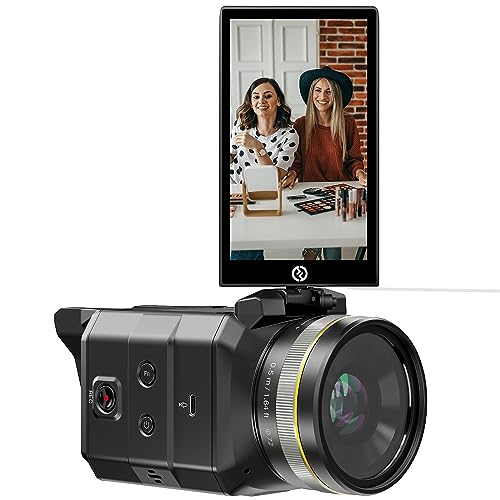
Support for RTMP Streaming: Utilizing the Real-Time Messaging Protocol (RTMP), the VenusLiv enables you to stream content by simply inputting a streaming URL. Enjoy the flexibility of streaming on platforms such as YouTube, Facebook, Instagram, Twitter, and others. The VenusLiv stores your streaming URL for future use, making it easy to go live again with just a tap.
Capture Card Cost Comparisons
Hey there! So, if you’re looking into capture card costs, let’s break it down together. You’ll want to think not just about what you’ll pay upfront, but also what you’ll get in the long run. Internal capture cards usually set you back anywhere from $150 to $400 because they’re packed with specialized hardware. That’s a pretty big investment, right? On the flip side, if portability is your thing, external capture cards can start around $100, making them super enticing for those who want to keep things simple.
But here’s something to consider: while entry-level external models might have similar price tags to budget internals, some high-end external cards can cost as much as internal ones—sometimes even more! Plus, maintaining an internal card can get a little trickier. If you want the latest features, you might have to replace your entire setup. With external cards, updates are usually just firmware updates, which are much more straightforward to handle. Additionally, many external capture cards provide plug-and-play functionality for easy setup and immediate use without extra drivers.
Recommended Products

1.【360° Coverage & AI Tracking】Dual 195° wide-angle lenses offer a complete 360 degree conference camera view, ensuring no one is left out. Driven by advanced AI face and voice tracking technology, this video conference camera automatically focuses on and highlights the active speaker even when the speaker is moving.

【𝐓𝐎𝐍𝐆𝐕𝐄𝐎 𝐍𝐃𝐈 𝐏𝐫𝐨𝐟𝐞𝐬𝐬𝐢𝐨𝐧𝐚𝐥 𝐏𝐓𝐙 𝐂𝐚𝐦𝐞𝐫𝐚】Using NDI technology, it sends high-quality video and audio over a single Ethernet cable, simplifying setup and reducing cable clutter. It offers smooth 1080p resolution with low latency, perfect for live events and streaming. Remote control via the network enables flexible PTZ adjustments, ideal for multi-camera setups. NDI compatibility ensures seamless integration with production software, enhancing efficiency and scalability.
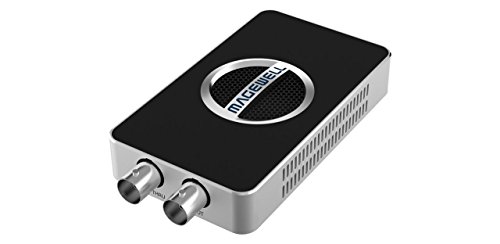
4K SDI Capture – Captures SD/HD/3G/2K/6G-SDI signals up to 4096×2160p30 or 1920x1080p90 for crystal-clear video quality.
Choosing the Right Capture Card for Your Needs?
Navigating the options for capture cards can feel like walking through a maze, can’t it? To simplify things, you first want to decide whether an internal or external capture card fits your setup best. Internal models are great for gamers who prefer low latency and higher performance but keep in mind they’ll require some installation. On the other hand, external cards are super portable and straightforward to set up, making them perfect if you want flexibility.
Next up, think about what resolution you need. For most standard streaming, 1080p is usually sufficient, but if you’re aiming for that crystal-clear 4K quality, make sure to choose a card that supports it. Also, don’t forget about compatibility; you’ll want to ensure whatever card you choose plays nicely with your gaming console or camera, especially if you’re using software like OBS Studio or XSplit. For example, the Elgato HD60 S is fantastic for both 1080p streaming and decent compatibility across various consoles.
Now, let’s talk about budget. It’s important to find a sweet spot between price and performance, especially if you’re just starting out. Remember, spending a little more upfront can save you headaches later on. Additionally, prioritizing a capture card with ultra-low latency performance can greatly enhance your real-time gameplay experience. By keeping these points in mind, you’ll make a more informed choice that fits your needs and setup perfectly. Ready to explore the next steps in your streaming journey?
Frequently Asked Questions
Is an External or Internal Capture Card Better?
In the grand symphony of gaming, choosing between internal and external capture cards hinges on performance comparison, installation process, and budget considerations. Often, internal cards serenade enthusiasts with superior quality, while externals offer convenience and adaptability for casual users.
Do I Need an External Capture Card?
An external capture card is beneficial for users needing portability and easy setup. Its capture card advantages include improved streaming quality and gaming performance, making it an excellent choice for versatile, user-friendly recording and streaming solutions.
What Do Internal Capture Cards Do?
Internal capture cards facilitate video streaming and game recording by converting external video signals into digital formats, optimizing performance with minimal latency. Their high-quality output supports demanding applications, enhancing overall recording and broadcasting experiences.
Which Capture Card Is Better?
In the domain of digital streams, the internal card boasts steadfast strength, while the external card dances with flexibility. Performance considerations reveal that users should weigh internal card comparisons against external card benefits to find harmony.


