


Encoding chips are essential to capture card performance, impacting video quality and streaming stability. They reduce CPU load, which is vital for smooth live broadcasts at 1080p or even 4K resolution. For example, NVIDIA’s NVENC technology allows for efficient real-time video compression. This means fewer dropped frames and lower latency, enhancing viewer engagement. Ultimately, the right encoding chip can truly elevate a creator’s streaming experience. Discover more about optimizing stream quality with different capture card technologies.
Key Takeaways
- Encoding chips significantly reduce CPU and GPU workload, enhancing overall capture card performance during streaming.
- High-quality encoding chips support advanced codecs like H.264 and HEVC for superior video quality.
- Hardware encoders enable real-time video compression, improving streaming quality at 1080p or 4K with lower lag.
- Dedicated hardware in capture cards, such as NVIDIA’s NVENC, minimizes overheating and prevents system slowdowns while streaming.
- Various brands utilize distinct encoding technologies, impacting latency and performance during live streaming sessions.
What Are Encoding Chips and Why They Matter

Hey! So, have you ever heard about encoding chips? They’re super important when it comes to how well capture cards perform, especially if you’re into streaming or recording gameplay. Basically, these chips take the raw video from your game and turn it into a digital format that can be easily streamed or saved.
What’s cool is that when these encoding chips handle the video processing, they take a load off your CPU. This means smoother streams without that annoying lag. For example, if your capture card has a high-quality encoding chip that supports H.264 or HEVC (also known as H.265), you can get amazing video quality without taking up too much space on your hard drive.
Different brands come with their own chip technologies. Take AVerMedia, for instance; they typically do a great job at being efficient with CPU usage. This leads to a better overall experience, especially when you’re streaming in higher resolutions like 1080p or even 4K. Think about it: the right capture card can really elevate your gaming experience while ensuring your output looks fantastic.
Additionally, having ultra-low latency encoding chips is crucial for real-time gaming and streaming performance, minimizing lag and ensuring smooth video output.
Why Encoding Matters for Capture Card Performance

When you’re picking out a capture card, the encoding chip is super important for how well it performs. For instance, if a card has a hardware encoder like NVENC, it does a fantastic job of processing video signals without putting too much strain on your CPU and GPU. This means you can compress video in real time, so you can easily stream at high-quality resolutions, like 1080p or even 4K, without missing a beat.
Imagine you’re live-streaming your gaming session on Twitch. With a good capture card that has a powerful encoder, you’ll experience less lag, which is crucial for engaging with your viewers instantly. Higher-end capture cards are designed to handle these tasks efficiently, letting you play hard without worrying about your system overheating or slowing down. So, if you’re serious about streaming, investing in a quality capture card is definitely the way to go.
Additionally, many capture cards feature low latency performance that ensures your live streams and recordings happen in real time with minimal delay.
As we move on, let’s talk about other features you’ll want to consider when choosing the right capture card for your needs.
Recommended Products

Four Independent HDMI Inputs – Capture four simultaneous HDMI channels with embedded audio, ideal for multi-camera setups, switchers or monitoring rigs.

Four Independent SDI Inputs – PCIe capture card with 4× SDI inputs for simultaneous multi-camera or multi-source capture in broadcast, AV, and enterprise environments.

The engineer’s interface: Scarlett 18i20 features 18 inputs and 20 outputs, including eight mic preamps, Hi-Z, line inputs, ADAT, S/PDIF, MIDI I/O, and Word Clock
How Do Encoding Chips Enhance Stream Stability?

Hey! So, have you ever wondered how a capture card‘s encoding chip can really amp up the stability of your live stream? Well, these little chips are critical for keeping everything running smoothly. They take on the heavy lifting of compressing video data, which means your CPU and GPU can focus on delivering top-notch performance. This is super important because it helps reduce latency and prevents those frustrating dropped frames that can ruin the viewer’s experience.
For instance, if you’re streaming a fast-paced game like Call of Duty, a good encoding chip can ensure that all the action is captured in real-time without any hiccups. Plus, many of these chips can handle high resolutions like 4K, which is perfect if you want your streams to look amazing on different setups.
Another cool feature is hardware acceleration, which helps keep the system cool even during long broadcasts. Imagine streaming for hours without worrying about overheating—that’s a game-changer for serious content creators. All in all, when you have a solid capture card, you can really see and feel the difference in your stream’s quality and stability, making it a worthwhile investment for anyone passionate about streaming. What’s next on your mind about streaming gear? Capture cards also often feature ultra-low latency technology, which is essential for maintaining smooth and synchronized gameplay and broadcast experiences.
Recommended Products
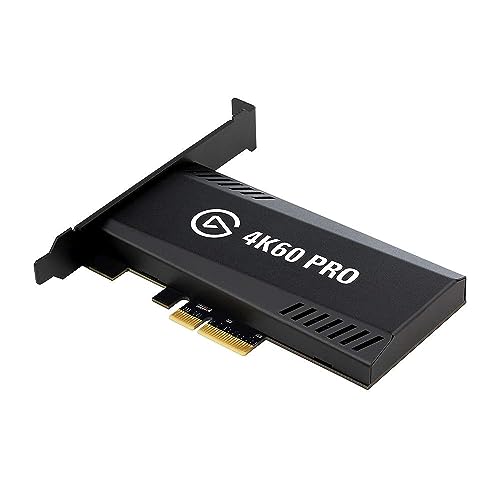
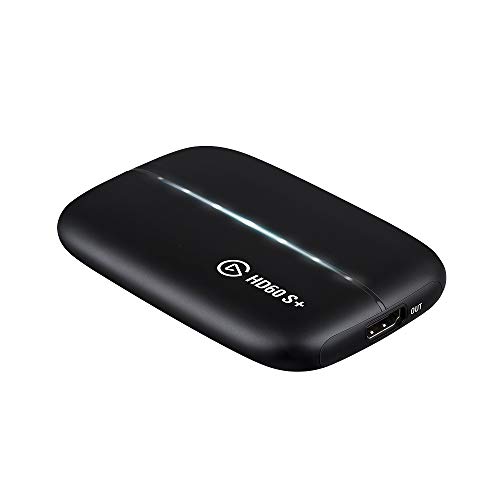
1080p60 HDR10 Capture: share your gameplay in superb viewing quality.

Seamless Broadcasting and Versatile Streaming: Connect effortlessly to any app such as OBS, Streamlabs, Twitch Studio, Restream, Zoom, Teams, and stream flawlessly on various platforms like YouTube, Twitch, Discord, Facebook Gaming, etc., providing you with unparalleled flexibility and reach.
Comparing Encoding Chips in Capture Cards
When you’re stepping into the streaming scene, picking the right capture card can feel like a bit of a puzzle, especially with all the different encoding chips out there. Each capture card relies on its own unique encoding chip, and that choice really impacts how well your stream runs and how good it looks. For example, AVerMedia devices come equipped with dedicated hardware that helps take some of the load off your CPU while you’re streaming, which is super helpful for maintaining smooth performance.
On the flip side, if you look at the Elgato HD60 Pro, it uses separate FPGA or ASIC chips. What this means is it can handle efficient video encoding without putting extra pressure on your GPU, allowing you more room to play around with graphics settings in your games. Plus, let’s not overlook NVIDIA’s NVENC technology, which has improved a lot over the years. The newer generations can handle higher resolutions, making a noticeable difference in clarity and overall quality during your streams. Many top capture cards also feature real-time passthrough capabilities, which minimize latency and ensure synchronization between audio and video for a seamless streaming experience.
Recommended Products

Level up your gameplay with support for refresh rates up to 240Hz

4K Capture Card for Streaming: Seamlessly capture and stream PS5, PS5 Pro, Xbox, and Nintendo Switch gameplay in 4K60 resolution. Compatible with popular streaming platforms such as Twitch, YouTube, and Live gaming with OBS Studio and Streamlabs.

4K60 Capture: Record in cinematic quality with crisp detail and vivid colors
Benefits of Hardware Encoding Over Software Solutions
You know, when it comes to encoding your streams, hardware encoding really has some solid advantages over software solutions. Imagine having a dedicated chip in your capture card that takes care of all the heavy lifting, leaving your CPU and GPU free to handle the actual gameplay. This means you’ll experience smoother gameplay while streaming, which is a win-win for anyone looking to showcase their gaming skills.
For instance, if you’re streaming a fast-paced game like Call of Duty, hardware encoding allows you to maintain high-quality visuals, even at 1080p or 4K. That’s because these dedicated encoders can manage higher bitrates without stressing out your system. Plus, with lower energy consumption, your setup stays cooler over long sessions—no one wants their PC overheating during an intense match! Additionally, many capture cards feature ultra-low latency performance, ensuring your stream stays in sync with your gameplay in real time.
Essential Features of High-Performance Encoding Chips
Hey there! Let’s chat about encoding chips and why they’re so crucial for a smooth streaming experience. High-performance encoding chips are all about making sure your videos look amazing without putting too much strain on your computer’s CPU. They do this by using hardware acceleration, which basically means they have the muscle to handle video processing tasks more efficiently.
Think of these chips as the behind-the-scenes workers that make real-time encoding possible. They use advanced codecs like H.264 and HEVC—it’s like having a super-smart compression system that keeps your videos sharp while reducing their size. So, when you’re streaming something in 4K at 60 frames per second, it’s these chips that ensure everything stays fluid and clear, so you can enjoy that intense gaming session or the latest blockbuster without any hiccups.
And here’s something cool: they come with features like adaptive quantization. This just means they can fine-tune the video quality to highlight details without wasting bandwidth. You won’t get that annoying buffering when the action heats up, which is crucial during live events where every second counts.
In fact, pairing these encoding chips with ultra-low latency capture cards ensures your stream is not only high quality but also incredibly responsive.
In the end, these encoding chips play a huge role in enhancing your viewing experience and making sure everything runs smoothly. So, next time you’re tuning in to a live stream, you’ll have a better idea of the tech magic that keeps your show on the road! What do you think? Ready to learn more about how they fit into the bigger streaming picture?
Recommended Products
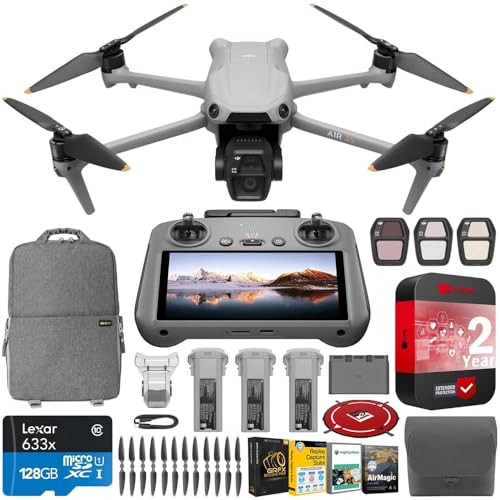
DJI USA Authorized - FULL USA Warranty + 2 Year CPS Extended Warranty | The DJI Air 3S is equipped with dual 4K/60fps HDR video cameras, advanced obstacle avoidance sensors, and a 20km transmission range. A dual-camera drone designed for travel photography, DJI Air 3S integrates a suite of advanced technologies. Featuring a 1" CMOS primary camera and a 70mm medium tele camera, each with up to 14 stops of dynamic range, Air 3S captures landscapes, portraits, and more in stunning detail.
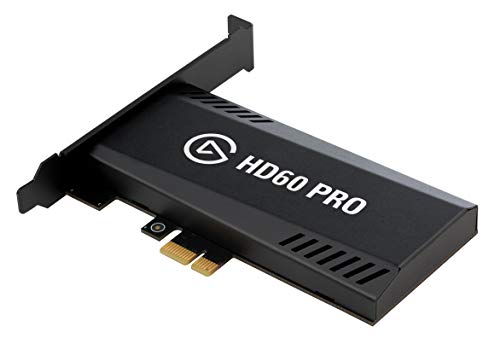
Elgato Game Capture Hd60 Pro - Functions: Video Game Streaming, Video Game Recording, Video Game Capturing - Pci Express X1 - H.264 - Pc - Plug-in Card

What can it do? - Standalone 4K Ultra-HD digital video recorder with HDMI capture. Record UHD video to a USB storage device or TF card with Cinematic-FPS 4K@24fps(Up to 4K@30fps). H.264/H.265 codec. Support 4K@60fps HDMI passthrough and playback on a TV with one press, No PC required at all. Gaming capture and live are also available if you prefer using a PC.
Real-World Performance of Encoding Chips in Capture Cards
You know, when it comes to streaming, the real-world performance of encoding chips in capture cards plays a huge role in how everything turns out. These encoding chips work like little translators, turning video signals into digital formats that can be sent out over the internet. If you’ve ever watched a stream that looked crystal clear, there’s a good chance a high-end chip was behind that magic, enabling high resolutions and smoother frame rates without putting too much strain on your computer.
For example, some of the top models can handle 4K streaming at 60 frames per second with ease. This means you get sharp, detailed video without your CPU or GPU getting overwhelmed. Another thing to consider is the H.264 encoding, which is particularly efficient at compressing video files. This lets you enjoy great picture quality even at lower bitrates, so your bandwidth isn’t punished.
In short, these encoding chips are crucial for maintaining a smooth streaming experience, especially when you’re juggling multiple tasks or streaming intensive content. Many modern capture cards also feature ultra-low latency technology, ensuring real-time interactions without noticeable delays. So, if you’re planning to step up your streaming game, prioritizing a good capture card can make all the difference. What other components or setups are you curious about?
Common Issues With Capture Card Encoding and How to Fix Them
Hey there! If you’re using a capture card for streaming, you might run into some annoying encoding issues. A common problem is lag or dropped frames, which can happen when you’re pushing your capture card too hard with high resolutions or super high bitrates. Think of it like trying to fit a giant pizza into a small oven – sometimes, it just won’t work!
To fix these encoding issues, start by adjusting your OBS settings. Lower the resolution or bitrate a bit so they match what your capture card can handle. For example, if you’re streaming at 1080p, consider dropping to 720p to see if that smooths things out. Also, don’t forget to keep your drivers updated; manufacturers usually roll out updates that can really boost performance.
If you’re still hitting bumps, you might want to look into hardware acceleration. This helps taking some of the load off your main gaming setup. Think of it as giving your PC a helping hand so that your video looks sharper and clearer. With just a few simple changes and a better understanding of your setup, you’ll set yourself up for a much smoother streaming experience. It’s also important to consider capture cards with ultra-low latency features to minimize audio and video syncing issues during live streams. Now, let’s talk about optimizing your audio settings next!
Recommended Products

World’s first 1.0-inch type stacked Exmor RS imaging sensor, Flexible 4K and Full HD recordings (XAVC Long GOP at 100Mbps), HFR 120 fps Super Slow Motion (continuous), Clear Image Zoom (24x for HD, 18x for 4K)

✔️Bundle Accessories - Along with the accessories from Sony, the Sony Alpha 7C R bundle Includes additional accessories such as, Pixel Hurricane Blower, Pixel Connection Essential Cleaning Kit, 3-in-1 USB-C Card Reader, Microfiber Cleaning Cloth, Pixel Camera Backpack, 64GB SD Card, Pixel Compact 65" Monopod.

Intel Core Ultra 7 155U, 12C (2P + 8E + 2LPE) / 14T, Max Turbo up to 4.8GHz, 12MB. This new Intel Core Ultra processor delivers the next generation of hybrid architecture for supercharged computing. Thanks to a three tier multi-processing unit, business users can manage complex workloads by sending the right task to the right engine at the right time. A CPU manages lightweight low-latency AI tasks, a GPU manages media and visual AI rendering, and an NPU, manages sustained AI and AI offload.
Frequently Asked Questions
Does a Capture Card Do the Encoding?
Yes, capture card technology often handles encoding through dedicated hardware, utilizing various video compression methods. This approach offers live streaming benefits, improves latency impact, and guarantees ideal encoding speed, especially when comparing hardware versus software methods across resolution settings.
Is Hardware Encoding Better for Streaming?
Hardware encoding offers clear advantages for streaming, enhancing capture efficiency and reducing encoding latency. However, streaming quality remains influenced by user preferences and budget considerations, as compatibility with components may also impact overall performance.
Does Encoding Reduce Quality?
Encoding can reduce quality, particularly at lower bitrates, affecting streaming fidelity. For instance, a 30% bitrate reduction may lead to noticeable artifact generation and diminished capturing resolution, impacting overall encoding quality and increasing encoding latency during video compression.
Is GPU Encoding Better?
GPU encoding offers advantages in resource management and streamlined performance, especially for game streaming. However, the quality comparison often reveals encoding latency issues; it may not match the quality of dedicated hardware encoders in real-time encoding scenarios.


