4K streaming offers real-time interaction but relies heavily on a stable internet connection, ideally around 25 Mbps, while recording allows for higher quality and detailed editing. OBS software often uses CBR, affecting video clarity. Conversely, 4K recording shows off polished work with less pressure, making it ideal for on-demand content. Key hardware includes a multi-core processor and a solid graphics card. Those curious about choosing the right method will find detailed insights further on.
Key Takeaways
- Streaming requires a steady internet connection of at least 25 Mbps, while recording can be done with unstable internet conditions for better quality.
- OBS Studio supports various codecs, but streaming typically uses CBR encoding, which may affect video clarity compared to recording.
- H.265 codec for recording offers better compression, reducing file size by 50% compared to H.264, beneficial for limited bandwidth.
- Recorded videos allow for detailed editing and enhanced stabilization, improving overall production quality without live pressures.
- A powerful computer with a multi-core processor, 16 GB RAM, and a good GPU is essential for effective 4K streaming.
Key Considerations for Choosing Between Streaming and Recording

When you’re faced with the decision of whether to stream or record your video content, there are some important points to think about. Streaming is all about real-time engagement, but it comes with its own set of challenges, especially concerning bandwidth. You see, it needs a constant, reliable connection to maintain quality. If your internet dips, your viewers might notice the difference. On the other hand, recording lets you save your content in higher quality without worrying about those streaming limitations.
For instance, when you stream using software like OBS, you usually rely on Constant Bitrate (CBR), which keeps things steady but can affect clarity if your connection wavers. However, when you’re recording, you can adjust the settings to capture every detail with higher-quality options, resulting in a sharper video for later viewing.
Ultimately, your choice comes down to what you value more: the thrill of engaging with your audience live or delivering a polished video that showcases your best work. It really depends on your goals and the experience you want to create for your viewers! So, what’s next? Well, let’s explore some tips on how to optimize your choice, whether you lean towards one or the other. Choosing capture cards with 4K at 60 FPS support can help ensure your content is recorded or streamed in stunning detail.
Recommended Products

MAIN FEATURE: Converts 4K Ultra HD HDMI (video and audio) to USB 3.0 without compression. HDMI loop output. With VISCA Control for PTZ cameras

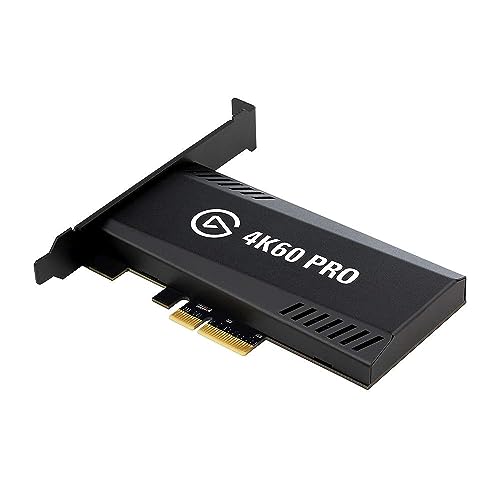
What can it do? - 4K@60fps standalone recorder for professional capture. Records from HDMI IN or USB Type-C (DP Alt Mode) to USB storage or microSD/TF in MP4 (H.265/H.264) up to 50Mbps, while 4K@60 passthrough keeps your display at full quality. Supports pause/resume, snapshots, and audio capture/mix.
Essential Hardware and Software Requirements for Optimal 4K Streaming

If you’re thinking about getting into 4K streaming, you’re going to want to pay attention to both your hardware and software choices to make everything run smoothly. First off, you need a reliable computer. Look for one with a multi-core processor and at least 16 GB of RAM. A good graphics card (GPU) is also crucial because it helps with the demanding task of encoding high-quality 4K video in real-time.
Now, let’s talk about internet speed—you’ll want an upload speed of around 25 Mbps to keep your stream flowing without those annoying pauses. Imagine trying to watch a thrilling scene only to have it freeze; that’s something we want to avoid! For software, OBS Studio is fantastic. It’s versatile and user-friendly, supporting various codecs that can enhance your streaming quality.
Don’t overlook your peripherals; if you’re planning to stream from a console or camera, a dedicated capture card is a must. Trust me, it makes a big difference in the quality of your stream. Finally, try to connect via Ethernet rather than Wi-Fi if you can. It provides a more stable connection, which really helps in preventing interruptions mid-stream.
Also, investing in a camera with electronic stabilization can ensure your footage remains smooth and professional-looking, even during dynamic movements.
Once you have these essentials lined up, you’ll be well on your way to great 4K streaming. Next up, let’s chat about some effective ways to promote your streams!
Recommended Products

Items Include:Sony PXW-Z200 4K 1" CMOS Sensor XDCAM Camcorder, Sony BP-U35 Battery Pack, 64GB Memory Card, Large Case, Memory Card Reader, Memory Card Wallet, Lens Cap Keeper, Cleaning Kit, HDMI Cable

Canon USA Authorized. Items Include: Canon XF605 UHD 4K HDR Pro Camcorder – 1" CMOS Sensor, 15x Optical Zoom, Dual Pixel AF, Wi-Fi, Broadcast Event Professional Video Camera, 64GB Memory Card

The Canon XF605 UHD 4K HDR Pro Camcorder excels in high-resolution video capture, supporting UHD 4K60 4:2:2 10-bit recording with its compact 1" CMOS sensor and DIGIC DV 7 engine. Its dual SD card slots enable simultaneous capture of different codecs and rates, accommodating diverse shooting needs and ensuring versatile footage options across XF-AVC and MP4 H.264/H.265 formats.
How to Ensure Quality in Your 4K Stream: Bandwidth, Latency, and Reliability

If you want to enjoy high-quality 4K streaming, it’s really important to wrap your head around a few key concepts: bandwidth, latency, and reliability. Think of bandwidth as the size of a pipeline carrying water; for 4K streaming, you’ll need at least 25 Mbps to avoid those annoying stutters. If your connection can’t handle that, you’ll likely experience interruptions that can ruin your viewing experience.
Now, let’s talk about latency. This is all about how quickly the data travels from the source to your screen. If you’re streaming a live event, for instance, you want that information to reach you as fast as possible, right? Using constant bitrate (CBR) encoding can help with that by keeping your data flow steady, making your stream smoother.
Reliability is another important piece of the puzzle. If your network isn’t robust, you might run into trouble with data loss during your stream. To combat that, you can utilize error-correction techniques. These smart fixes ensure that even if some data gets lost, your stream stays intact. It’s also wise to monitor your bandwidth usage during live events, so you can dodge any unexpected overage charges when streaming in 2K or 4K.
Finally, have you heard about adaptive bitrate streaming? It’s a fantastic feature that automatically adjusts the stream quality based on what your connection can handle at any given moment. This means whether you have a strong signal or a bit of fluctuation, you’ll still enjoy a smooth experience. With all of this in mind, you can better prepare for a seamless streaming experience that keeps your viewers happy and engaged! Investing in a capture card with ultra-low latency can further enhance the synchronization between your gameplay and streamed content.
Recommended Products

BE33000 Quad-Band Wi-Fi 7 Mesh: Deco 7 Elite BE95 is designed with the latest Wi-Fi 7 technology, featuring Multi-Link Operation, Multi-RUs, 4K-QAM, and 320 MHz channels. With speeds of 11520 Mbps on the 6GHz band 1, 11520 Mbps on the 6GHz band 2, 8640 Mbps on the 5GHz band, and 1148 Mbps on the 2.4GHz band, the 1 pack mesh connects over 200 devices without dragging down performance and delivers unparalleled Wi-Fi performance.

𝐅𝐞𝐚𝐭𝐮𝐫𝐞-𝐑𝐢𝐜𝐡 𝐖𝐢-𝐅𝐢 𝐁𝐮𝐢𝐥𝐭 𝐭𝐨 𝐋𝐚𝐬𝐭: Get expansive whole-home coverage, fast Wi-Fi 7 speeds, and a future-ready 10G WAN/LAN port that stays ahead as your network grows. Ideal for both everyday users and performance-focused homeowners.

The Role of Codecs: H.264 vs. H.265 in 4K Streaming Performance
Hey there! So, let’s talk about streaming in 4K, which is an amazing way to enjoy high-definition content from the comfort of your couch. One of the first things you’ll bump into is the debate around video codecs, specifically H.264 and H.265. Basically, H.264 is super popular because it works with just about any device, but it tends to create larger file sizes. This means it needs a bigger internet connection—so if you only have a basic bandwidth, you might find it struggling to keep up.
On the other hand, H.265, also called HEVC, is a smarter option. It manages to keep the video quality high but uses less data—like about 50% less compared to H.264. This is fantastic for those times when you’re on a tight data plan or need to maintain quality without bogging down your internet. However, here’s the catch: H.265 can be a bit demanding on your device’s CPU and GPU. If you’re using an older device or something with less power, you might notice it chugging along instead of delivering that smooth viewing experience. Choosing cameras with 4K Ultra HD Resolution can ensure you capture content that fully benefits from these advanced codecs.
Recommended Products
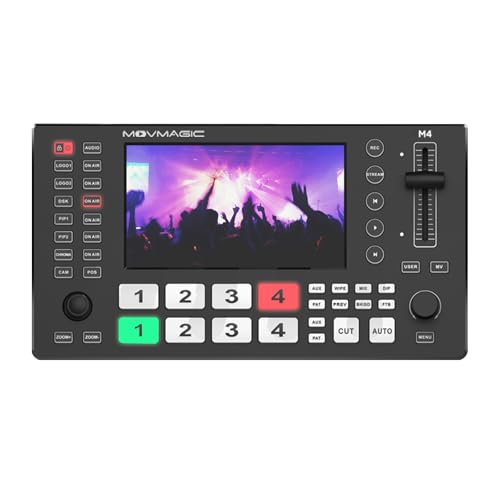
1、5.5 Inch HD Display and 4K60P Video Processing: The MOVMAGIC M4 video switcher is equipped with a 5.5-inch high-definition display, providing you with clear video monitoring and an operational interface.4HDMI and 1USB input, HDMI PGMx1 and HDMI AUX x1output,USB 3.1x1 lossless output,supporting 4K60P signal input through 2 HDMI interfaces.
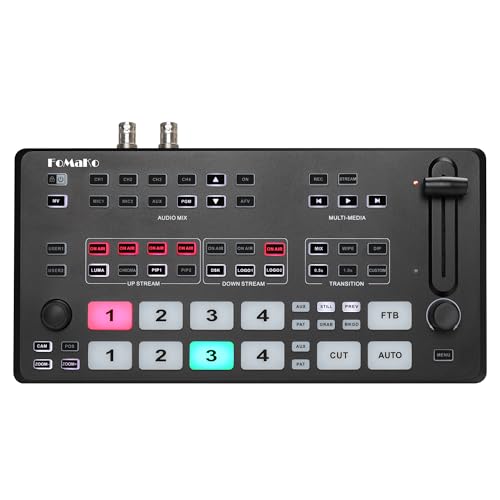
【Multi Video sources and interfaces 】FoMaKo 4K HDMI Video Mixer Switcher made for Church live service, Studio, education, Live Streaming, Broadcast and houses of worship. M2 Switcher features 2xHDMI inputs and 2xSDI inputs,1xUSB input,1xHDMI PGM output, 1xHDMI AUX output,1xUSB 3.1 Type-A output, and 1xRJ45 port for streaming. This comprehensive array of ports ensures seamless integration with various devices and networks. (HDMI 4K 60FPS and 1080p 60FPS Input,1080p 60FPS Output. )*Note: NDI Upgradeable, We can help to upgrade it if required.

Max 8.0 Megapixel Full HD Realtime Recording 8 Channel H.265 4K NVR with (4) 5MP 1920P Weatherproof POE H.265 IP Bullet Cameras (Built-in microphone and wide angle lens)
Choosing the Right Streaming Protocol for Live Broadcasts
Alright, so let’s chat about how to pick the right streaming protocol for live broadcasts. First off, latency is a big deal. If you want something that keeps things moving and feels responsive, RTMP is a solid choice. It’s known for its low latency and works well with most platforms, making it ideal for interactive events like live Q&As or gaming streams.
Now, if you’re dealing with shaky internet conditions, you might want to check out SRT. This protocol is all about maintaining quality and can handle those pesky network bumps better than most. It even has built-in encryption for security, though you might find that not all platforms support it. Then there’s RTSP, which is great for on-demand streaming but tends to lag behind when it comes to live broadcasts due to its higher latency.
Another important factor to think about is adaptive bitrate streaming. This handy feature adjusts the video quality automatically based on the viewer’s internet speed, helping to provide a smoother experience. So, when you’re weighing your options, keep in mind the latency you need, how reliable your network is, and the quality you want to deliver. It all adds up to making sure your audience has an engaging experience when you’re live. But once you’ve got your protocol sorted, you’ll want to consider how to best promote your broadcast for maximum reach. Using a low latency capture card can also significantly improve your stream’s real-time performance and viewer engagement.
Recommended Products

Eight Independent Bidirectional 3G-SDI Connections (Mini-BNC): Simultaneously capture and playback up to four video streams at resolutions up to 1080p60.

Four Independent HDMI Inputs – Capture four simultaneous HDMI channels with embedded audio, ideal for multi-camera setups, switchers or monitoring rigs.

Four Independent SDI Inputs – PCIe capture card with 4× SDI inputs for simultaneous multi-camera or multi-source capture in broadcast, AV, and enterprise environments.
Recording in 4K: Benefits and Considerations for Content Creators
Hey, have you ever wondered why so many content creators are switching to recording in 4K? It really packs a punch when it comes to image quality, giving you four times the pixel resolution of standard 1080p. That means your videos have incredible detail—it’s like seeing everything in high definition!
One cool perk of shooting in 4K is that you can zoom in or pan around your footage without it becoming blurry. For example, if you have a scene with a lot going on, you can focus on different subjects as you edit, all while keeping that sharp look. Plus, if you ever need to crop your footage down to 1080p, you’ll still end up with a great image. And let’s be real, stabilizing shaky footage is a lifesaver. Those less-than-perfect shots can look polished and professional with some solid editing.
Managing the bigger files that come with 4K recording has gotten way easier too, thanks to improved cloud storage options. So, you don’t have to worry about losing those stunning shots you worked hard for. You can store everything safely and concentrate on creating content that truly resonates. Speaking of which, let’s talk about how to effectively edit 4K footage to really make your projects shine! For the best results, using a 4K HDMI capture card ensures ultra-low latency and seamless video input during recording.
Editing Options for Recorded 4K Content
Editing recorded 4K content opens up a world of fun and creative options for anyone passionate about video creation. The cool thing about 4K is that its higher quality allows you to do what’s called virtual PTZ—basically, you can reframe your shots without losing that crystal-clear look. So if you’ve shot something a little wider than intended, you can zoom in and keep it sharp.
Another neat advantage is cropping 4K down to 1080p. Because 4K footage has so many pixels, even after cropping, you can expect a fantastic image quality. For instance, if you need to focus on a specific detail or action in your video, that ability to crop without compromising clarity really comes in handy. Plus, if you’ve ever had shaky footage, you’ll love that 4K provides more data to work with for stabilization. That means smoother results overall!
Let’s also talk about color grading and digital effects. The larger file sizes of 4K footage allow you to play more with colors and visuals, making the final product look more polished and engaging. As you get into editing, you’ll find that these features not only make your videos look better but also give you more freedom to tell your story the way you want. So, whether you’re working with vlogs, short films, or anything in between, 4K can really elevate your work! Now, if you’re ready to get into the nitty-gritty of editing software tips for 4K, let’s jump into that next.
Additionally, selecting the right gear, such as mounts with adjustability and flexibility, can enhance your filming experience by allowing you to capture a variety of dynamic angles.
When to Stream and When to Record: Making the Right Choice?
When it comes to deciding between streaming and recording, it’s really about what you want to achieve as a content creator. Streaming is fantastic if you’re hosting a live event, like a Q&A or a gaming session, because it lets you connect with your audience in real-time. Imagine engaging directly with viewers as they ask questions or share their thoughts – it creates an exciting atmosphere.
On the flip side, if you’re more into crafting your content with precision, recording is the way to go. It allows for detailed editing and fine-tuning. For instance, if you’re creating a tutorial video, you can take your time to cut out mistakes and add graphics or voiceovers, ensuring a polished final product. Plus, when your internet connection isn’t stable, recording enables you to deliver high-quality content without worrying about buffering or interruptions.
Another perk of recording is that it suits on-demand viewing really well. Think about it – viewers can watch at their convenience, unlike streams that might have time limits or technical glitches. So, really, it’s all about balancing immediate interaction with the benefits of editing, depending on what you need for your audience. As you weigh these options, consider what will resonate best with your viewers and fit your creative style. What’s next on your content creation checklist?
Additionally, using devices with USB output for digitization can simplify the process of transforming analog content into digital formats for easier editing and streaming.
Frequently Asked Questions
Is Physical 4K Better Than Streaming 4K?
In a battle reminiscent of classic rivalries, physical 4K media triumphs over streaming quality, delivering unparalleled image fidelity and audio richness. Users enjoy consistent performance, free from the pitfalls of bandwidth limitations and compression artifacts.
What Is the Difference Between Streaming and Recording?
Streaming involves real-time video transmission, often affected by streaming latency, while recording captures video locally, ensuring greater recording stability. Each method has distinct implications for quality, accessibility, and user control over viewing experiences.
How Many GB Is a 2 Hour Movie in 4K?
A 2-hour movie in 4K typically demands 20 to 50 GB of storage, heavily influenced by data compression. Remarkably, using H.265 codec optimizes file size considerably while maintaining impressive visual quality, enhancing viewing experiences.
Is It Better to Record in 4K or HD?
Recording in 4K offers advantages like superior image quality and flexibility in editing, while HD limitations include lower detail and higher compression needs. Ultimately, the choice depends on the project’s requirements and available resources.