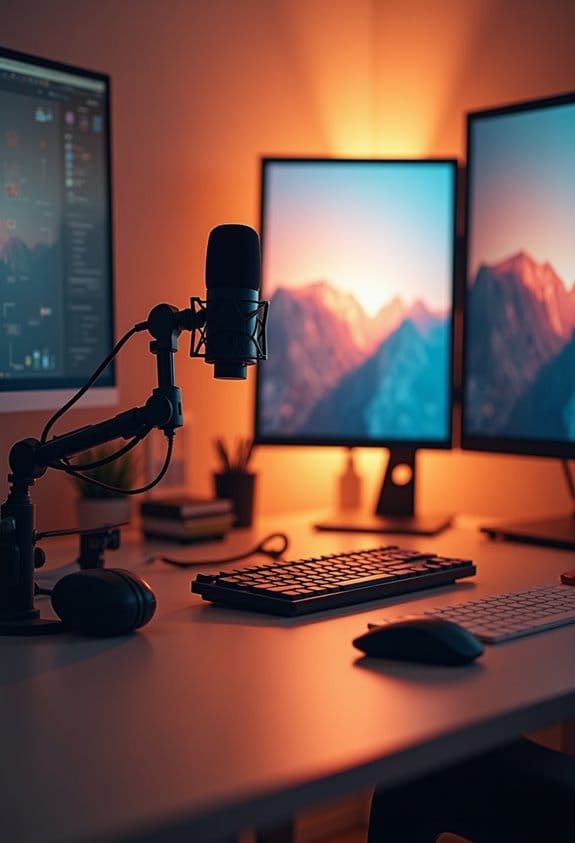
Understanding the technical requirements for live streaming involves key elements like equipment, internet speed, and encoding techniques. For instance, a solid upload speed of at least 5 Mbps is vital for 1080p streaming. Additionally, high-quality cameras, like DSLRs, and USB microphones enhance the viewing experience. It’s important to test video and audio sources before broadcasting to avoid mishaps. Proper preparation, including checking internet speed and ensuring camera setup, can make all the difference in creating engaging content. There’s more to explore!
Key Takeaways
- Ensure high-quality camera equipment like DSLRs or camcorders for clear visuals during the live stream.
- Use a USB microphone to enhance audio quality, which is crucial for engaging viewers.
- Verify your internet connection; a wired connection is recommended for stability over Wi-Fi.
- Test your upload speed; aim for at least 2000 Kbps for 720p and 5 Mbps for 1080p streaming.
- Utilize encoding software like OBS Studio to compress video data and enable smooth transmission to viewers.
Understanding Live Streaming: Benefits and Key Concepts

You may be interested

Hey there! So, you know how live streaming has really taken off lately? It’s such an exciting way for both creators and audiences to connect in real-time. With live streaming, viewers can interact directly with the creators, asking questions and sharing their thoughts as the action unfolds. For instance, if you’re watching a gaming stream on Twitch, you can chat with the streamer and even influence their game decisions right then and there.
One of the coolest things about live streaming is its ability to keep people engaged much longer than traditional videos. Studies show that live content can actually hold a viewer’s attention up to 20 times longer than pre-recorded material! Plus, platforms like YouTube and Twitch are packed with varied content, from cooking shows to live music performances, creating vibrant communities around shared interests.
And let’s not forget about the power of streaming data. This data helps creators understand what their audience enjoys, allowing them to adjust and improve their streams based on real-time feedback. With the market for live streaming projected to exceed $184 billion by 2027, it’s clear that this trend isn’t going away anytime soon.
An essential element to achieving high-quality streams is the use of capture cards, which improve visual fidelity and reduce latency during broadcasts.
It’s fascinating to see how these connections are shaping the future of entertainment, don’t you think? Now, let’s explore how to make the most out of a live streaming experience!
Key Components for Successful Live Streaming

If you’re thinking about live streaming, there are a few key components that really need to come together for it to be successful. First up, having high-quality camera equipment—like a DSLR or even a good camcorder—can make a huge difference in how clear and engaging your video looks. For example, if you’re streaming a concert, a quality camera can capture all those vibrant colors and energetic moments that make your viewers feel like they’re really there.
Next, you’ll want to consider encoding software, which is basically what converts your video into a format that can be streamed. Think of it like translating a book into a different language; the goal is to make sure everyone can easily access and enjoy what you’re sharing. Plus, a reliable Content Delivery Network (CDN) plays a big role in getting your stream out to viewers around the globe quickly, which helps cut down on pesky lag time.
A strong and stable internet connection is another biggie. Ideally, a hardwired Ethernet connection beats Wi-Fi every time when you’re streaming live. And let’s not forget about your audience’s experience; it’s key that their playback devices work well with whatever streaming format you’re using. That way, they can enjoy a seamless experience while tuning in live.
Using an external capture card that supports 1080P at 60FPS can significantly enhance the quality and smoothness of gaming or live event streams.
Recommended Products

2K 30FPS & 1080p 60FPS HDMI Capture Card: The 4K@30Hz input and 2K@30Hz output resolutions offer dual benefits. The high input resolution preserves original video quality for post-production editing, while the 2K output provides an optimal balance between clarity and compatibility. At the same time, this HDMI to USB-C capture card is also backward compatible with 1080p 60FPS, to fulfill a variety of daily needs. Note: Ensure your HDMI source device and the capture device support 2K resolution

【1080P 60FPS Video Capture Card】 This HDMI game capture card is based on USB3.0 high speed transmission port, input resolution up to 4K@30HZ, output resolution up to 2K@30Hz or 1920×1080@60Hz. Type c and USB interface can meet most of the devices in daily life. Easily meet the online capture, real-time recording, online meetings, live gaming and other functions, so you have a better visual enjoyment. Note: For capture use only; requires capture software to function and is not intended for direct screen casting to a monitor or TV

【1080P HD High Quality】Capture resolution up to 1080p for video source and it is ideal for all HDMI devices such as PS4, PS3, Xbox One, Xbox 360, Wii U, DVDs, DSLR, Camera, Security Camera and set top box. Note: Video input supports 4K30/60Hz and 1080p120/144Hz. Does not support 4K120Hz/144Hz. Output supports up to 2K30Hz.
Understanding Video Capture: Devices and Techniques

Picking the right video capture device is super important if you want your live streams to look clear and engaging. If you’re just starting out, you might find that a webcam is pretty easy to set up and use without too much fuss. However, if you’re looking for that crisp, beautiful image quality, a DSLR could really take your streams to the next level.
Now, if you’re planning to shoot in different places, camcorders can be a great option because they’re versatile and handle various environments well. Also, don’t forget about audio! Investing in a high-quality microphone can significantly improve your sound. For instance, a USB microphone is straightforward – just plug it in, and you’re good to go. But if you want that professional touch, an XLR mic paired with a mixer could provide amazing sound quality, especially for music or more complex setups.
Remember to connect your devices using HDMI or SDI cables for a strong signal, and always test your setup ahead of time. Adjusting things like resolution, frame rate, and bitrate can really help optimize performance. Think of this as your chance to play around with different video sources for that polished look you want to achieve. Speaking of which, alongside capturing video, let’s talk about the lighting — it can make a huge difference in how everything looks! Choosing a capture card with ultra-low latency is equally important to ensure smooth, real-time streaming without lag.
Recommended Products

4K60 Capture: Record in cinematic quality with crisp detail and vivid colors

High-Quality Capture: Record 4K30 gameplay with high refresh rates of up to 1080p240, while enjoying VRR pass-through at 1440p120 or 1080p120.

4K Capture Card for Gaming: Seamlessly capture and stream PS5, PS5 Pro, Xbox, and Nintendo Switch gameplay to Discord in 1080p or stunning 4K resolution. Perfect for Twitch, YouTube, and Live streaming with OBS Studio and Streamlabs.
Encoding Techniques for Live Streaming Quality
When it comes to live streaming quality, encoding techniques are super important. They basically act like magic wands that ensure crystal-clear video is sent right to viewers’ screens without hiccups. You know how we use different formats, like H.264 and H.265? These codecs help compress video, making it easier to transmit over the internet.
One cool feature is adaptive bitrate streaming. This means that, based on how strong a viewer’s internet connection is, the system can automatically adjust the video quality. Imagine someone watching your live stream on their phone with slow Wi-Fi—adaptive bitrate streaming can give them a lower quality version so they don’t get buffering lag.
Another nifty aspect is interframe compression, which only captures the changes between frames. Think of it like flipping through a photo album quickly; you don’t need to stop at every single picture. This helps save space, making the streaming process much more efficient. And streaming protocols like HLS and MPEG-DASH also play a role in ensuring smooth delivery.
For example, if you’re streaming in 720p, aiming for a bitrate between 2000 Kbps and 4000 Kbps is usually recommended. It’s a sweet spot that helps keep the quality good while managing performance. Understanding these elements helps you appreciate what goes into that seamless experience we often take for granted when watching live broadcasts. Now, let’s look at some practical tips for optimizing your broadcasts even further! Using a capture card with 4K HDR passthrough can significantly enhance the visual experience during live streams.
How Internet Connectivity Affects Streaming Performance
You know, many of us don’t really think about how our internet connectivity impacts streaming performance, but it actually plays a huge role. When you have a solid internet connection, like a wired Ethernet setup rather than relying on Wi-Fi, you’ll notice much smoother video streams. It really minimizes those annoying hiccups that can happen from fluctuating bandwidth.
So, if you’re planning to stream in 720p resolution, your upload speed should ideally be around 2000 Kbps or more. For 1080p, aim for about 5 Mbps. If you’re unsure of your current internet speed, running a quick speed test before you go live is a smart move. It can save you from those frustrating buffering moments that might drive your viewers away.
Inconsistent upload speeds can lead to all sorts of issues like lag and buffering, which can really ruin the experience for your audience. Trust me, nobody wants to deal with that during an important stream! Investing in a good internet connection is key to keeping your viewers engaged. After all, a smooth stream is much more enjoyable, and it helps retain your audience. So, let’s explore what else can elevate your streaming setup! Using a capture card with low latency performance can further enhance your live streaming quality and responsiveness.
Choosing the Right Streaming Software for Your Needs
So, you’re curious about which streaming software might suit your needs best? Let’s talk about options, and a great place to start is with OBS Studio. This free and open-source software is super popular among creators because it lets you customize almost everything to fit your style—whether you’re streaming on Twitch, YouTube Live, or Facebook Live. Just keep in mind that for OBS to run smoothly, you’ll need a decent setup, like a dual-core CPU and at least 4GB of RAM.
When you’re picking your streaming software, check if it supports the platforms you want to use. For example, if you’re thinking about doing some interactive gaming sessions or chatting with your audience, you’ll want features such as scene switching to switch between different views and audio mixing to keep your sound crisp and clear. Plus, some streaming software offers cloud recording, which can be super handy for accessing your past content easily when editing or sharing later on.
It’s also important to consider your camera’s capabilities, as many 4K cameras feature WiFi connectivity that simplifies streaming and sharing your video content directly.
Ultimately, finding the right software is about balancing what you’re comfortable with and what your hardware can handle. So, think about what’s important to you in your streaming journey, and you’ll be better equipped to make a solid choice that works for your creative flow! If you’re ready to explore more options or need tips on setting things up, just let me know!
Recommended Products


Unmatched 4K Streaming Quality - The EMEET S600 streaming camera boasts a high-definition 4K sony 1/2.55'' sensor, delivering crisp, clear images far exceeding typical webcam quality. With versatile resolution options, enjoy stunning 4K at 30FPS or smooth 1080P at 60FPS. Ideal for aspiring streamers, game streaming, and content creation, this 4K webcam ensures exceptional experience for you and your audience. Note: Video resolution depends on built-in camera software or apps like PotPlayer/OBS.

Essential Equipment for High-Quality Live Streaming
When you’re looking to set up an awesome live streaming environment, the right equipment is crucial for a top-notch experience. Think about high-quality cameras first—whether you choose a DSLR or a camcorder, they can really capture breathtaking visuals. If you’re just getting started, a good webcam can be a budget-friendly option that still provides decent quality.
Now, don’t underestimate the importance of audio! A USB microphone can make a world of difference in sound clarity, making your interactions with viewers much more engaging. Imagine hosting a Q&A session and your audience can hear every word clearly—that’s what a good microphone can do for you.
Lighting is another key player in creating appealing broadcasts. You can use natural light coming from a window or invest in some professional lighting kits. Either way, good lighting helps you look your best and keeps viewers focused on the content instead of distractions in the background.
You’ll also need a reliable video encoder, which compresses your video data so it streams smoothly. You can choose between hardware or software options based on your needs. And don’t forget your internet connection! A wired setup is your best bet—aim for at least 1.5 times your stream’s bitrate in upload speed to prevent any annoying buffering.
Using a wireless microphone system with good range and battery life can further enhance your audio quality, especially if you need freedom of movement during the stream.
With all these pieces in place, you can focus on what really matters: delivering great content and connecting with your audience! Now, let’s talk about how to interact with viewers and boost engagement during your streams.
Recommended Products

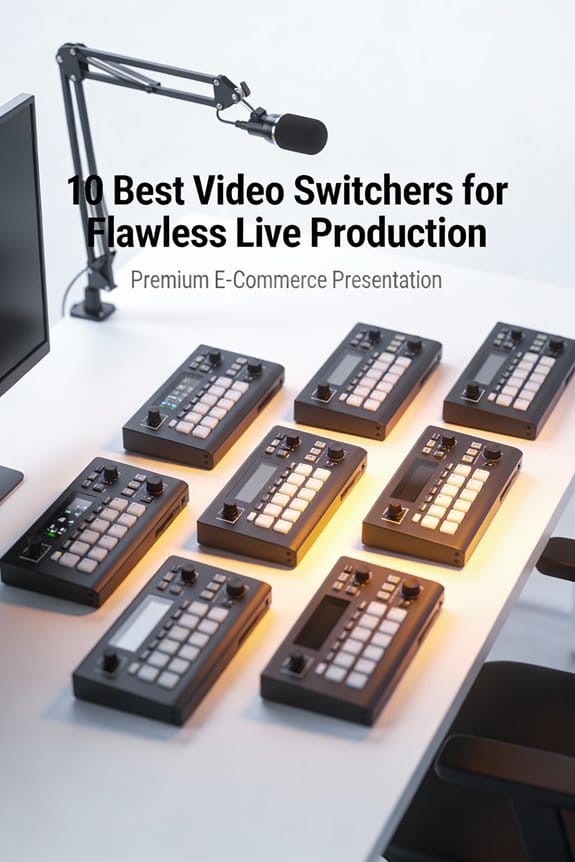
15 Customizable LCD Keys: instantly control your apps, tools and platforms.
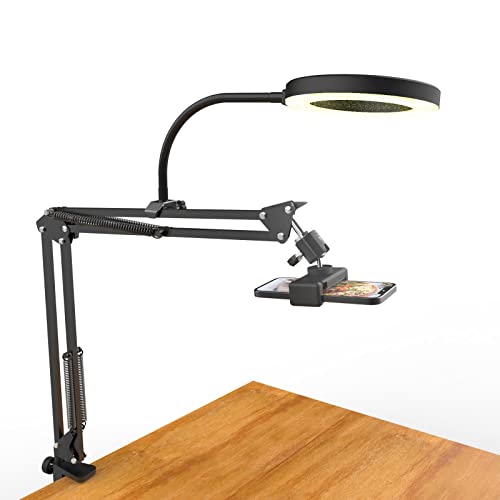
[ Dimmable Ring Light ] The 6 inch circle light has 3 lighting mode and each lighting mode has 10 brightness level, the swivel ball head is 360 degree rotation which can meet your angle for the purpose. The led ring light is USB powered, then you can use power bank, wall charger, laptop etc to supply the power

【All-in-One Audio Setup for Creators】Complete Podcast Equipment Bundle for Streaming, Recording & Content Creation.Designed as a complete audio solution, this kit includes an audio mixer, condenser microphone, and essential accessories—ideal for building a clean and efficient setup without extra equipment.
Understanding CDNs for Smooth Streaming
If you’re looking to get serious about live streaming, a good Content Delivery Network (CDN) is a must-have. Think of a CDN as a network of servers spread all over the world that work together to deliver video content to viewers quickly. By routing users to the nearest server, they can significantly cut down lag and buffering. For instance, if you’re hosting a live event, a CDN can help ensure that viewers from different parts of the globe have a smooth experience without those frustrating interruptions.
One cool feature of CDNs is adaptive bitrate streaming. This means the video quality can automatically change in real-time depending on the viewer’s internet speed. So, if someone’s on a slower connection, the video will adjust to a lower quality to keep things flowing smoothly. Major players in the CDN space, like Akamai and Amazon CloudFront, can handle tons of traffic at once, which is perfect for big events where thousands of people tune in simultaneously. Studies even show that using a CDN can cut latency by over 50%, making it an excellent choice for anyone wanting a seamless live experience.
To maximize streaming quality and minimize lag, pairing a reliable CDN with high-performance Thunderbolt 3 capture cards is highly recommended.
Now that you get the hang of why CDNs matter, let’s explore how to pick the right one for your streaming needs!
Ensuring Playback Compatibility for Viewer Satisfaction
Hey there! Have you ever thought about how important playback compatibility is during a live streaming event? It’s actually crucial for keeping viewers happy and engaged. When you set up your stream, it’s super important to make sure your streaming software and encoders match common standards, like going for 720p resolution with a bitrate of around 2000 Kbps. This helps ensure that everyone watching gets high-quality video without any hiccups.
Using protocols like HTTP Live Streaming (HLS) or MPEG-DASH is a smart move too. They allow for adaptive bitrate streaming, which means the stream can adjust based on how fast someone’s internet is. For example, if a viewer is on a slow connection, the stream will lower the resolution to keep things running smoothly, rather than buffering every few seconds. Also, relying on Content Delivery Networks (CDNs) can make a huge difference. These help deliver your streams quickly, minimizing lag and ensuring viewers aren’t staring at a loading screen.
It’s also a good idea to regularly test your stream on different devices, like desktops, smartphones, and tablets. This way, you can catch any technical issues before the big event. Remember, varying internet speeds can really affect performance, so these checks can save a lot of frustration for you and your audience. In the end, making sure everything works seamlessly leads to a more enjoyable experience for everyone tuned in. High-quality video, like 1080p resolution, especially helps enhance engagement and minimize misunderstandings during live streaming. Speaking of viewer experience, let’s talk about some common pitfalls to avoid when live streaming!
Tips for Troubleshooting Common Streaming Issues
Hey there! You know, keeping your viewers engaged during a stream is only part of the challenge; troubleshooting common streaming issues can make or break your broadcast. First things first, let’s check your internet connection—run a speed test to make sure your upload speed is at least 1.5 times your stream’s bitrate. For instance, if you’re streaming at 720p with a bitrate of 2,500 kbps, you should aim for an upload speed of around 3,750 kbps or more.
Next up are your encoder settings. It’s super important to double-check that they match what your streaming platform requires. Make sure you look at things like resolution and frame rate; for example, streaming at 30 frames per second (FPS) can often keep things smooth without overburdening your connection. Before going live, don’t skip testing all your video and audio sources—this way, you can catch any glitches before your audience notices.
If you can, try connecting with a wired Ethernet cable rather than relying on Wi-Fi; this can drastically improve your stream’s reliability. And, keep an eye on your platform’s status page to catch any server hiccups that might affect your broadcast. Utilizing audio mixing equipment can also enhance your sound quality and reduce background noise for a better viewer experience. With these tips in mind, you’re on your way to a smoother streaming experience! Ready to dig into some common tech problems next?
Recommended Products

[XLR Mic Input] One XLR microphone input interface is set on the gaming audio mixer, which is great to up your audio quality with your XLR setup. The XLR mixer is a stepping stone to upgrade your live streaming. Audio mixer offered built-in 48V phantom power which opens up more choices for mics. Directly use it with your condenser microphone but do not solve added peripherals. (NOT available for USB mic)

Upgrade Mic Clarity with XLR Power-Unlock studio-quality voice capture: The 48V phantom power XLR port supports high-sensitivity mics up to -50dB gain, while the Dynamic/Condenser toggle adapts to any microphone type. With <0.2% distortion and 75dB SNR, your comms cut through explosions crisply. Adjust mic monitoring via output knob on the gaming mixer keeping you aware of voice levels—perfect for intense FPS callouts.

Essential Kit for Streaming Setup: MAONOCASTER G1 NEO is the essential gear for gamers and up-and-coming streamers diving into the world of gaming streaming. This gaming mixer not only delivers outstanding sound performance but also integrates customized sound effects and captivating RGB lighting to immerse you in gaming or streaming. Its compact design and user-friendly interface provide an enjoyable and easier gaming experience, making it easier for you to achieve victory
Frequently Asked Questions
What Are the Requirements for Live Streaming?
Live streaming requirements include stable internet for bandwidth, high video resolution, and audio quality. Users should consider hardware recommendations, plan engaging content, utilize interactive features, and know troubleshooting tips for successful streaming on various platforms.
What Specs Do I Need for Live Streaming?
For live streaming, a stable internet speed is crucial; 95% of users prefer 720p resolution. Essential specs include appropriate bitrate settings, audio quality, camera options like DSLRs, reliable encoding software, and platform compatibility for various formats.
What Tech Do I Need for Streaming?
To succeed in streaming, one requires reliable internet speed, quality camera, audio setup, effective encoding software, proper lighting techniques, and understanding of networking essentials, while considering hardware requirements and preferred streaming platforms for content creation.
What Are the Basics of Live Streaming?
Live streaming basics include selecting streaming platforms, ensuring adequate internet speed, creating a solid hardware setup, focusing on audio quality, utilizing video encoding software tools, and engaging audiences through live chat and monetization options.