


USB-C and Micro-USB are quite different in charging technology. USB-C, with its sleek design, supports speeds up to 10 Gbps and can deliver 100 watts of power—ideal for laptops and larger devices. Micro-USB, on the other hand, maxes out at 480 Mbps and has limited power delivery. This makes USB-C the go-to option for modern tech. Users might find adapters handy for older Micro-USB devices, but the advantages of USB-C are hard to ignore, making it worth the consideration. To uncover more details about these two formats, keep exploring the topic.
Key Takeaways
- USB-C supports much higher power delivery, up to 100 watts, making it suitable for charging laptops and larger devices.
- Micro-USB typically provides lower power delivery, enough for charging smaller gadgets like smartphones and Bluetooth devices.
- USB-C allows reverse charging, which enables one device to charge another using its power, enhancing device versatility.
- Adapters are often needed to connect older Micro-USB devices to newer USB-C ports due to compatibility differences.
- USB-C is becoming the standard for modern devices, while Micro-USB is gradually being phased out as technology advances.
USB-C vs. Micro-USB: A Comparative Overview

Hey there! So, let’s chat about USB-C and Micro-USB. You’ve probably seen both around – USB-C has that neat, symmetrical shape that lets you plug it in either way, while Micro-USB can be a bit annoying since you need to line it up just right. I mean, who hasn’t struggled with that at some point?
When it comes to speed, USB-C really takes the cake. It can transfer data at speeds up to 10 Gbps thanks to the SuperSpeed USB 3.1 technology. In comparison, Micro-USB is stuck at a maximum of 480 Mbps. That’s a big difference! For instance, if you’re transferring a large video file, USB-C will do it in a flash, while Micro-USB would certainly make you wait.
Another thing to consider is power delivery. USB-C can handle up to 100 watts, which means it can charge bigger devices like laptops without a hitch. Micro-USB, on the other hand, is great for smaller gadgets but is starting to feel a bit outdated. As more modern devices switch to USB-C, it’s becoming common for people to use adapters to connect to the old Micro-USB cables they may still have lying around. It’s a bit wild how fast tech evolves, isn’t it? This transition is just a glimpse into the ever-changing world of connectivity! Additionally, the demand for lightweight and portable accessories is growing alongside these technology shifts, enhancing user convenience.
Recommended Products

Processor: Intel Core Ultra 9 275HX Processor (E-cores up to 4.60 GHz P-cores up to 5.40 GHz)

Items Include: DJI Mavic 4 Pro Drone, 64GB Memory Card, BackPack, Landing Pad, Cleaning Kit, Card Wallet, Card Reader
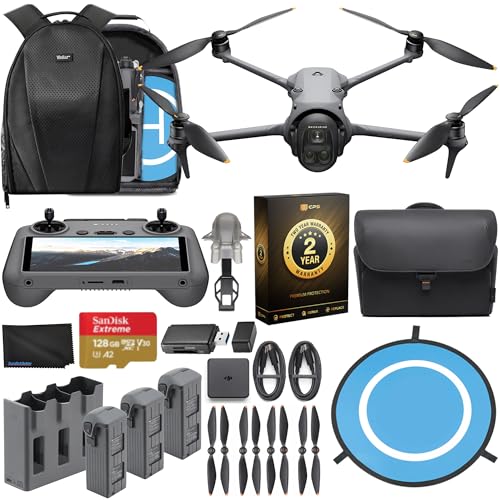
Advanced Triple-Camera System - The Mavic 4 Pro’s Infinity Gimbal features a triple-camera system: a 100MP Hasselblad wide-angle lens with 6K60 HDR and HNCS color, a 48MP medium tele for portraits, and a 50MP tele for sharp long-range shots. All support up to 4K slow motion (4K120 on wide/medium, 4K100 on tele), dual native ISO fusion, 10-bit D-Log, RAW frame stacking, and intelligent modes like Panorama and Subject Focusing—delivering professional results in any setting.
Differences in Data Speeds and Power Delivery

Hey there! So, have you heard about the differences between USB-C and Micro-USB? These two connector types vary a lot, especially when it comes to data transfer speeds and how much power they can deliver. For instance, USB-C can zip data across at speeds of up to 10 Gbps—that’s super fast for transferring large files like videos and high-resolution photos. On the flip side, Micro-USB usually maxes out at around 480 Mbps, which is just not cutting it if you’re in a hurry.
When it comes to charging, USB-C doesn’t just shine—it’s practically in a league of its own. It can provide up to 100 watts, making it perfect for larger gadgets like laptops. You can think of it this way: if you’re on a road trip and need to charge your laptop in the car, USB-C is your best friend. Micro-USB, on the other hand, usually delivers much less power, suitable for smaller devices like smartphones.
And here’s a cool feature about USB-C: it supports reverse charging. This means you can power another device directly from your USB-C-equipped gadget. Imagine using your phone to charge up a friend’s earbuds while you’re hanging out! Plus, with its reversible design, you can plug it in either way—no more fumbling around trying to figure out which way is up. It’s these little things that make USB-C stand out. Many 4K cameras designed for content creators also utilize USB-C ports, enhancing connectivity and sharing options by enabling quick uploads and easy remote control.
Recommended Products

100MP Main Camera - DJI Mavic 4 Pro’s 100MP Hasselblad camera with 6K/60fps HDR video captures stunning drone footage with vivid detail.

POWERFUL AI PERFORMANCE FOR PROFESSIONALS: Experience next-generation productivity with the AMD Ryzen AI 7 PRO 350 processor, featuring a dedicated Neural Processing Unit (NPU) for accelerating AI tasks like video call enhancements and document automation, making multitasking smooth and efficient.
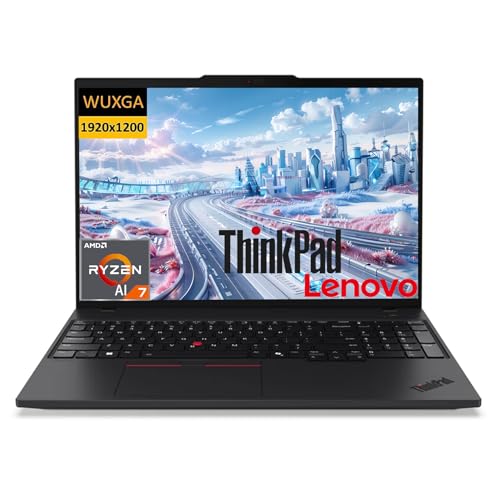
POWERFUL AI PERFORMANCE FOR PROFESSIONALS: Experience next-generation productivity with the AMD Ryzen AI 7 PRO 350 processor, featuring a dedicated Neural Processing Unit (NPU) for accelerating AI tasks like video call enhancements and document automation, making multitasking smooth and efficient.
Connector Compatibility Across Devices: Making the Right Choice

Choosing the right connector for your devices can feel a bit tricky, especially when you’re caught between USB-C and micro USB. Micro USB is something many of us have used with older devices like cameras and smartphones. It’s reliable and works well for charging those legacy gadgets. But if you’ve noticed, USB-C is quickly becoming the new favorite for all the latest tech.
What’s special about USB-C? Well, for starters, it offers much faster data transfer rates—up to 10 Gbps! That’s like racing from zero to sixty compared to micro USB’s top speed of 480 Mbps. Plus, USB-C can charge devices with up to 100 watts. So, if you have a laptop, for example, using a USB-C charger can get you powered up much quicker than micro USB.
Of course, if you have older devices, you might need some adapters to switch over to USB-C. It’s worth considering, though, because understanding how these connectors work can really enhance your overall tech experience. Just imagine transferring photos from your new smartphone to your laptop in a matter of seconds instead of minutes!
In addition, USB-C cables typically feature durability enhancements like double-braided nylon and reinforced connectors, which ensures long-lasting use and reliability.
Recommended Products

🎧 Simultaneous Audio & 60W Fast Charging: This usb c splitter 1 in 2 out headphone adapter allows you to connect USB-C headphones while charging your device at up to 60W PD fast charging. Perfect for enjoying music and powering your phone or tablet at the same time. Note: Not compatible with Lightning port devices. NOT for TWO HEADPHONES.
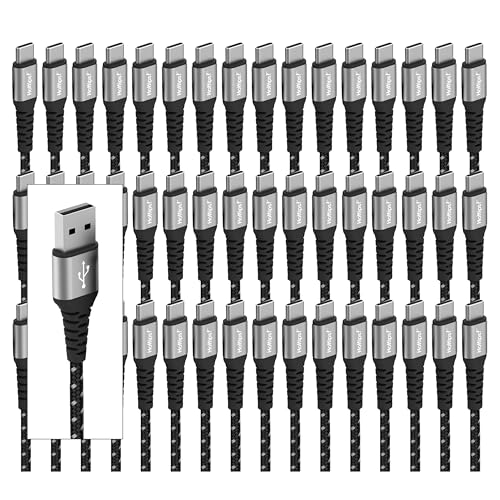
Strength & Durability: Reinforced with an Aramid fiber core, Patented Fishbone Strain Relief neck & 100,000 bend test. Nylon Braided & PVC Jacket to prevent USB C charger cord fraying (tangle-free, comes with wrap around USB C cable strap)

Three USB-A 3.1 ports provide up to 5Gbps. USB-C PD port provides 100W of power. Supports fast charging even when three devices are connected at the same time
What’s Next for USB Technology and USB-C?
Hey, have you heard about the future of USB technology? It’s getting pretty exciting, especially with the introduction of USB 4.0, which can push data transfer speeds up to a jaw-dropping 40 Gbps. This really cements USB-C as the go-to connector for just about everything we plug in these days, from laptops to smartphones.
One of the coolest things about USB-C is its ability to deliver up to 100W of power. That means you could charge high-power devices like gaming laptops or larger tablets without needing a bulky power brick. And with wireless charging tech on the rise, Type-C ports are becoming standard, making it easier to connect and power up your devices seamlessly.
Plus, the new developments in USB could soon bring even better power delivery and the ability to support high-resolution video outputs. Just imagine being able to connect a single cable from your laptop to a monitor, powering both the screen and the laptop itself. As we embrace these advancements, it seems like USB technology is set to make our lives even more convenient! So, what does this mean for our everyday devices? Let’s dive into that next.
Many USB-C hubs now integrate Power Delivery (PD) capabilities, enabling them to charge devices efficiently while managing data transfer and display outputs simultaneously.
How to Pick the Best Charger for You
Hey there! Finding the best charger for your devices can really feel like a puzzle with so many choices out there. First things first, let’s talk compatibility. If you have older gadgets, chances are they use Micro-USB. But for newer tech, USB-C is the way to go. It’s super easy to switch to USB-C, and it makes a huge difference in how quickly you can charge. For example, USB-C can pump out up to 100 watts, while Micro-USB barely manages 2.5 watts—that’s a big jump!
Another thing to keep in mind is the amperage. Micro-USB usually deals with 1 to 2.1 amps, which is fine for basic charging. But if you’re using USB-C, it can handle a strong 3 to 5 amps, which means faster charging for your phone or laptop. Plus, don’t overlook data transfer speeds. USB-C can deliver up to 10 Gbps, way faster than Micro-USB’s 480 Mbps. So, if you’re looking to keep up with the tech trends, opting for USB-C will save you time and hassle down the road. Now, let’s get into what to look for when choosing the right cable! Also, many modern devices like the Talomen Wireless Dual use USB-C rechargeable batteries, charging efficiently within 2-3 hours.
Recommended Products
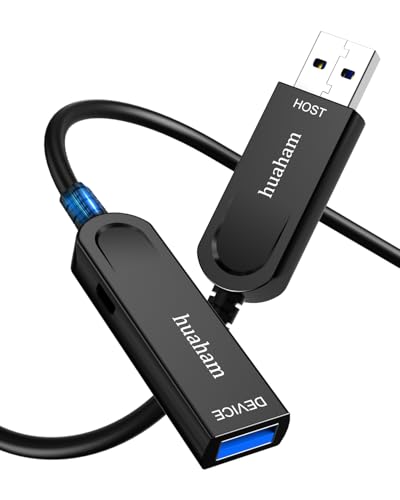
【Engineering USB 3.1 Extension Cable】huaham ultra-long fiber optic USB extension cable adopts advanced photoelectric conversion technology, supports data transmission rate up to 10Gbps, ensures zero delay, zero data loss and electromagnetic interference. Optical fiber is softer, faster, lighter, and has better EMI/EMC (anti-electromagnetic interference) technology.

10Gbps High Speed Data Transfer: DavVision usb active optic cable built-in German SiliconLine optical conversion chip for 10Gbps data transfer via optical signals, ensuring zero latency,zero data loss & zero electromagnetic interference.

HIGH-SPEED DATA TRANSFER: USB4 certified cable supports 40Gbps data transfer speeds with backward compatibility for 20Gbps, 10Gbps, 5Gbps, 480Mbps, 12Mbps, and 1.5Mbps for seamless connectivity across all USB versions from 1.0 to 4.0.
Frequently Asked Questions
What Is the Difference Between Type C and Micro USB Charging?
Like two pathways diverging, USB-C offers superior compatibility and versatility, with faster charging speeds and durable design. In contrast, Micro USB faces limitations in power delivery, connector orientation, and device compatibility, marking its decline in future technology.
Does Micro USB Charge Faster Than USB-C?
Micro USB does not charge faster than USB-C. USB-C’s advanced charging technology, greater power delivery capabilities, and superior data transfer rates demonstrate significant performance improvements over Micro USB, reflecting the evolution in connector design and device support.
How to Identify a C Type Charger?
With USB-C supporting power delivery up to 100W, identifying a Type-C charger involves noting its distinct oval connector shape. This versatile design enhances device compatibility and charging speed while ensuring better durability and user experience.
Can You Use a Micro USB to Charge a USB Type C?
Micro USB cannot directly charge USB Type-C devices due to compatibility issues. While Micro USB offers lower durability and power delivery, USB-C excels in charging speed and future standards, highlighting emerging market trends and consumer preferences.


