
When choosing between software and hardware encoders for streaming, it’s crucial to understand their unique differences. Software encoders, like OBS Studio, are budget-friendly and versatile, yet may struggle under heavy loads. On the other hand, hardware encoders provide lower latency and reliability but come with higher costs. While software is great for casual streams, hardware shines in professional settings. Each option has pros and cons, but understanding them will help streamline your decision-making process. Explore further to access more insights.
Key Takeaways
- Software encoders are budget-friendly and versatile, while hardware encoders provide lower latency and reliability at a higher cost.
- Software encoders utilize a computer’s CPU, whereas hardware encoders are dedicated devices responsible for encoding.
- Beginners may prefer software solutions for customization, while hardware encoders suit high-stakes broadcasts requiring consistent quality.
- Hardware encoders often lead to less energy consumption and reduced crash likelihood compared to software encoders.
- The choice between software and hardware encoding should consider budget, stream type, and computer performance capabilities.
What Is a Video Encoder and Why It Matters for Streaming?

Have you ever wondered what a video encoder is and why it’s so important for streaming? Essentially, a video encoder takes raw video footage and compresses it into digital formats that you can easily view on streaming platforms. There are two main types of encoders to consider: software encoders, like OBS Studio, which use your computer’s CPU for processing, and hardware encoders that come with built-in processing power.
So, why does this matter? Well, the type of encoder you choose can greatly impact the quality of your stream and your viewer’s experience. For example, software encoders allow for a lot of customization, which is great if you want to tweak settings for the best visual quality. However, they can sometimes lead to higher latency, which means delays during live streaming. On the other hand, hardware encoders tend to offer lower latency and more reliability, making them a go-to for live broadcasts, like gaming streams or live events.
Another aspect to consider is how video compression works. Using effective protocols like H.264 ensures that your video is not only compressed but also compatible across various devices, from smartphones to smart TVs. Choosing the right encoder really does set the stage for a smoother and more enjoyable viewing experience. Now, let’s explore some options and tips for selecting the best encoder for your streaming needs. Additionally, integrating a high-quality internal capture card can further reduce latency and improve video resolution for a professional-grade stream.
Key Differences Between Software and Hardware Encoders

Hey there! If you’re thinking about streaming and trying to decide between software and hardware encoders, it can definitely feel like a big decision. Essentially, encoders are super important because they turn your video into a format that’s easy to stream over the internet.
So, here’s the scoop: software encoders, like OBS Studio or vMix, run right on your computer’s CPU. They’re usually pretty budget-friendly, often free, which makes them a solid choice for casual users just starting out. For example, if you’re planning to do some gaming streams or casual vlogs, a software encoder could be all you need.
On the flip side, hardware encoders are dedicated devices that focus solely on video encoding. They tend to give you lower latency and better reliability, which is a must for live events. Think about a concert live stream: you definitely want to avoid any delays! However, they do come with a higher price tag, often starting in the hundreds, which might put off beginners.
When it comes to customization, software encoders let you play around with overlays and other tweaks, while hardware options are designed for simplicity and ease of use. So, your choice really comes down to your specific needs and budget. Are you looking for flexibility or reliability? Let’s explore those options a bit more!
Many hardware encoders also offer 4K 60fps capture capabilities, providing high-quality video that software alone might struggle to handle efficiently.
Recommended Products

Support 8 channels 1080P HDMI video input

H.264 & H.265 Streaming to SRT or RTMP
![J-Tech Digital 4 Ports H.264 H.265 HDMI Video IPTV Encoder Supports 4K 30Hz [JTECH-ENCH54]](https://m.media-amazon.com/images/I/31josK8oQUL._SL500_.jpg)
𝐇.𝟐𝟔𝟒 | 𝐇.𝟐𝟔𝟓 𝐄𝐍𝐂𝐎𝐃𝐈𝐍𝐆 𝐅𝐎𝐑𝐌𝐀𝐓𝐒 – Choose between H.264, H.265 and MJPEG Encoding formats for your application. HDMI IPTV Encoder also supports UDP | HTTP | RTSP | RTMP | ONVIF | FLV | HLS | SRT Protocols. Add custom OSD text or logos and make setting changes via web interface.
Advantages of Software Encoders for Streaming

Hey! So, when it comes to streaming, have you ever thought about using software encoders? They’re actually a pretty popular choice among many streamers, and for good reason. First off, they’re budget-friendly since you don’t need to invest in extra hardware – just your computer will do the trick! This makes them super appealing if you’re trying to save some cash while still delivering quality content.
One of the best things about software encoders is their versatility. You can tweak settings like codec types and bitrates to fit exactly what you need for your stream. For example, if you’re streaming gameplay, you might want a higher bitrate to maintain video quality, but if you’re just chatting, you can dial it down a bit to save resources. Plus, many of these encoders let you do more than just stream; you can record and even edit your videos all in one place.
Updating software encoders is a breeze too. You get to benefit from new features and improvements without having to swap out any hardware, which is a big win. They also utilize your computer’s CPU and GPU efficiently, meaning the better your computer, the better your streaming performance will be without shelling out for specialized gear. While software encoders depend heavily on your device’s hardware, combining them with external capture cards can significantly enhance streaming quality and reduce latency.
All of this makes software encoders an excellent choice for anyone looking to start streaming or upgrade their setup without breaking the bank. Interested in hearing more about specific software options?
Recommended Products

Four Independent HDMI Inputs – Capture four simultaneous HDMI channels with embedded audio, ideal for multi-camera setups, switchers or monitoring rigs.

The engineer’s interface: Scarlett 18i20 features 18 inputs and 20 outputs, including eight mic preamps, Hi-Z, line inputs, ADAT, S/PDIF, MIDI I/O, and Word Clock

Key Limitations of Software Encoders for Live Streaming
You know, a lot of streamers are really impressed by the benefits of software encoders for live streaming, but they sometimes miss some important drawbacks. One major issue is that software encoders can really put a strain on your CPU. When you’re live streaming, especially during intense moments like a multiplayer gaming session or a fast-paced sports event, a taxed CPU can lead to annoying lag or, worse, crashes. Imagine your stream freezing right when things heat up—that’s a real downer!
Another thing to keep in mind is that software encoders tend to have higher latency compared to hardware options. That means there can be a noticeable delay between what you see on your screen and what your audience sees. If you’re streaming a game, for example, every second counts, and a few extra milliseconds could make a big difference in viewer experience.
Plus, setting up software encoders can feel a bit overwhelming, especially if you’re new to streaming. You often have to navigate through complex configurations to get the best performance. Don’t forget also that these solutions can consume quite a bit of energy, which can lead to higher bills over time—definitely something to consider if you’re streaming regularly.
Lastly, if you multitask on your streaming computer, you might run into stability issues, meaning interruptions could really disrupt your broadcast flow. So, if you want a smooth streaming experience, it’s worth weighing these factors before jumping into software encoders. Hardware capture cards offer ultra-low latency and reduce CPU load for a more stable broadcast. Want to know more? Let’s chat about some alternatives!
Why Choose Hardware Encoders for Streaming?
If you’re a streamer struggling with the hassle of software encoders, let me tell you about the benefits of hardware encoders. They’re a fantastic choice because they provide low latency, which is super important for live streaming—think about events like sports games or competitive gaming where every second counts. With a hardware encoder, you won’t experience the lag that can happen with software solutions.
These devices also consistently deliver high video quality and can handle multiple streams at once without skipping a beat. For instance, if you’re streaming gameplay while also broadcasting a chat or other content, a hardware encoder ensures everything runs smoothly. Plus, they tend to use less energy than software-encoded systems, which means you’re less likely to experience crashes, especially during those intense streaming sessions.
Another cool feature is that many hardware encoders come with built-in redundancy, so if one part fails, there’s backup to keep things running. This scalability is a big deal for anyone looking to grow their streaming operation—no need to shell out tons for upgrades as you expand. In the long run, investing in a hardware encoder can actually save you money since they usually have lower operational costs compared to software setups, which often need beefy computers or constant upgrades. Additionally, hardware encoders with ultra-low latency technology ensure real-time feedback and seamless streaming experiences.
Recommended Products

NVIDIA Ada Lovelace Streaming Multiprocessors: Up to 2x performance and power efficiency

NVIDIA Ada Lovelace Streaming Multiprocessors: Up to 2x performance and power efficiency

NVIDIA Ada Lovelace Streaming Multiprocessors: Up to 2x performance and power efficiency
Drawbacks of Hardware Encoders
You know how hardware encoders can really improve video streaming? They definitely come with some great benefits, but there are a few drawbacks to think about, too. For starters, the initial price tag can be quite steep—often starting in the several hundred dollar range. This can be a tough pill to swallow for those trying to stick to a budget.
Another thing to keep in mind is that hardware encoders usually come with limited customization options. So, if you have a specific streaming setup in mind, you might find yourself frustrated. For instance, they typically focus solely on encoding, meaning if you want to switch between different camera feeds or add special effects, you’ll need other equipment. Plus, if you decide to upgrade in the future, you’re looking at new purchases, which adds to your expenses and can make it challenging to scale your setup over time.
And don’t forget about compatibility issues. Sometimes, hardware encoders won’t work smoothly with certain platforms, which might require extra steps for integration. All these factors can definitely make you pause before pulling the trigger on a purchase. So, it’s worth weighing your options and doing a bit of research to see what setup really suits your needs. It’s important to also consider features like real-time HDMI loop-out that some capture cards offer to reduce latency and support seamless gaming and streaming.
Speaking of options, let’s chat about the benefits of software encoders and how they compare!
Recommended Products

Input:16 Channel HDMI input,1920*1080,1680*1056,1280*720,1024*576,960*540,850*480,720*576,720*540,720*480,720*404,704*576, 640*480,640*360...320*180; 16 Channel line in audio(3.5MM audio jack)

High-Fidelity Capture & Scaling – Supports HDMI input up to 4096×2160 30fps (4:4:4/4:2:2) or 60fps (4:2:0); captures video up to 1080p at 60fps or 720p up to 120fps with on-board scaling (down/up) for flexible streaming/recording.

【The ORIVISION Advantage】ORIVISION encoder is supported by 20 years’ manufacture experience of video transmission device by our leading technology. This new encoder has been upgraded since Jan.1st,2024 based on previous EH401. New Model No. is EH1301. Due to chip difference, the previous 4k encoder EH401 can’t be upgraded to this new EH1301 by only firmware upgrading. It has built-in RTMP sever now.
How to Decide: Software vs. Hardware Encoding for Your Streaming Goals?
Choosing between software and hardware encoding for your streaming needs can feel a bit overwhelming, but it doesn’t have to be! Let’s break it down together. First off, think about your budget. If you’re just starting out, software options like OBS Studio are fantastic because they’re free. On the other hand, hardware encoders can get pricey, often starting at several hundred dollars.
Now, let’s consider what kind of streams you want to create. If you’re planning to host high-stakes live broadcasts, hardware encoding is a solid choice since it reduces latency and can handle demanding tasks more smoothly. For example, if you’re streaming a gaming tournament, hardware might save you from those nerve-wracking delays. But if you’re looking at casual streams, software gives you more flexibility to play around with settings and designs.
Don’t forget to think about your computer’s performance. If your machine isn’t particularly powerful, software encoding could butt heads with it, especially during heavier streams—leading to crashes. A low-end computer might struggle with OBS during a high-resolution stream, making hardware a better option for serious setups.
Finally, consider how you plan to scale your streaming in the future. Software can be updated easily with new features, while hardware might need to be replaced sooner as technology advances. In short, aligning your encoding choice with your budget, computer capabilities, and stream style is key to making a solid decision. Ready to explore the next step in your streaming setup? Let’s talk about the technical specs you should keep in mind! Hardware capture cards often support ultra-low latency and high frame rates to enhance streaming quality and real-time interaction.
Recommended Products

4K video recorder, streamer, switcher, splitter, and scaler
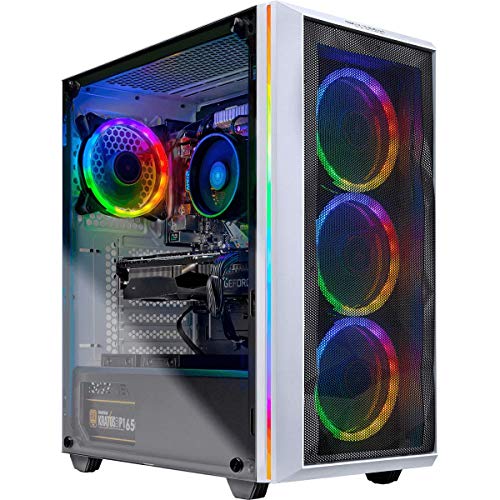
✔ AMD Ryzen 7 2700X 8-Core 3.7 GHz (4.3 GHz Turbo) CPU Processor | 1TB SSD – Up to 30x faster than traditional HDD

NVIDIA Ada Lovelace Streaming Multiprocessors: Up to 2x performance and power efficiency
Future Trends in Video Encoding Technologies
Hey! Have you noticed how quickly video encoding technologies are changing? It’s pretty exciting, especially with new codecs like AV1 stepping into the spotlight. This codec is all about making videos smaller in size without losing that sharp quality, which is a big win for folks with slow internet connections. Imagine watching a movie on a less-than-ideal Wi-Fi signal but still enjoying great clarity—it’s a big deal.
Another cool development is Adaptive Bitrate Streaming. It adjusts video quality on the fly depending on your network speed, so if you’re on the go and switching from Wi-Fi to mobile data, you won’t have to deal with annoying buffering. Plus, hardware encoding is getting a boost too, thanks to powerful GPUs and ASICs, which means smoother video for live broadcasts.
And let’s not forget about hybrid encoding models that mix software and hardware solutions. This flexibility helps content creators deliver top-notch streams no matter where they’re broadcasting from. Overall, these innovations are shaping how we enjoy video, making the future look brighter for live streaming and beyond. So, if you’re into creating or watching videos, there’s a lot to look forward to!
Modern streaming setups often integrate 4K Ultra HD Resolution cameras to ensure the highest video quality from capture to broadcast.
Frequently Asked Questions
What Is the Difference Between Hardware and Software Encoding Streaming?
Hardware encoding excels in streaming performance and low encoder latency, beneficial for demanding environments, while software encoding offers flexibility in video quality and processing power, but may face compatibility issues and higher system requirements affecting cost efficiency and user experience.
What Is the Difference Between Hardware and Software Solutions?
Hardware components offer dedicated performance and reliability, while software applications provide flexibility and cost efficiency. Performance comparison reveals trade-offs in setup process, maintenance requirements, upgrade options, and potential compatibility issues, affecting overall user experience and implementation challenges.
Why Is It Important to Understand the Difference Between Hardware and Software?
Understanding the difference between hardware and software is essential for optimizing streaming quality and encoding speed. It affects processing power, cost efficiency, user experience, platform compatibility, and scalability potential, thereby guiding informed choices tailored to specific needs.
What Are 5 Differences Between Hardware and Software?
Differences between hardware and software in streaming technologies include performance reliability, encoding efficiency, cost implications, hardware longevity, maintenance considerations, system requirements, user interface flexibility, customization options, and upgrade paths that influence overall user experience.