
Latency in streaming setups refers to the delay between an event occurring and its appearance on screen. It affects direct interactions, whether in video calls or live sports. For instance, low latency improves engagement, keeping the excitement alive during auctions or gaming. Streaming protocols like WebRTC and SRT help greatly in minimizing delays. By optimizing encoder settings, users can enhance their streaming experience. There’s much more to explore about optimizing streaming for various uses, so stay tuned!
Key Takeaways
- Latency is the delay between real-time events and their display, crucial for viewer experience in streaming setups, especially for live events.
- Low latency (3 to 10 seconds) enhances engagement for live sports, auctions, and gaming, while ultra-low latency (under one second) is critical for interactive sessions.
- Using streaming protocols like WebRTC and SRT can significantly reduce latency for live content delivery.
- Optimizing encoder settings, such as codec choice and avoiding B frames, can help minimize processing delays in streaming setups.
- Assessing network conditions and utilizing a global CDN improve streaming responsiveness and reduce lag during live broadcasts.
What Is Latency in Streaming Setups?

Hey! Let’s talk about latency in streaming setups. Imagine you’re in the middle of an intense gaming stream or a live webinar, and there’s a noticeable delay between what’s happening and when you see it on your screen—super frustrating, right? That delay is what we call latency, and it’s really important for a smooth viewing experience.
So, what causes this latency? Well, a few things come into play. It could be the speed of your encoding hardware, how far away you are from content delivery networks, or even the transmission protocols that are being used. Generally, we categorize latency into standard, low, and ultra-low. For a good experience, low latency is around 3 to 10 seconds, but if you’re using advanced protocols like WebRTC or SRT, you can get that down to less than a second, which is fantastic for real-time interactions!
For example, if you’re streaming a live gaming contest, even a few seconds of delay can mean the difference between winning and losing. Likewise, in an interactive webinar, immediate feedback is crucial to keep the energy up. So, understanding and managing latency can really enhance how engaging those experiences are for viewers. Using ultra-low latency capture cards can also significantly reduce delay and improve synchronization in streaming setups. Next, let’s dig into some tips on how you can reduce latency in your own streaming setup!
Why Low Latency Streaming Matters for Engagement

Hey there! You know how important low latency is in streaming, right? Low latency means the delay between what’s happening in real-time and what you’re seeing on your screen is minimal. This matters a lot, especially in video calls—if there’s a delay longer than 200 milliseconds, conversations can feel awkward because people end up talking over each other.
Think about live sports broadcasts for a moment. Keeping latency under three seconds means viewers can react to plays almost in sync with what’s happening on the field. It keeps the energy high, and nobody wants to miss a crucial goal or touchdown! And in situations like a live auction, having latency under one second can create that thrilling atmosphere where people feel compelled to bid right away.
Plus, if you’re into online gaming, you probably know that any lag can lead to a frustrating experience. Games often require latency to be under 100 milliseconds to ensure fairness and responsiveness—just a tiny delay can influence the outcome of a match. So, by focusing on low latency, creators can not only enhance video quality but also boost interaction levels, keeping audiences engaged and coming back for more. Speaking of engagement, let’s explore how interactive features can further enrich viewer experiences! High-quality capture cards with real-time passthrough help minimize delay and maintain synchronization for the best streaming experience.
Types of Latency: Standard, Low, and Ultra-Low

You know, streaming experiences can really hinge on the type of latency you’re dealing with. Think of it this way: standard latency, which is about 15 to 30 seconds, works well for things like big TV broadcasts where immediate interaction isn’t crucial. For instance, if you’re watching a live concert, a slight delay doesn’t usually spoil the show.
On the other hand, if you’re tuning into a live sports event, you’d want low latency—around 3 to 10 seconds—so you can react to plays almost in real time, right? Imagine cheering for your favorite team and then hearing the crowd’s reaction a whole 10 seconds later! That kind of delay can really kill the excitement.
Now, if you’re into video calls or online gaming, ultra-low latency is vital. This means you’re looking at delays of under one second. It’s all about that instant feedback—like when you’re playing a racing game and you need to see your opponent’s every move. If there’s a lag, it could totally mess with your game.
In streaming setups, achieving low latency often requires optimized video quality and compression technologies to ensure smooth and clear transmission.
Recommended Products

THE SPEED OF EERO MAX 7 - With two 10 Gigabit Ethernet ports, you can enjoy wired speeds up to 9.4 Gbps, wireless speeds up to 4.3 Gbps, and multi-gigabit backhaul speeds—making your network seriously fast.

RGB Triple Laser Brilliance: Dive into color-rich, lifelike visuals with the X-Master RGB triple laser engine. 4100 ISO lumens of brightness and ultra-deep 20,000:1 contrast bring unmatched vibrancy and depth to every scene—day or night.

𝐔𝐥𝐭𝐢𝐦𝐚𝐭𝐞 𝐁𝐄𝟑𝟑𝟎𝟎𝟎 𝐓𝐫𝐢-𝐁𝐚𝐧𝐝 𝐖𝐢-𝐅𝐢 𝟕 𝐒𝐩𝐞𝐞𝐝𝐬: Deco 7 Elite BE95 is designed with the latest Wi-Fi 7 technology, featuring Multi-Link Operation, Multi-RUs, 4K-QAM, and 320 MHz channels. With speeds of 11520 Mbps on the 6GHz band 1, 11520 Mbps on the 6GHz band 2, 8640 Mbps on the 5GHz band, and 1148 Mbps on the 2.4GHz band, the 3 pack mesh connects over 200 devices without dragging down performance and delivers unparalleled Wi-Fi performance.
Essential Factors Influencing Video Streaming Latency
When it comes to video streaming latency, there are a few key factors that really make a difference in how smoothly you watch your favorite shows. First off, having a reliable internet connection is super important. It’s generally a good idea to have your internet speed be at least double the bandwidth of the video you’re streaming. For example, if you’re trying to stream something that needs 5 Mbps, aim for at least 10 Mbps for a smoother experience.
Another thing to think about is how far away you are from the content delivery network, or CDN, server. The further away you are, the longer it takes for data packets to travel to your device, which can lead to those annoying buffering moments. Imagine trying to stream a live event while you’re halfway across the world—it just takes longer for that information to get to you.
Don’t forget about encoding settings, either! Some protocols, like WebRTC, are really good at reducing lag, especially if you’re in a low-latency environment. Plus, keep an eye on your network conditions. If there’s a lot of traffic or congestion on your network, it could slow things down considerably. Lastly, if there’s packet loss, you’ll find that your stream has to stop to resend those lost packets, which raises latency and can introduce jitter into your video. Choosing capture hardware with low latency performance can significantly enhance the real-time streaming experience by minimizing delays between input and output.
How to Optimize Your Encoder Settings for Lower Latency
If you’re looking to optimize your encoder settings for lower latency, one of the first things you should think about is the codec you’re using. Efficient codecs like H.264 or H.265 (HEVC) can really help strike a nice balance between high video quality and quick processing speed. This is super important, especially for live streaming where every second counts.
Also, keep your frame rates at 25 or 30 fps. This will give you smooth motion without overloading your system. Imagine trying to play a video game while it’s still loading—frustrating, right? That’s what happens if you push frame rates too high without the right power behind it.
And let’s talk about scanning methods. Using progressive scanning is a big win—this method displays each frame in full, making for clearer visuals that can also cut down on latency. Plus, consider slice-based encoding; it processes small video segments independently, speeding up transmission. Just keep one thing in mind: avoid B frames. They can complicate things and require more processing time, which isn’t ideal if you’re aiming for low latency.
Additionally, choosing capture cards with ultra-low latency features ensures that your audio and visual streams stay perfectly in sync for seamless viewing.
With these pointers, you can boost your encoder settings and enjoy smoother streaming experiences. Ready to tackle the next aspect of your setup? Let’s explore bitrate adjustments next!
Recommended Products

Intel Core Ultra 7 155U, 12C (2P + 8E + 2LPE) / 14T, Max Turbo up to 4.8GHz, 12MB. This new Intel Core Ultra processor delivers the next generation of hybrid architecture for supercharged computing. Thanks to a three tier multi-processing unit, business users can manage complex workloads by sending the right task to the right engine at the right time. A CPU manages lightweight low-latency AI tasks, a GPU manages media and visual AI rendering, and an NPU, manages sustained AI and AI offload.

[All in one] - Elevate your video conferencing with KanDao Meeting Ultra, the all-in-one conference room solution featuring dual 4K HDR 360° cameras, a 15.6" FHD touchscreen, built-in microphones, and 10W Hi-Fi speakers
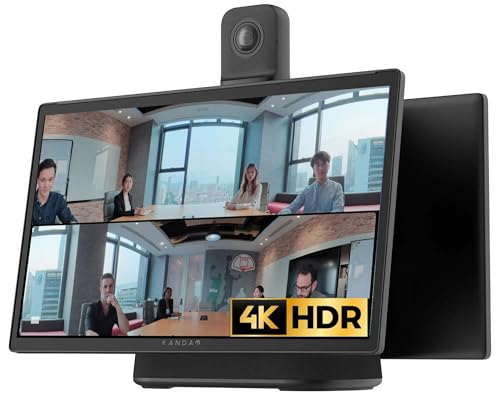
[All in one] - Elevate your video conferencing with KanDao Meeting Ultra, the all-in-one conference room solution featuring dual 4K HDR 360° cameras, a 15.6" FHD touchscreen, built-in microphones, and Hi-Fi speakers
Best Protocols for Achieving Low Latency in Streaming
If you want to achieve low latency in streaming, choosing the right protocols is crucial. Take WebRTC, for example. It can deliver latency of less than 500 milliseconds by connecting users directly to each other—perfect for video calls or any interactive sessions where timing matters. Imagine being in a virtual meeting where everyone reacts in real-time; that’s the kind of experience WebRTC provides.
Then there’s SRT, or Secure Reliable Transport. This one keeps latency around one second, which is fantastic for live events where every second counts, like sports broadcasts or concerts. On the other hand, RTMP has been around for a while and offers reliable streaming with latencies under three seconds. However, it’s gradually being phased out in favor of more modern options like LL-HLS, which can bring that latency down to just 3–7 seconds, still making it suitable for many applications.
If you’re looking into adaptive bitrate streaming, protocols like HLS and DASH are your go-tos. While they provide great quality, they do come with longer delays, stretching from 5 to 20 seconds. So, the choice of protocol really shapes how live streaming feels for your audience. It’s all about weighing what’s most important for your specific needs—whether it’s speed, quality, or reliability. As you consider your options, think about how each of these protocols aligns with your streaming goals. Additionally, incorporating interactive teaching methods can help maximize viewer engagement during live streams.
Recommended Products

Mini-LED X - See your favorite show or movie in a whole new light. Mini-LED X is made up of thousands of LEDs, think of them like pinpoints that illuminate your screen. Plus, with over 40,000 local dimming zones, you can experience the whitest whites, the darkest darks, and everything in between.

NVIDIA Ada Lovelace Streaming Multiprocessors: Up to 2x performance and power efficiency

【Dual System-Powerful UPGRADE】The LINGHUFOX 75" smart board features robust dual systems: Windows 11 Pro powered by a Intel 13th Gen i5-13450HX processor (16GB RAM+256GB SSD, 10 cores 16 threads), and Android 14.0 with 8GB RAM + 128GB ROM. This setup delivers faster speeds, low latency, and a smooth user experience. It’s an excellent choice for meeting rooms, classrooms, design studios, and exhibition halls, boosting collaboration and efficiency.
Effective Strategies to Minimize Latency in Streaming
You know how frustrating it can be when you’re streaming a live event and the video lags or stutters? Minimizing latency in streaming is so important for keeping your viewing experience smooth and enjoyable. One great way to tackle this is by using a global Content Delivery Network (CDN). Think of it like having multiple pizza places all over the city so that the delivery is quicker—you get your video served closer to where you are.
Another effective strategy is optimizing your encoder settings. Using efficient codecs like H.264 or H.265 can really speed up how fast your video gets processed. For instance, if you’re watching a concert live online, low latency streaming protocols like WebRTC can help keep the delay under half a second, making you feel like you’re truly part of the action.
Plus, if you want to avoid buffering altogether, consider adaptive bitrate streaming. This adjusts the video quality automatically based on your internet speed, so you won’t get stuck waiting for the video to catch up. And if you’re serious about reducing latency, using a wired Ethernet connection instead of Wi-Fi can really make a difference in stability.
Balancing these strategies makes for a much smoother streaming experience. Additionally, investing in a low latency capture card can significantly improve the responsiveness and quality of your live streams. So, as you dive into your next binge session or live event, keep these tips in mind to enhance your overall enjoyment!
Recommended Products

World’s first 1.0-inch type stacked Exmor RS imaging sensor, Flexible 4K and Full HD recordings (XAVC Long GOP at 100Mbps), HFR 120 fps Super Slow Motion (continuous), Clear Image Zoom (24x for HD, 18x for 4K)

✔️Bundle Accessories - Along with the accessories from Sony, the Sony Alpha 7C R bundle Includes additional accessories such as, Pixel Hurricane Blower, Pixel Connection Essential Cleaning Kit, 3-in-1 USB-C Card Reader, Microfiber Cleaning Cloth, Pixel Camera Backpack, 64GB SD Card, Pixel Compact 65" Monopod.
Intel Core Ultra 7 155U, 12C (2P + 8E + 2LPE) / 14T, Max Turbo up to 4.8GHz, 12MB. This new Intel Core Ultra processor delivers the next generation of hybrid architecture for supercharged computing. Thanks to a three tier multi-processing unit, business users can manage complex workloads by sending the right task to the right engine at the right time. A CPU manages lightweight low-latency AI tasks, a GPU manages media and visual AI rendering, and an NPU, manages sustained AI and AI offload.
Assessing Network Conditions for Lower Lag
Hey there! If you’re looking to enhance your streaming experience, knowing how to assess your network conditions is key. Think about it: factors like bandwidth limits and traffic jams on your network can really slow things down, leading to frustrating lag. Using a wired Ethernet connection is a smart choice here; it gives you a steady, fast connection with less interference than Wi-Fi, making your streaming much smoother.
Another thing to keep in mind is the distance to the streaming server. The closer you are, the quicker your device can communicate with it. For instance, if you’re streaming a live sports event, using a server that’s nearby can make a noticeable difference in the responsiveness of the feed. To improve your local network, try limiting the number of devices connected at the same time or consider upgrading to a dual-band or Wi-Fi 6 router, which can handle more data traffic efficiently.
Don’t forget to regularly check your internet speed too—this way, you can spot any slowdowns that might occur. Ideally, your available bandwidth should be at least double that of the streaming bitrate during live events. Additionally, using capture cards with ultra-low latency can further reduce delay and ensure smoother streaming performance.
By managing these aspects, you’re setting yourself up for an awesome streaming experience. Ready to take a closer look at how your internet plan stacks up?
Recommended Products


【4K 60fps UHD — 1/1.8" CMOS 8.42MP + 20X Optical + 16X Digital Zoom】A genuine 1/1.8-inch UHD CMOS sensor with 8.42 million pixels captures broadcast-grade 4K 60fps video. 20x optical zoom brings distant subjects close; 16x digital zoom pushes further while preserving usable detail — the large sensor gives every zoom step more pixels to work with. Precise broadcast-grade white balance control ensures accurate, consistent color matching across multi-camera productions. Ideal for large venues, broadcast productions, and professional education environments

Real-World Uses for Low Latency Streaming Solutions
Have you ever thought about how low latency streaming solutions are really changing the game in so many fields? For instance, in live sports broadcasts, having a latency of less than 10 seconds makes a huge difference. It means fans can experience the excitement of the game almost in real-time, feeling every reaction and cheer right alongside the players.
Consider live auctions, too. Bidders rely on low latency streaming to make quick decisions without the fear of missing out. Imagine you’re in a heated bidding war, and every second counts. If the stream lags, you might lose that prized item just because of a delay!
And let’s not forget about online gaming. Gamers often need responses in under 100 milliseconds to keep the competition fair. It can really mean the difference between winning or losing a match. Even when it comes to remote music lessons, low latency is key. When a student plays along with their instructor under a 100ms delay, they can actually synchronize their sounds perfectly.
Choosing a capture card with ultra-low latency performance is essential to achieve these seamless streaming experiences in various applications.
Frequently Asked Questions
What Is the Ideal Latency for Live Streaming Events?
The ideal latency for live streaming events typically ranges from under 1 second to 3 seconds, ensuring optimal latency performance metrics while overcoming stream synchronization challenges and enhancing audience engagement through real-time interaction tools and adaptive bitrate streaming.
How Does Internet Speed Affect Streaming Latency?
A study revealed that 40% of viewers experience buffering issues due to inadequate internet bandwidth. Higher upload and download speeds enhance streaming quality, while network stability and connection type greatly contribute to latency reduction and minimize packet loss.
Can Hardware Impact Streaming Latency?
Hardware can greatly impact streaming latency, influenced by hardware configurations, processing power, and system compatibility. Factors like input lag, output resolution, encoding settings, and compression algorithms in streaming software and capture devices also play critical roles.
What Are the Common Latency Issues During Live Broadcasts?
Common latency issues during live broadcasts include buffering problems, synchronization challenges, encoding delays, and network congestion. Protocol differences and bitrate fluctuations also affect server response, impacting viewer experience and often resulting in transcoding issues during content delivery.
How Can Audience Location Influence Streaming Latency?
Audience location influences streaming latency through geographic distance and local infrastructure, impacting user experience. Global reach may encounter network congestion and varying connection types, while regional regulations and time zone differences also affect audience engagement and streaming protocols.