
When streaming, resolution matters greatly. 720p, 1080p, and 4K each provide distinct experiences based on internet speed and device capability. While 720p is comfy on smaller screens, 1080p shines as a well-rounded option, requiring 5-10 Mbps. Many are truly blown away by 4K’s stunning detail, yet it demands around 25 Mbps for seamless playback. Choosing the right resolution is essential, especially to avoid buffering and choppy images. Curious about the best practices for streaming?
Key Takeaways
- 720p offers satisfactory quality for smaller screens, requiring only 3-5 Mbps for smooth streaming.
- 1080p provides a balanced experience across devices, ideal for various streaming platforms at 5-10 Mbps.
- 4K delivers unmatched detail for larger displays but requires a robust 25 Mbps internet connection for uninterrupted viewing.
- Higher resolutions and bitrates enhance video clarity, especially during high-action scenes, but require adequate bandwidth.
- Matching resolution to device capability prevents bandwidth waste and ensures optimal viewing experiences across different screen sizes.
What Is Video Resolution and Why Does It Matter?

Hey! Let’s talk about video resolution and why it’s such a big deal. Basically, video resolution refers to the number of pixels in a video, and it really affects how clear and detailed everything looks on your screen. Think of it like this: when you watch a movie in HD at 1080p, it’s pretty crisp, but when you switch to 4K, you’re getting four times the detail, making everything look incredibly sharp. It’s especially noticeable if you have a large TV – those small details pop out!
But here’s the thing: higher resolutions need more bandwidth. If your internet speed isn’t up to snuff, it can lead to buffering, which is a real mood-killer. That’s where adaptive bitrate streaming comes in. It smartly adjusts the video quality based on your internet speed, so you can watch your favorite shows or live events without those annoying interruptions.
For content creators, choosing the right resolution also means considering capture resolution options that can support smooth gameplay and vibrant colors.
Comparing Video Resolutions: 720p, 1080p, and 4K

Hey there! If you’re into streaming, it’s super helpful to understand the differences between 720p, 1080p, and 4K resolutions. So, let’s break it down: 720p is known as standard HD, boasting a resolution of 1280×720 pixels. It’s pretty good for smaller screens, like your phone or tablet, and only needs around 3-5 Mbps to keep the video running smoothly.
Now, if you’re looking for a sharper picture, 1080p steps up the game. With a resolution of 1920×1080 pixels, it’s perfect for watching your favorite shows or movies on your TV. You’ll want to make sure you have around 5-10 Mbps for a seamless experience. Think of it like this: could you enjoy a crisp movie night with your friends? You definitely can with 1080p!
And then there’s the stunning 4K resolution! With a mind-blowing 3840×2160 pixels, it’s like seeing everything in vibrant detail—great for larger screens where you can appreciate that extra clarity. Just keep in mind, you’ll need a good internet connection with at least 25 Mbps to make the most of it. So, when choosing, think about your internet speed and what kind of viewing experience you want. It all boils down to how you plan to watch and what devices you have on hand! For streamers looking to fully utilize 4K, having the right capture card capabilities is essential to ensure smooth and high-quality broadcast.
Recommended Products

Items Include:Sony PXW-Z200 4K 1" CMOS Sensor XDCAM Camcorder, Sony BP-U35 Battery Pack, 64GB Memory Card, Large Case, Memory Card Reader, Memory Card Wallet, Lens Cap Keeper, Cleaning Kit, HDMI Cable

Canon USA Authorized. Items Include: Canon XF605 UHD 4K HDR Pro Camcorder – 1" CMOS Sensor, 15x Optical Zoom, Dual Pixel AF, Wi-Fi, Broadcast Event Professional Video Camera, 64GB Memory Card

The Canon XF605 UHD 4K HDR Pro Camcorder excels in high-resolution video capture, supporting UHD 4K60 4:2:2 10-bit recording with its compact 1" CMOS sensor and DIGIC DV 7 engine. Its dual SD card slots enable simultaneous capture of different codecs and rates, accommodating diverse shooting needs and ensuring versatile footage options across XF-AVC and MP4 H.264/H.265 formats.
How Does Bandwidth Influence Your Streaming Quality?

Hey there! Let’s chat about bandwidth and how it affects your streaming experience—it’s super important if you want to enjoy your favorite shows and movies without interruptions. You see, video resolution really changes the game when it comes to how much bandwidth you need. For example, if you’re streaming in 720p, you’re looking at needing about 3-5 Mbps. For 1080p, it jumps to 5-10 Mbps. And if you’re feeling fancy and want to watch in 4K, you’ll need at least 25 Mbps for smooth playback.
Now, if your internet connection isn’t up to speed—pun intended—you might find yourself dealing with annoying buffering or those dreaded dropouts while binge-watching your latest obsession. But there’s a silver lining! Many streaming services use something called adaptive bitrate streaming. This tech adjusts the video quality based on your current bandwidth, so even if your connection is a bit shaky, you can still watch something without completely sacrificing quality. Just remember, if you want that crisp, high-resolution experience, a steady and strong internet connection is key. Also, compatibility with various devices ensures you can enjoy this quality across your preferred screens with ease thanks to device compatibility.
Understanding Bitrate: Why It Matters for Video Quality
When you’re watching videos online, have you ever wondered why some look crystal clear while others seem a bit fuzzy? A big part of that difference is all about bitrate. In simple terms, bitrate is the amount of data that’s sent each second when you’re streaming a video.
For instance, if you’re watching something in 720p, you want the bitrate to be between 2,500 to 4,000 kbps. This range helps ensure that the video plays smoothly without hiccups. But if you bump it up to 1080p, you need to increase that to around 4,500 to 6,000 kbps, especially when the action gets intense, like in a fast-paced movie scene. Now, if you’re ready to take the plunge into the 4K world, that’s where it gets serious—bitrates can range from 15,000 to 25,000 kbps! You’ll definitely need a solid internet connection to keep everything flowing without frustrating delays. Additionally, using a capture card that supports 4K@60Hz passthrough can help maintain smooth, high-quality video streams with minimal latency.
Frame Rate: Selecting the Right Settings for Your Stream
Hey, have you ever thought about how choosing the right frame rate can really enhance a viewer’s streaming experience? It’s super important! When you’re streaming at 1080p, you usually go for 30 frames per second (fps), which is just fine for regular content like talk shows or vlogs. But if you’re into fast-paced action, like gaming or sports, you definitely want to bump that up to 60 fps. It makes everything look smoother and helps you catch all the quick movements without any blur.
Now, here’s the catch: higher frame rates can eat up more bandwidth and require a good bitrate, so you’ll want to ensure your connection can handle it. For instance, streaming in 720p is possible at 30 fps, but you’ll notice it’s not as crisp. Plus, if you can match the frame rate with the refresh rate of your monitor or TV, it really takes the experience up a notch! When everything is in sync, it feels like you’re part of the action rather than just watching it unfold. Choosing the right equipment, like a gaming headset with surround sound, can also significantly enhance the overall streaming and viewing experience.
When Should You Choose 720p for Streaming?
When it comes to streaming, choosing the right resolution is super important, and 720p might just be the sweet spot you’re looking for! Especially if you’re using a mobile device or your internet connection isn’t the strongest, 720p can deliver a solid experience. With a resolution of 1280×720 pixels, you’re getting good picture quality without using up too much data.
Let’s break it down a bit: the ideal bitrate for 720p streaming is between 2500 and 4000 kbps. This means that even if your internet isn’t blazing fast, you’re less likely to run into frustrating buffering issues. For example, if you’re watching a sports game or your favorite show while on a road trip, 720p keeps the visuals crisp without hogging your data.
Plus, if you’re in an area where the internet connection might be a bit shaky, streaming in 720p can help ensure that more people can tune in without interruptions. So, in many situations, opting for 720p is about finding that right balance of quality and accessibility, making it easier for everyone to enjoy the content. That said, let’s explore other resolutions and when they might be the better choice!
Another factor to consider is the audio quality, which can be enhanced by using a reliable wireless microphone system with features like background noise reduction to ensure clear sound during your streams.
Recommended Products

[AI-Powered Performance] Powered by Intel Core Ultra 9-285K Processor (24 Cores, 24 Threads, 36MB Cache, Up to 5.7GHz Max Turbo Frequency), delivering reliable and responsive performance for everyday computing.

Wireless Dolby Atmos 7.1.4: Experience powerful, room-filling immersion with 400W Wireless Dolby Atmos 7.1.4 audio that places you at the center of every scene for truly cinematic sound.

【Compatible with Solidcom C1】The C1 PRO single HUB and wired headset have been upgraded from the original C1: C1 PRO wired headset connector has been upgraded and noise cancellation added; Other fully compatible with the Solidcom C1 system for flexible and expandable team communication. C1 Pro headsets can be given to members who are working in a noisy environment like the stage front, so others can hear crystal-clear sound. The system works in a 1.9GHz frequency band with an 1100ft radius LOS transmission range, 150Hz-7KHz frequency response, and premium AEC performance.
Why Is 1080p the Go-To for Most Streamers?
Hey! So, let’s chat about why 1080p has become the go-to choice for most streamers. You see, 1080p means your video has a resolution of 1920×1080 pixels. This gives you crisp, clear visuals that look great on all sorts of devices, whether you’re watching on your phone, tablet, or big-screen TV. Plus, platforms like YouTube and Twitch push 1080p because it strikes a sweet balance between looking fantastic and being manageable for most people’s internet speeds.
What’s cool is that when you stream at 1080p, you typically use a bitrate between 4500 and 5000 kbps. This range makes sure your video stays sharp without hogging too much data. For example, if you’re streaming your favorite video game or a live event, 1080p shows off the action beautifully without turning into a buffering nightmare.
While sure, 4K looks amazing with its ultra-high definition, it can be a bit overkill for the typical viewer. Many people don’t have the internet speed or the screen to really appreciate that extra detail. So, 1080p remains the practical pick for most content creators since it still delivers an awesome viewing experience. Now, let’s see how other resolutions compare to 1080p—after all, it’s not all black and white!
Moreover, many streamers rely on low latency capture cards to ensure seamless and lag-free broadcasts when streaming at 1080p.
Is 4K Streaming Worth It?
So, is 4K streaming really worth the buzz? Well, it does offer an impressive resolution of 3840 x 2160 pixels, which means you get four times the detail compared to good old 1080p. That sounds great, but here’s the catch: streaming in 4K can eat up a lot of your internet bandwidth and storage. To get the best experience, you’d need about 20,000 kbps of data, which translates to needing a solid internet connection with speeds of at least 25 Mbps.
Now, if you’re someone who loves watching visually stunning shows, like nature documentaries or big-budget movies, the clarity in 4K can really heighten your experience. Imagine watching a vibrant travel documentary where you can see every detail of the landscape. But if you usually watch on a smaller screen or don’t have super-fast internet, sticking with 1080p might just be a smarter move.
Plus, if you ever notice your video buffering, there’s a handy trick called adaptive bitrate streaming. It adjusts the video quality automatically based on your internet speed, so you can keep watching without interruptions. So, while 4K streaming has its perks, it really comes down to how you watch and what you’re watching. Investing in a high-quality capture card can also ensure you get the best video clarity and streaming performance.
Recommended Products
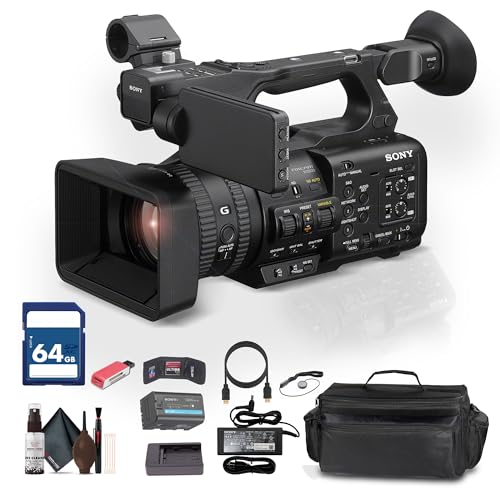
Sony USA Authorized. Bundle Includes: Sony HXR-NX800 4K HDR 1" Sensor NXCAM Camcorder, 64GB Memory Card, Large Case, Memory Card Reader, Memory Card Wallet, Lens Cap Keeper, Cleaning Kit, HDMI Cable

Sony USA Authorized. Sony Alpha a7S III (Body Only) with two 64GB Extreme PRO cards, Corel software, three NP-FZ100 batteries, mini LED light, micro HDMI cable, memory card reader, large padded case, cleaning set, 12 inch flexible tripod, NP-FZ100 charger, card wallet.

NVIDIA Ada Lovelace, with 2235MHz core clock and 2565MHz boost clock speeds to help meet the needs of demanding games.
Avoiding Common Pitfalls in Choosing Video Resolution
When choosing video resolution, it’s really important to avoid some common pitfalls. First off, make sure the resolution matches your display’s capabilities – for example, if you’re watching on a 720p screen, streaming a 1080p video is overkill. Not only does it waste bandwidth, but it could also lead to frustrating playback issues.
Another key factor is frame rate. Think of it like this: if you pick a high resolution but the frame rate is low, you might end up with choppy motion. That can really ruin a fast-paced scene, like during an action movie. Don’t forget about the aspect ratio either; using a standard 16:9 is usually best. If you ignore that, you might end up with those annoying black bars on the sides or a stretched image.
Lastly, it’s a good idea to test the video on different devices and under various network conditions. For instance, what looks good on your home Wi-Fi might not work well on your phone’s data plan. By keeping these tips in mind, you can ensure a smoother and more enjoyable viewing experience. Additionally, just like lighting setups benefit from customizable length and shape, tailoring your streaming settings to your unique device can optimize performance. So, ready to streamline your next movie night?
Tips for Managing Bandwidth While Streaming
Managing bandwidth while streaming can really help make your viewing experience more enjoyable. Think of it this way: when you have a connection that isn’t super fast, choosing the right settings is key. One awesome trick is adaptive streaming, which means the quality of your stream adjusts automatically based on your internet speed. So, if you notice buffering, the stream might lower the quality a bit to keep things smooth.
For instance, if your internet speed is around 3-5 Mbps, going with a resolution like 720p works well and still looks good. But if you want to watch in 4K, you’ll need at least 25 Mbps, which can be tricky if your connection is slow. Plus, another handy tool is using a Content Delivery Network (CDN). This helps by bringing the video content closer to you, which can reduce those annoying delays when trying to access streams. Additionally, using real-time analytics can help you monitor and optimize streaming performance based on user engagement and network conditions.
Recommended Products

Lightning-Fast Wi-Fi 6E Speeds:This WiFi adapter harnesses the power of the latest Wi-Fi 6E technology, operating in the 6GHz spectrum for an abundance of available...
Frequently Asked Questions
Should You Stream in 720P or 1080P?
Streaming in 1080p paints a clearer picture, enhancing visual clarity and engagement. However, one must consider bandwidth requirements, device compatibility, and user preferences; 720p may suit slower internet speeds and distant viewing for certain content availability.
Is 720P Still Good in 2026?
In 2026, 720p remains effective due to its advantages in streaming efficiency, device compatibility, and accessibility for varying internet speeds. While 1080p and 4K dominate, viewer preferences and content availability sustain 720p’s relevance amid historical comparisons.
Can You Really Tell the Difference Between 720P and 1080P?
Observers often notice marked differences in pixel clarity between 720p and 1080p, especially with larger screens and closer viewing distances. Audience preferences lean towards 1080p for better streaming quality, resolution standards, and content-rich visuals.
Is 720P Good Enough for Netflix?
Despite resembling vintage television in clarity, 720p offers acceptable streaming quality for Netflix. It suffices for smaller screens and lower data usage, but user preference leans towards 1080p or 4K for enhanced visual experience.