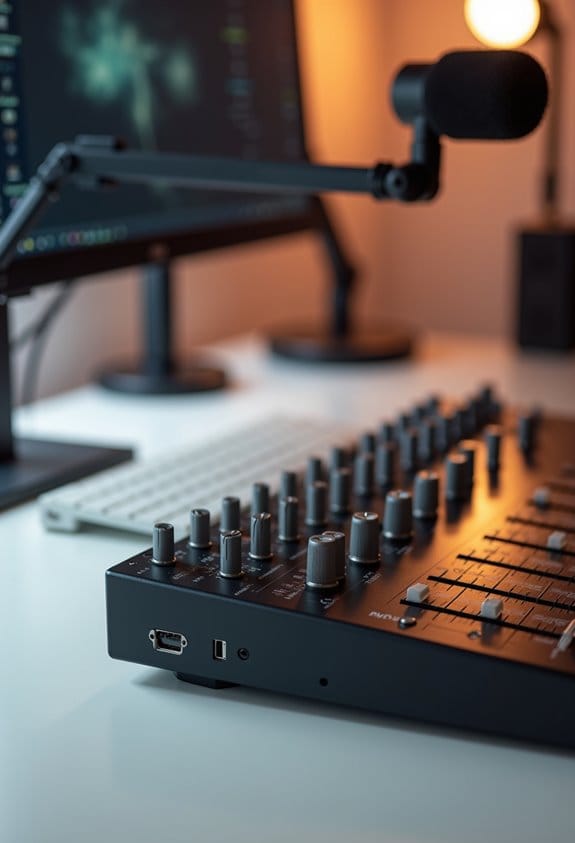

Audio mixers are essential for streaming setups, as they integrate multiple audio sources, like microphones and music, into one cohesive output. This improves overall sound quality, allowing for real-time adjustments. Users often report being truly blown away by their ability to manage noise and enhance clarity, especially in dynamic environments. With various types available, from USB to analog, choosing the right one can elevate the streaming experience. Stick around to explore setup tips and recommendations for every budget.
Key Takeaways
- Audio mixers consolidate multiple audio sources, ensuring a single, balanced output for seamless streaming.
- USB mixers facilitate direct connection to streaming software, simplifying setup and reducing clutter.
- Real-time control over volume levels and effects enhances audio quality, providing a professional sound experience.
- Properly balancing and managing audio levels prevents distortion and maintains clarity during live sessions.
- Noise-canceling technology in mixers minimizes background interference, improving overall stream quality for better audience engagement.
Why You Need an Audio Mixer for High-Quality Streaming

If you’re setting up a streaming setup that sounds great, an audio mixer is a must-have. Basically, it lets you bring together all your audio sources—like your microphone, game sounds, and music—into one neat output. This way, everything flows together nicely, and you’ll notice a big difference in audio quality.
Connecting a modern mixer to your streaming software is super easy thanks to USB outputs. For example, if you’re playing a game and want to add commentary, you can adjust your voice and the game sound levels in real time. Plus, an audio mixer helps manage background noise and reduces distractions, so your viewers can focus on what you’re saying.
Many mixers come with built-in tools like compression and equalization, which enhance sound clarity. Think of it like polishing a diamond—it just makes everything sparkle! Investing in a good audio mixer can really elevate your streaming experience, making your presentations sound professional and engaging. Mixers with studio-grade preamps especially contribute to superior sound quality, reducing noise for a clearer output. So, now that your audio is sorted, let’s talk about how to get the best visuals for your stream!
Types of Audio Mixers: Analog, Digital, and USB Explained

Hey! So, let’s chat about audio mixers because they come in a few different flavors, each with its own perks. If you’re into that warm, classic sound, analog mixers are fantastic. They give you those nice, tactile knobs and sliders that make adjusting levels a breeze. Picture this: you’re in the middle of a live stream, and you can easily tweak your sound on the fly—it really gives you a hands-on feel. Usually, these mixers have anywhere from 4 to 12 input channels, which is perfect for small setups.
Now, if you’re leaning towards something a bit more high-tech, digital mixers might catch your eye. They transform audio signals into a digital format, letting you play around with built-in effects like reverb or echoes, and even save your favorite settings to jump back to later. This could be super helpful if you frequently switch between different setups for various streams.
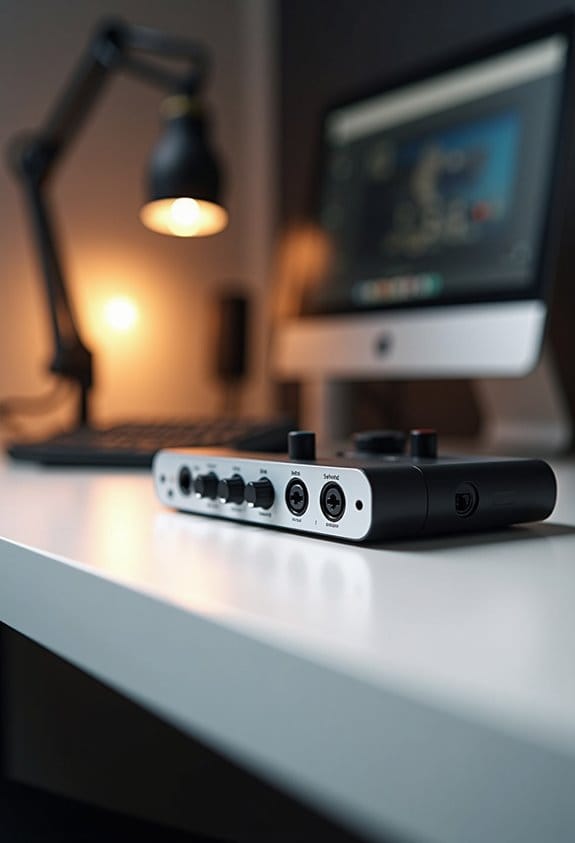
Then there are USB mixers, which combine the roles of an audio mixer and an audio interface into one handy unit. They connect directly to your computer or streaming software, which makes setting up a breeze—great for solo content creators who want to keep things simple. You can easily manage multiple audio sources, like your mic, background music, and sound effects, all without the need for extra gear.
Whichever type you choose, there’s definitely an audio mixer out there that fits your streaming style. And speaking of streaming, let’s explore how to make the most of your set-up next! Many content creators also use low latency capture cards to ensure their audio and video streams stay perfectly synchronized and smooth during live broadcasts.
Recommended Products

Multi-format hd a/v mixer

[Powerful Processor] Mini Gaming PC equipped with Core i9-14900F, 24 Cores 32 Threads, 36M Cache, Max Turbo Frequency: 5.8GHz, Windows 11 pro (64 Bit).64G DDR5-5600 RAM| 4T M.2 NVME PCIE4.0 SSD| 4T SATA SSD. With GeForce RTX 50 Series GPUs. supporting ray tracing and AI cores. Delivering AI-acceleration in top creative apps. Whether you’re rendering complex 3D scenes, editing 4K video, or Gaming livestreaming with the best encoding and image quality.

HD Video Switcher with SDI and Scaled HDMI Inputs
Key Features of an Audio Mixer for Streaming

Picking the right audio mixer for streaming can seem a bit daunting at first, but once you get a handle on the key features, it becomes much easier. Basically, audio mixers are fantastic tools that take all your different sound sources—like your microphone and game audio—and blend them into one great-sounding output.
When you’re shopping around, keep an eye out for mixers that have USB audio interfaces. This makes connecting to your computer a breeze, ensuring your sound is streaming smoothly. For example, if you’re playing a game and want your voice to blend well with the game sound, a mixer can help you control the levels in real-time.
You’ll also want to think about the number of input channels. Typically, entry-level mixers have around 4-6 channels, which is often enough to cover your microphone, game audio, and maybe a music source, plus it gives you room to grow if you ever decide to add more equipment down the line. And don’t overlook monitoring capabilities—having a headphone output lets you check whether your audio levels are balanced while you stream.
Many mixers also offer zero-latency monitoring, so you can hear your audio without any delay, which is crucial for live streaming to maintain timing accuracy.
All these features come together to create a smoother audio experience for you and your viewers. Plus, once you’re comfortable with your setup, you can really focus on creating engaging content without worrying about the sound quality! Now, let’s explore some popular mixer models that are great for beginners.
Recommended Products

24 AnalogiQ total recall preamps with zero crossing detection and an advanced pad less 1dB step gain stage

It’s Time To Update Your DJ Equipment With Denon DJ’s New Mainstage Media Player - Standalone DJ media player powered by ENGINE OS with HD touchscreen and 8.5-inch motorized platter

Amplifier Power Output (Peak) 2000W + 2000W @ 8Ω DSP Digital Sound Processor with 3" Touch Screen Front Display for fast and easy input selection, volume control, or changing effects such as Echo , Delay, Repeat...
Step-by-Step Audio Mixer Setup
Setting up an audio mixer can be a fun and straightforward project, especially if you follow a few key steps. To get started, plug your microphones and any other audio sources into the mixer using the right cables. It’s super important to make sure each input channel is active so that you achieve the best mix possible. For example, if you’re using a vocal mic and a guitar, ensure both of those channels are connected.
Once that’s done, you’ll want to adjust the gain levels for each channel. Ideally, aim for those levels to sit between -18dB and -12dB. This sweet spot is crucial because it prevents clipping and keeps your audio sounding clear. After you’ve got the gains set, you’ll configure the mixer to send a mixed output to your streaming software, treating it as your main audio input.
Don’t forget to enhance your sound! You can play around with equalization or add effects like compression to give your audio that extra polish. Finally, before going live, make sure to conduct a thorough sound check while monitoring your audio levels. This step is key to setting the right balance, especially for background music, giving your audience a great listening experience. It’s all about fine-tuning until everything sounds just right! Using an audio interface with low latency capabilities can significantly improve real-time monitoring and overall sound quality during your stream.
Recommended Products
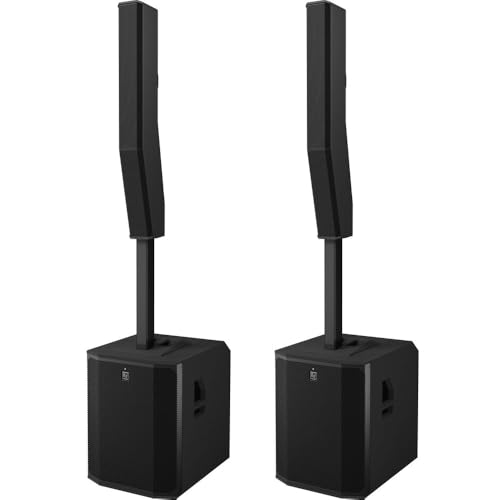
EVOLVE 90 Active Subwoofer : EVOLVE 90 Column Speaker Array

Portable hybrid event switcher with comprehensive features and connectivity

IMPLOSIVE SOUNDSTAGE - Experience an expansive soundstage that transforms any space into an auditory delight, making it the perfect surround sound system for your home. Superior user experience, including Devialet Remote for precision handling.
How to Connect Multiple Audio Sources for a Seamless Stream
If you want your live stream to sound amazing, connecting multiple audio sources is super important! First off, look for a mixer that has at least 4-6 channels. This way, you can hook up all your microphones and audio devices without a hitch. A USB mixer is a great option because it lets you send mixed audio straight to your streaming software, making things easier.
Now, if you’re working with different setups, don’t forget about using auxiliary outputs. For instance, if you have a separate monitor or another audio device, these outputs can help you manage your sound feeds seamlessly. Just remember to check if your microphones and mixers are compatible. Whether you need XLR cables for your mics or TRS for instruments, make sure you have the right inputs ready.
Before you go live, always test your audio levels. The sweet spot for gain staging is usually between -18dB and -12dB to keep everything clear and distortion-free. So, take a moment to adjust those levels, and your audience will appreciate the crisp sound right from the start. Now, let’s talk about how to enhance your audio even further!
Using microphones with a cardioid polar pattern can significantly reduce background noise and improve vocal clarity in streaming setups.
Recommended Products

48 Input Channels, 36 Total Busses, PAFL Bus, 12 Stereo Mix (Aux or Group) + Main


STUNNINGLY CLEAR SOUND QUALITY - The DJM-A9 has been upgraded with stunningly clear sound quality, giving you the edge when it comes to taking your performances to the next level.
Fix Common Mixer Problems During Your Streams
Hey there! Mixing audio during a live stream can be tricky, but I’ve got some tips to help you deal with common mixer problems. The first step is to make sure all your audio input connections are tight and that you’re using balanced cables. These cables help cut down on unwanted noise, which is a big win when you’re using OBS Studio—nobody wants to deal with audio hiccups while they’re live!
Next up, keep an eye on your gain settings. Aiming for levels between -18dB and -12dB is smart because it helps you avoid that annoying clipping sound. You know, the static-like noise that happens when the audio peaks too high? It’s usually best to use the cue function on your mixer to listen to each channel beforehand. That way, you can spot any issues, like an echo or distortion, before they reach your audience.
Don’t forget to do some practice runs to check for feedback loops too—these can pop up if your microphone or speakers are too close together. A good rule of thumb is to have the microphone at least a few feet away from the speakers. Lastly, take some time to experiment with built-in effects on your mixer. These can be super useful for smoothing out volume changes and making your overall sound much more pleasant. Also, consider pairing your audio setup with a dual microphone system for improved noise reduction and clearer sound quality during streams.
Balance Levels and Control Effects in Real-Time
Hey there! If you’ve ever watched a live stream and noticed how smooth the audio sounds, that’s all about creating balanced levels in real-time. Audio mixers play a crucial role in helping streamers manage different sound sources effortlessly. Imagine a live band where each instrument is perfectly balanced; that’s what a good mixer does for a stream!
When streamers adjust volume levels or add effects like compression—think of it as controlling how loud or soft sounds can get—they really enhance the overall audio experience. For instance, if someone is speaking softly, a compressor can boost their voice without letting it go overboard. This keeps everything clear and makes sure viewers stay engaged.
Plus, real-time monitoring through these mixers is a lifesaver. If there’s a sudden issue, like someone’s mic cutting out, streamers can catch it right away and fix it on the spot. Using things like auxiliary sends, they can also send specific audio to different channels which helps manage everything neatly.
With these tools at their disposal, streamers can truly elevate their sessions. It’s amazing how just balancing audio can make such a big difference! Investing in microphones with noise cancellation can further enhance the clarity of sound in streaming setups. Speaking of balancing elements, let’s talk about how to manage video quality alongside audio for a stellar overall presentation.
How to Use Effects and Techniques to Enhance Your Stream’s Audio
Enhancing your stream’s audio is super important for creating a captivating experience for your viewers. One easy way to improve your sound is by using compression. Think of it like a volume control that keeps everything at a steady level, so your audience can clearly hear every word without sudden loud bursts that might startle them.
Another great technique is adding a bit of reverb. Used sparingly, reverb can give your voice some depth, making it feel more engaging without overpowering the message you’re delivering. Just imagine talking in a cozy room versus a vast empty hall – a little reverb helps fill the space nicely.
Don’t forget about using a noise gate! This nifty tool cuts out unwanted background noise, so only the sounds you want to share come through. For example, if you have a noisy fan in the background while you’re streaming, a noise gate ensures it stays quiet, keeping your focus on your commentary.
Adding fun sound effects, like echoes or little beeps, can really spice up your commentary too! It’s like seasoning your content – just right can make it memorable and encourage viewers to engage more. Plus, if you’re comfortable with audio equipment, using auxiliary sends on your mixer lets you handle unique audio effects separately, giving you even more control over what your audience hears. Consider integrating a tube preamp to add warmth and harmonic richness to your microphone input for a more professional sound.
Best Audio Mixer Recommendations for Every Budget
When you’re setting up for streaming, picking the right audio mixer can make a huge difference in your sound quality. If you’re just starting out, I’d recommend checking out the Behringer Xenyx Q802USB or the Yamaha MG10XU. They’re both solid choices that give you great audio and some helpful built-in effects, and you can usually snag one for around $100 to $300.
As you get more serious about streaming or live events, you might want to look at mid-range options like the PreSonus StudioLive AR8c or the Mackie’s ProFX series. These mixers give you extra inputs and outputs, which are super useful if you’re connecting multiple devices or performers, and they typically run between $300 to $700.
For those who are already in the professional arena, the Allen & Heath ZED series and the Soundcraft Signature series are where it’s at. They really shine with high-quality preamps and advanced routing options, starting at about $700.
Also, don’t forget about USB audio interfaces! They can be a game-changer for simplifying your setup by directly connecting your mixers to your streaming software. Understanding how each piece works together can really enhance your audio experience. Now, let’s explore how to choose the right one for your specific needs!
Investing in mixers and interfaces with noise-canceling technology can dramatically improve the clarity and quality of your audio streams.
Recommended Products
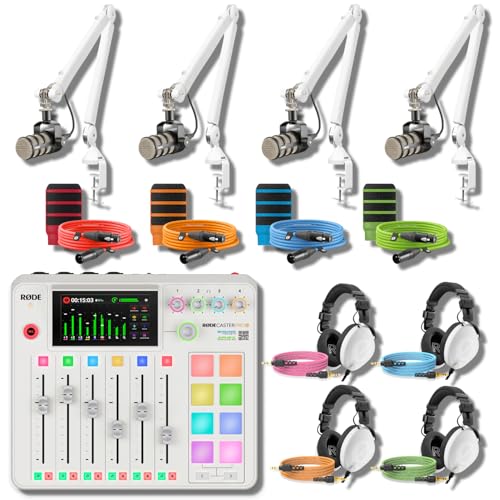
ALL-WHITE 4-HOST RIG — REFERENCE HEADPHONES AT EVERY CHAIR: A multi-host podcast needs more than four broadcast mics on white arms — every host needs studio-grade monitoring, not entry cueing cans. This bundle pairs the RodeCaster Pro II White console with 4 PodMic mics, 4 PSA1+ White arms, 4 NTH-100 White headphones, 4 color NTH cables, 4 color XLR cables, and 4 WS14 pop filters in Orange, Green, Pink, and Blue. Podcast producers and panel hosts — assign a color per host, start recording today.
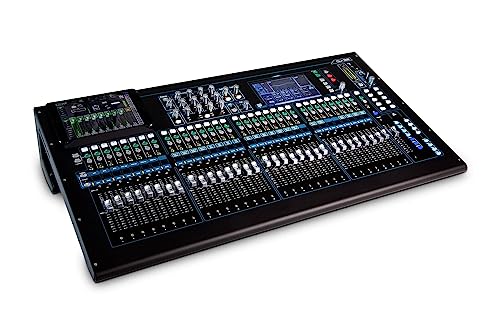
32 AnalogiQ total recall preamps with zero crossing detection and an advanced pad less 1dB step gain stage

HDMI Encoder & DP Decoder - Effortlessly manage multiple video sources.
Frequently Asked Questions
What Does an Audio Mixer Do for Streaming?
An audio mixer enhances streaming by improving audio quality, ensuring stream clarity, and enabling effective channel management. It facilitates voice modulation, incorporates sound effects, offers live feedback, and ultimately boosts audience engagement during broadcasts.
How to Connect Audio From Mixer to OBS?
To seamlessly connect streaming audio from various mixer brands to OBS, one must utilize appropriate audio cables, adjust mixer settings, and confirm plugin software compatibility, ensuring ideal audio quality for an engaging experience on streaming platforms.
What Is the Best Audio Mixer for Streaming?
The best audio mixer for streaming combines budget-friendly options, compact features, and USB connectivity. Popular models include Behringer’s Xenyx for beginners and high-end Allen & Heath options, addressing software compatibility issues and ensuring excellent audio quality.
Is Mixer Streaming Still a Thing?
Mixer streaming continues to flourish, a vibrant tapestry woven from advanced mixer technology, delivering superior sound quality across streaming platforms. From podcasts to live performances, it remains essential, offering beginner tips for enhancing audience engagement through quality audio interfaces.